Recover broken endodontic appointments before the slot goes to waste
Each afternoon, WebRun opens TDO Software, identifies patients who no-showed or cancelled same-day, drafts a re-engagement SMS for each via Twilio, and posts your coordinator a Slack alert with the open slot time and the draft messages ready to review and send.
- No credit card
- Under $0.01 per run
- Cancel anytime
What does WebRun do on every run?
The exact actions WebRun takes, in order - in plain language, so you can adjust anything.
-
WebRun signs in and gets to work
Opens
wwww.tdo4endo.comin a real browser with your saved login - no setup, no API keys. -
1
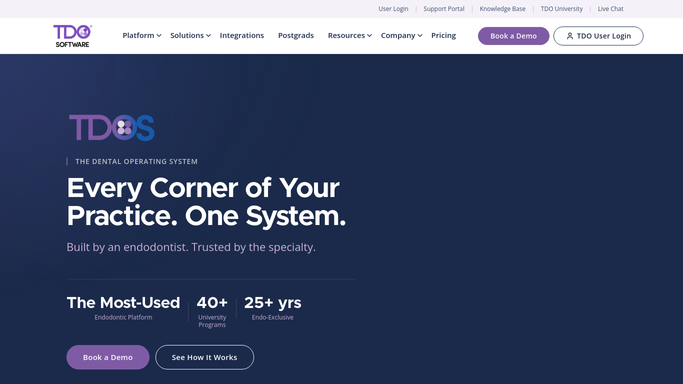
TDO Software - identify no-shows and same-day cancellations
tdo4endo.com How to Automate TDO Software

WebRun opens TDO Software to identify no-shows and same-day cancellations. - Open TDO Software and navigate to today's schedule
- Filter for appointments marked as no-show or same-day cancellation
- Capture patient name, original appointment time, and procedure type
- Note the operatory slot that is now open for rebooking
Done when All no-shows and same-day cancellations are listed with open slot times and procedure types.
-
2
Twilio - draft re-engagement SMS for each patient
twilio.com How to Automate Twilio
WebRun opens Twilio to draft re-engagement SMS for each patient. - Draft a short, friendly re-engagement message for each no-show patient using their name and the original procedure
- Offer two or three rebooking options based on the next available slots in the schedule
- Save each draft in Twilio without sending, for coordinator review
Done when A draft re-engagement SMS exists in Twilio for every no-show patient, awaiting coordinator approval before sending.
-
3
Slack - alert coordinator with open slot and drafts
slack.com How to Automate Slack
WebRun opens Slack to alert coordinator with open slot and drafts. - Post a same-day recovery alert to the coordinator's Slack channel
- List each no-show with the open slot time, procedure type, and a note that a draft SMS is ready
- Flag any patient who has no-showed more than once in the past 90 days
Done when Coordinator has a Slack alert with all no-shows, open slots, and draft status noted.


How do I automatically recover no-show endodontic appointments using TDO Software?
WebRun scans TDO Software each afternoon for same-day no-shows and cancellations, drafts a personalized re-engagement SMS for each patient via Twilio, and alerts your coordinator in Slack with the open slot times and draft messages. No patient is contacted until a staff member reviews and approves each message.
- Open slots identified and recovery drafts ready within minutes of a no-show
- Coordinator gets a same-day action list instead of a pile of phone tags
- Repeat no-show patients flagged automatically for priority follow-up
Built for endodontists · endodontic scheduling coordinators · dental specialty practices · endodontic office managers
How is each run configured?
Secure by default
Connect once, stays signed in
WebRun signs in once and keeps each session in a persistent environment, so every run picks up right where it left off.
Every action is checked against this policy before it runs.
Questions, answered
Will it contact no-show patients automatically?
No. Every re-engagement message is drafted and saved in Twilio for your coordinator to review. No SMS is sent to any patient until a staff member approves and releases it.
How does it know which slots are available to offer?
WebRun reads the open schedule in TDO Software during the same run and includes the next two or three available times in the draft message, so the patient gets a real offer, not a generic call-us-back.
What about patients who cancelled in advance, not same-day?
This run focuses on same-day no-shows and cancellations where slot recovery is most urgent. Advance cancellations can be handled through the waitlist-fill workflow, which runs separately.
Related templates
Put this on autopilot.
Turn it on in minutes - or have our team set it up for you.