How to Automate TDO Software
TDO automates the endodontic practice from the inside: InfoGrabber collects forms before the visit, COMMS+ confirms appointments by text, eClaims go out through DentalXchange, and Snapshot Reports show production and receivables live. Reading a dental plan's own portal for remaining maximums, frequency limits and claim status is still manual.
 Written by
Devon Ruiz
Workflow engineer
Written by
Devon Ruiz
Workflow engineer
 Reviewed by
Grace Okafor
Healthcare operations
Reviewed by
Grace Okafor
Healthcare operations
Every patient in an endodontic practice was sent by another dentist
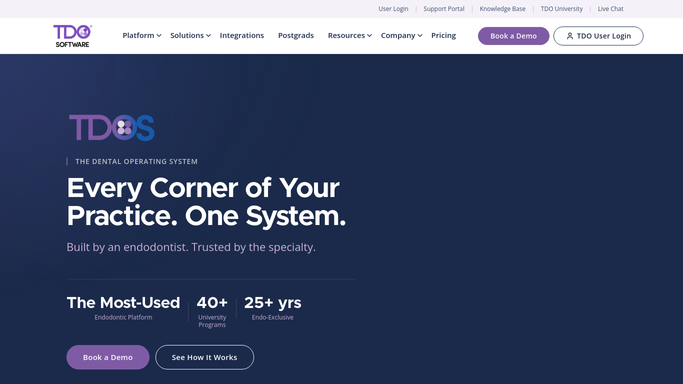
TDO is practice management software built for one dental specialty. Endodontists, who do root canals, retreatments and surgical cases, and nobody else. It runs private practices, offices inside larger groups, and many university endodontic residency programs.
Building for one specialty shows. Scheduling is by operatory and color-coded, because an endodontic day is short appointments across two or three rooms. Charting is built around a tooth rather than a mouth. Digital radiography and cone beam imaging from Carestream, XDR and J. Morita come into the chart directly, because the case is decided on the scan.
The part that shapes everything else is the referral. An endodontist barely advertises for patients. A general dentist finds a tooth needing more than they want to take on, and sends it. The referring office is the customer as much as the patient is, and TDO carries that: a referring doctor portal where the sending office follows a case and sees the images, post-treatment reports back to the general dentist, and analytics on who refers and who has stopped.
The benefits on one root canal live on three different websites
A molar root canal with a build-up is not a cleaning. It is a real number, and the patient wants to hear it before they sit down.
Working it out means opening the plan's portal. Not the eligibility check, which only confirms coverage is active, but the detail underneath: how much of the annual maximum is spent, whether a waiting period applies, whether a frequency limit blocks retreating that tooth, whether the general dentist has already claimed something that changes what gets paid here.
After treatment it runs in reverse. The claim goes out. Two weeks later somebody opens the same portal to see whether it was paid, denied, or waiting on a radiograph the software already holds. Denials arrive with reason codes and appeal windows, and the windows are short.
Around all of that sits everything else carrying a date. The patient who came for a consult and never booked. The one whose treatment was started and never finished. The referring office waiting on a report nobody sent. The license renewal pinned up in the sterilization room.
InfoGrabber and COMMS+ already handle the patient's side
TDO automates a lot of the patient journey, and a practice should use all of it before looking anywhere else.
InfoGrabber has patients complete registration, medical history and consent forms at home, so the chart is populated before they arrive. COMMS+ confirms appointments automatically by text and sends post-treatment follow-ups, the largest reduction in front desk phone time on offer. eClaims go out electronically through DentalXchange.
All of it is genuine, and all of it operates on what already sits inside TDO.
The limit is the one every practice management system has. It can send a claim and it can take back what the clearinghouse returns. It cannot open a dental plan's provider portal, or a state Medicaid site, and read the six lines that decide what a case is really worth: the remaining maximum, the frequency history, the reason a claim stalled, whether an appeal was ever received. Those pages were built for a person with a password.
The referral loop can close without anybody remembering to close it
The front desk can have the payers' answers in hand before the first patient of the day arrives.
Tomorrow's schedule checked against each plan's portal overnight, so the treatment coordinator has the remaining maximum and the frequency history in front of them before the patient walks in, not while the patient is waiting. Every submitted claim looked up on the payer's own site, with the ones that stalled kept apart from the ones denied, and the appeal deadline attached to each.
The referral side handled the same way. Cases completed yesterday listed against the practice that sent them, with the report drafted and waiting for the doctor to approve. Referrers who used to send a case a month and have gone quiet, flagged while it is still worth a phone call.
Then the patients who fell out of the middle of something. A consult with no appointment booked afterwards. Treatment started and never completed. A recall date that has already passed. Each one becomes a draft message a person reads and sends, never a text that leaves on its own.
The endodontist's time belongs in the operatory
Nothing on that list needs clinical training. It needs somebody to sign into six websites at seven in the morning, which is exactly why it happens on some days and not others.
WebRun is an AI agent that works a real Chrome browser, signed in as your team is. It opens TDO, the plan's portal and the referring office's site, reads what each one says, and brings back the schedule, the claim list or the referral report already assembled.
The line in a clinical practice does not move. Gathering and checking runs unattended. Anything that changes a clinical or billing record, submits a claim or an appeal, or reaches a patient is prepared and left for a qualified person to review and send.
The workflows below are already built, and each one names what it opens.
Questions people ask
Will it text patients or send a claim on its own?
No. Anything reaching a patient, changing a chart or submitting a claim or an appeal is prepared and left for a qualified person. What runs unattended is the reading: what the plan says, what the claim did, and who has not booked.
Does this replace COMMS+ or InfoGrabber?
No, and it should not try. Those work on what TDO already holds and they do it well. This covers the outside pages TDO cannot open, which mostly means the dental plan portals holding maximums, frequency limits and claim status.
Our payer portals use one-time codes at login. Is that a problem?
The first connection to a site needs a person to enter the code. After that the session is kept and reused, so runs do not stop for a code every morning. If a site does force a fresh one, the run pauses and asks rather than failing quietly.
12 ready-made TDO Software workflows
Each one names the apps it touches and the exact steps it takes. Open one to read what it will do, then turn it on.




Want one of these running on your own TDO Software?
Show WebRun the process once and it will run it on schedule, in your own private browser environment.