Chase outstanding patient balances so your AR does not age
Every Monday, WebRun opens TDO Software, pulls all patient balances past due by more than 30 days, cross-checks the amounts in QuickBooks, drafts a polite Text-to-Pay reminder for each patient via Twilio, and flags the list for your billing team to review before any message is sent.
- No credit card
- Under $0.01 per run
- Cancel anytime
What does WebRun do on every run?
The exact actions WebRun takes, in order - in plain language, so you can adjust anything.
-
WebRun signs in and gets to work
Opens
wwww.tdo4endo.comin a real browser with your saved login - no setup, no API keys. -
1
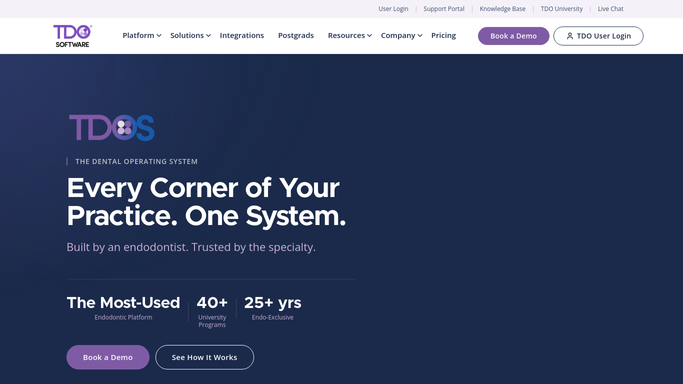
TDO Software - pull overdue patient balances
tdo4endo.com How to Automate TDO Software

WebRun opens TDO Software to pull overdue patient balances. - Open TDO Software and navigate to the AR aging report
- Filter for patient balances past due by more than 30 days
- Capture patient name, balance amount, and days overdue for each record
- Note any patients on a payment plan so they are excluded from the general chase list
Done when All patient balances past due by 30 or more days are captured, with payment-plan patients excluded.
-
2
QuickBooks - cross-check AR aging totals
- Open QuickBooks and check the AR aging summary for the same period
- Confirm each TDO balance matches the QuickBooks record
- Note any discrepancies for billing team review
Done when Overdue balances are confirmed against QuickBooks AR, with discrepancies flagged for review.
-
3
Twilio - draft Text-to-Pay reminder for each patient
twilio.com How to Automate Twilio
WebRun opens Twilio to draft Text-to-Pay reminder for each patient. - Draft a polite, on-brand Text-to-Pay reminder for each patient using their name and balance amount
- Include the TDO Payments text-to-pay link in each draft
- Save all drafts in Twilio without sending, for billing team review and approval
Done when A draft Text-to-Pay reminder exists in Twilio for every overdue patient, awaiting billing team approval before any message is sent.

How do I automatically chase outstanding patient balances from TDO Software?
WebRun pulls overdue patient balances from TDO Software every Monday, cross-checks amounts in QuickBooks, and drafts a polite Text-to-Pay reminder for each patient via Twilio. No message reaches a patient until your billing team reviews and approves the batch, keeping collections compliant and AR aging visible each week.
- Overdue balances caught and drafted for chase every Monday before AR ages further
- Billing team reviews every message before it reaches a patient
- Payment-plan patients excluded automatically from the chase batch
Built for endodontic billing coordinators · endodontists · dental specialty billing teams · endodontic practice managers
How is each run configured?
Secure by default
Connect once, stays signed in
WebRun signs in once and keeps each session in a persistent environment, so every run picks up right where it left off.
Every action is checked against this policy before it runs.
Questions, answered
Will it text patients about their balance without our approval?
No. Every Text-to-Pay reminder is drafted and saved in Twilio as an unsent message. Your billing team reviews the full list each Monday and decides which messages to release and which to hold.
What about patients on a payment plan?
WebRun checks TDO Software for active payment plan records and excludes those patients from the chase draft batch. They will not receive a standard balance reminder while a plan is in place.
What if the TDO and QuickBooks balances do not match?
Any discrepancy between TDO Software and QuickBooks is flagged in the weekly report for your billing team to investigate before any reminder goes out. Mismatched records are held back from the draft batch.
Related templates
Put this on autopilot.
Turn it on in minutes - or have our team set it up for you.