Start every day with a dispatch-ready digest of all scheduled backflow tests
Every morning at 6:00 AM, WebRun opens SwiftComply, pulls all backflow test jobs scheduled for today, organizes them by assigned tester into a route-ordered digest, posts the full schedule to the dispatch Slack channel, and sends each tester an SMS via Twilio with their individual stop list for the day.
- No credit card
- Under $0.01 per run
- Cancel anytime
What does WebRun do on every run?
The exact actions WebRun takes, in order - in plain language, so you can adjust anything.
-
WebRun signs in and gets to work
Opens
app.swiftcomply.comin a real browser with your saved login - no setup, no API keys. -
1
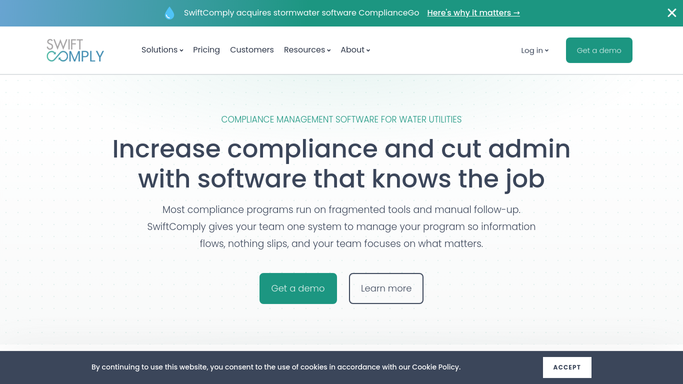
SwiftComply - pull today's scheduled test jobs by tester
swiftcomply.com How to Automate SwiftComply

WebRun opens SwiftComply to pull today's scheduled test jobs by tester. - Open SwiftComply and pull all jobs scheduled for today across all assigned testers
- Group jobs by tester and sort each tester's stops in geographic order
- Capture the property address, device type, appointment window, and any special access notes for each stop
- Flag any stop that has no confirmed tester assignment or has a time conflict
Done when Today's full schedule is organized by tester and stop order with all details and flags captured.
-
2
Slack - post full dispatch digest to operations channel
slack.com How to Automate Slack
WebRun opens Slack to post full dispatch digest to operations channel. - Post the full dispatch digest to the operations Slack channel
- List each tester with their stop count, first address, and flagged issues
- Include a summary line: total jobs today, testers on the road, and any unassigned stops
Done when Dispatch has the complete day's schedule in Slack with all flags visible before 6:30 AM.
-
3
Twilio - send each tester their individual stop list via SMS
twilio.com How to Automate Twilio
WebRun opens Twilio to send each tester their individual stop list via SMS. - Send each assigned tester an SMS via Twilio with their individual stop list for the day
- Include the address, appointment window, and device type for each stop in the message
- Do not include customer contact details or access codes in the SMS. Those are provided by the dispatcher if needed
Done when Every assigned tester has received their personal stop list via SMS before 6:30 AM.


How do I automatically send testers their daily backflow test schedule each morning?
WebRun opens SwiftComply at 6:00 AM every morning, pulls the day's full backflow test schedule, organizes each tester's stops in geographic order, posts the dispatch digest to your operations Slack channel, and sends every tester an SMS via Twilio with their personal stop list. Dispatchers and testers both start the day fully briefed before anyone leaves for the first job.
- Every tester has their stop list by 6:30 AM without a dispatcher manually texting each one
- Dispatch has a full schedule overview in Slack before the first tester leaves the yard
- Unassigned jobs are flagged at 6:00 AM, leaving time to fix gaps before testers are in the field
Built for backflow testing companies with field testers · water utility dispatch operations · plumbing contractors scheduling daily service calls · cross-connection control service providers
How is each run configured?
Secure by default
Connect once, stays signed in
WebRun signs in once and keeps each session in a persistent environment, so every run picks up right where it left off.
Every action is checked against this policy before it runs.
Questions, answered
Will it text testers automatically without dispatcher approval?
Yes, the Twilio SMS to each tester with their individual stop list goes out automatically at 6:00 AM based on the schedule in SwiftComply. The Slack dispatch digest is also posted automatically. If a route needs to change after 6:00 AM, the dispatcher sends a manual update. The automatic send keeps testers informed without waiting for a dispatcher to be at their desk at dawn.
What if a tester's schedule changes after the SMS is sent?
The morning digest reflects the schedule as it stands at 6:00 AM. If a job is added or cancelled after that, the dispatcher is responsible for notifying the tester directly. WebRun can run again mid-day to produce an updated digest if needed.
Does the tester SMS include sensitive customer information?
No. The SMS includes only the property address, appointment window, and device type for each stop. Sensitive details like customer contact numbers or gate access codes are not included and must be shared separately by the dispatcher if needed.
Related templates
Put this on autopilot.
Turn it on in minutes - or have our team set it up for you.