Track every compliance deadline in your backflow program so nothing expires unnoticed
Every Monday, WebRun opens SwiftComply, audits the three key deadline buckets, namely device test-due dates, tester certification renewals, and regulatory reporting windows, posts a ranked compliance calendar for the week to Slack, and creates internal Google Calendar reminder events so your coordinators never discover a deadline after it has passed.
- No credit card
- Under $0.01 per run
- Cancel anytime
What does WebRun do on every run?
The exact actions WebRun takes, in order - in plain language, so you can adjust anything.
-
WebRun signs in and gets to work
Opens
app.swiftcomply.comin a real browser with your saved login - no setup, no API keys. -
1
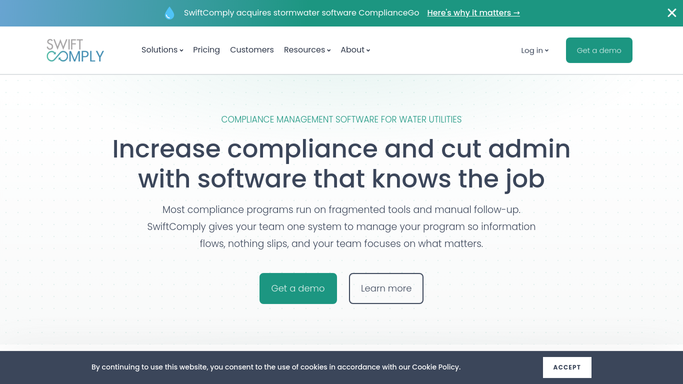
SwiftComply - audit devices, testers, and submission deadlines
swiftcomply.com How to Automate SwiftComply

WebRun opens SwiftComply to audit devices, testers, and submission deadlines. - Open SwiftComply and check the device list for assemblies whose test-due date falls within the next 14 days
- Check the tester roster for certifications or calibrations expiring within the next 30 days
- Check whether any required state or authority reporting windows open or close in the next 14 days
- Compile all three buckets into one prioritized list, closest deadline first
Done when All deadlines across devices, testers, and reporting windows are collected and ranked by urgency.
-
2
Google Calendar - create internal deadline reminder events
calendar.google.com How to Automate Google Calendar
WebRun opens Google Calendar to create internal deadline reminder events. - Create a private compliance reminder event for each deadline on the compliance coordinator's calendar
- Label events clearly: Device Due, Tester Cert Expiry, or Report Window Close
- Set a 48-hour lead reminder on each event so the coordinator is alerted two days before each deadline
Done when Every approaching deadline has a labeled reminder event on the coordinator's Google Calendar.
-
3
Slack - post weekly compliance calendar to coordinators
slack.com How to Automate Slack
WebRun opens Slack to post weekly compliance calendar to coordinators. - Post the weekly compliance calendar to the compliance Slack channel
- Group by bucket: Device Deadlines, Tester Renewals, Reporting Windows
- Flag the single most urgent item at the top so coordinators know where to start
Done when Compliance team has this week's full deadline list in Slack, grouped and prioritized.


How do I track all my backflow program compliance deadlines in one place automatically?
WebRun audits SwiftComply every Monday across three compliance buckets: device test-due dates, tester certification and calibration renewals, and regulatory reporting windows. It creates Google Calendar reminder events for each deadline and posts a ranked weekly compliance calendar to Slack, so your coordinators always know what needs action before a deadline is missed.
- Every compliance deadline across devices, testers, and reporting appears in one weekly Slack post
- Google Calendar reminders mean coordinators are alerted 48 hours before each deadline, not after
- No single deadline bucket is missed because all three are audited together in one run
Built for water utility compliance coordinators · backflow program administrators · backflow testing companies · municipal cross-connection control managers
How is each run configured?
Secure by default
Connect once, stays signed in
WebRun signs in once and keeps each session in a persistent environment, so every run picks up right where it left off.
Every action is checked against this policy before it runs.
Questions, answered
Does it cover only device test deadlines or tester credentials too?
It covers all three compliance buckets: device test-due dates, tester certification and calibration renewals, and regulatory reporting windows. Every deadline type is included in the weekly Slack post and the Google Calendar reminders.
Will it notify property owners or testers about their deadlines directly?
No. All notifications are internal. WebRun posts to your compliance Slack channel and creates reminders on your coordinator's calendar. Outreach to property owners or testers is a separate step that your team initiates and reviews before sending.
How far in advance does it surface deadlines?
Device and reporting deadlines are surfaced 14 days out. Tester certification and calibration expirations are surfaced 30 days out, giving you enough lead time to schedule renewals without disrupting their assignment queue.
Related templates
Put this on autopilot.
Turn it on in minutes - or have our team set it up for you.