Kick off new customer onboarding and get every device entered before the first test is due
When a new customer is added, WebRun opens SwiftComply, creates the customer record, adds each device from the signup form to the device inventory with the correct hazard classification, posts an internal onboarding checklist to Slack, and drafts a welcome email for your team to review before it is sent to the customer.
- No credit card
- Under $0.01 per run
- Cancel anytime
What does WebRun do on every run?
The exact actions WebRun takes, in order - in plain language, so you can adjust anything.
-
WebRun signs in and gets to work
Opens
app.swiftcomply.comin a real browser with your saved login - no setup, no API keys. -
1
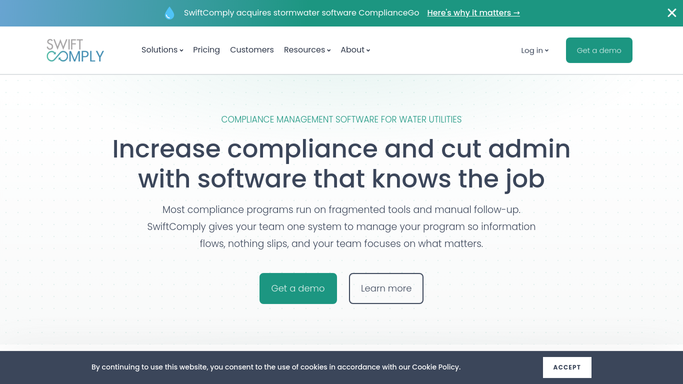
SwiftComply - create customer record and add devices to inventory
swiftcomply.com How to Automate SwiftComply

WebRun opens SwiftComply to create customer record and add devices to inventory. - Open SwiftComply and create a new customer record with the property address, owner contact, and service area
- Add each device from the signup information to the device inventory: serial number, device type, hazard classification, and installation date
- Set the next test-due date for each device based on the installation date and the annual testing requirement
- Verify the customer record is linked to the correct water authority jurisdiction
Done when Customer record exists in SwiftComply with all devices entered, classified, and assigned a first test-due date.
-
2
Slack - post internal onboarding checklist
slack.com How to Automate Slack
WebRun opens Slack to post internal onboarding checklist. - Post an onboarding checklist to the operations Slack channel listing the customer name and device count
- Include next steps: confirm water authority linkage, schedule the first test, and verify device details with the customer
- Tag the account coordinator responsible for this customer
Done when Ops team has the new customer's onboarding checklist in Slack with a named owner.
-
3
Gmail - draft welcome email for review
gmail.com How to Automate Gmail
WebRun opens Gmail to draft welcome email for review. - Draft a welcome email for the new customer confirming their devices are registered and their first test window
- Include instructions for using the customer portal to view their device status and upcoming test dates
- Save the draft to Gmail Drafts. Do not send. Leave the draft for your coordinator to review and personalize before sending
Done when A reviewed welcome email draft is waiting in Gmail Drafts for coordinator approval.


How do I automatically onboard new backflow testing customers and get their devices into SwiftComply?
When a new backflow testing customer is added, WebRun creates their record in SwiftComply, enters every device with its hazard classification and first test-due date, posts an internal onboarding checklist to Slack for the assigned coordinator, and saves a welcome email draft in Gmail for review before sending. The customer is set up completely before their first compliance window opens.
- New customers have all their devices in SwiftComply with correct hazard classifications before the first test is due
- Coordinators start onboarding with a named-owner checklist in Slack, not a list of undone tasks
- Welcome emails reach customers after a human review, keeping first impressions accurate
Built for backflow testing companies · water utility program administrators · plumbing contractors adding new service accounts · cross-connection control program managers
How is each run configured?
Secure by default
Connect once, stays signed in
WebRun signs in once and keeps each session in a persistent environment, so every run picks up right where it left off.
Every action is checked against this policy before it runs.
Questions, answered
Will it send the welcome email to the new customer automatically?
No. The welcome email is saved as a Gmail draft for your coordinator to review, personalize, and send. Nothing goes to the customer until a team member approves it. WebRun only posts the internal checklist to Slack automatically.
What if the customer has multiple devices at different addresses?
WebRun creates a device record in SwiftComply for each address and device listed in the signup information. Each device gets its own hazard classification and test-due date so no property is missed in the annual cycle.
How does it know which water authority to link the customer to?
It maps the customer's service address to the correct water authority jurisdiction configured in your SwiftComply account. If the address falls in an ambiguous jurisdiction, the onboarding checklist in Slack flags it for manual confirmation.
Related templates
Put this on autopilot.
Turn it on in minutes - or have our team set it up for you.