How to Automate Slack

Slack automates in two layers. Workflow Builder, reminders and vendor Slack apps cover anything that starts inside Slack or gets pushed to it. Getting an answer out of a tool that never built a Slack app is the layer people still do by hand, one browser tab at a time.

Slack is where the company keeps its attention

Slack is a messaging app that turned into something else along the way: the place a company keeps its attention. Decisions get made in a thread before they are written down anywhere official. The person who needs to know something asks in a channel rather than opening the system that holds the answer. New staff learn how the business actually works by scrolling.

Most companies run a few dozen channels and about four that matter. The one where orders come in. The one where things break. The one where the numbers get posted every morning. Those few are checked constantly, by people who are supposed to be doing something else.

That is both the value and the cost. Everything important passes through Slack, which is what makes it worth automating. Everything unimportant passes through too, which is why half the workspace has notifications off.

Someone is quietly paid to watch the dashboards

In most teams one person has become the human integration layer, without anyone deciding they should be.

They open the payment dashboard each morning and post yesterday's total. They check whether the overnight job finished and tell the channel either way. They copy the day's bookings across because the booking system has no Slack app. When somebody asks whether an order shipped, they open another tab and look.

None of that is in their job description. It is what happens when the tool everyone watches knows nothing about the tools that hold the facts. The channel is full of people and short of data.

The slack.com homepage, the app these three jobs run in. Slack
Morning numbers Yesterday's takings, failures and bookings read from the systems that hold them and posted before the team logs on.
The usual questions, answered Whether it shipped, whether it cleared, whether the status changed, checked and posted without anyone opening a tab.
Exceptions only The three lines that fell below reorder, not the two hundred that did not. Quiet channels are the ones people still read.

Workflow Builder only reacts to what happens inside Slack

Slack automates a fair amount on its own, and for what it covers it is good.

Workflow Builder runs a sequence when someone joins a channel, reacts with an emoji, submits a form or clicks a button. Reminders repeat on a schedule. Scheduled send posts a message you already wrote at a time you pick. Hundreds of products publish a Slack app that pushes their own events into a channel.

Every one of those is triggered by something that happened in Slack, or pushed in by a vendor who decided to build the integration. That is the ceiling. A workflow cannot go and look at anything. It posts what it is handed.

So the gap is every tool that never built a Slack app: the supplier portal, the council website, the twenty-year-old booking system, the bank. Those hold the answers people ask for in channels all day, and Slack has no way to reach them.

The channel can report before anyone asks

Change what is able to reach the channel and the whole thing inverts. Instead of people asking the channel questions, the channel starts answering them first.

Yesterday's takings, posted at seven, read from the till system that only ever shows them on a dashboard. The overnight payment failures, listed by customer, out of a portal with no export. The three stock lines that dropped below reorder, checked across every supplier you buy from. The bookings that came in during the night from a system that never built an integration.

The same goes for the questions people ask over and over. Whether a shipment moved. Whether a permit changed status. Whether a listing is still on the first page. Whether a competitor put their price up again. Each of those is somebody opening a tab, looking, and typing what they saw.

One thing worth building in from the start: a channel that posts everything gets muted inside a week, and a muted channel is worse than no channel. The version that survives posts what changed and stays quiet otherwise. Report the exception, not the heartbeat.

Nobody has to be watching at six in the morning

The till system will not post its own number into a channel, and the number is wanted before the doors open. Reading it off a screen at that hour is work, but it is not the kind that justifies a phone by the bed.

WebRun is an AI agent that works a real Chrome browser, signed in as you. It opens the portal or the dashboard, reads what is on the screen, and posts the result into the channel you choose. Because it works the browser rather than an API, it reaches the tools that never built a Slack app, which is most of them.

It runs on your schedule in your own private environment, and you can watch a run and stop it. Anything that would reach a customer drafts and waits for you.

The workflows below are already built, and each one names the apps it touches.

Questions people ask

Will it post to a channel without me approving it?

Posting to your own internal channel runs on its own, because a message you did not want is a message you delete. Anything customer-facing, like an email or a public reply, is drafted and waits for a person.

Do we need a paid Slack plan or admin rights?

No. It posts through the browser using the access you already have, so there is no app to get approved into the workspace and no admin ticket to wait on.

How do we stop it turning into noise?

Post exceptions rather than everything. Each workflow decides what is worth saying: the lines below reorder, the payments that failed, the job that did not finish. A channel that only speaks when something changed keeps getting read.

5,789 ready-made Slack workflows

Each one names the apps it touches and the exact steps it takes. Open one to read what it will do, then turn it on.


Automated StoriiCare Care Conference Scheduling
Every Monday, WebRun checks StoriiCare for residents due a care conference, finds an open slot in your schedule, drafts a family invite in Gmail, and leaves it for your coordinator to review and send.
StoriiCareGoogle DriveGmail
Automated ElderSuite Care Plan Review Reminders
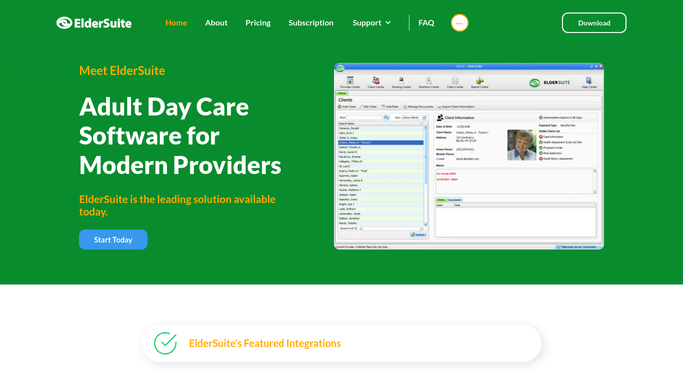
Every weekday morning, WebRun opens ElderSuite, finds care plans due for their periodic review, blocks a tentative time on the reviewing nurse's calendar, and pings the care team in Slack so no review deadline slips.
ElderSuiteGoogle CalendarSlack
Automated Therap Guardian Update Drafts
Every quarter, WebRun pulls each individual's progress, incidents, and upcoming reviews from Therap, drafts a plain language update for the guardian in Gmail, and lets your coordinator send it after a quick review.
TherapGmailSlack
Automated Sigmund Discharge Planning Checklist
WebRun checks each discharging patient's checklist in Sigmund Software every morning, logs what's outstanding to a tracker sheet, drafts the aftercare referral and discharge summary emails for review, and alerts the team in Slack about anyone discharging without a completed checklist.
Sigmund SoftwareGoogle SheetsGmail
Automated Sobriety Hub Bed Vacancy Digest
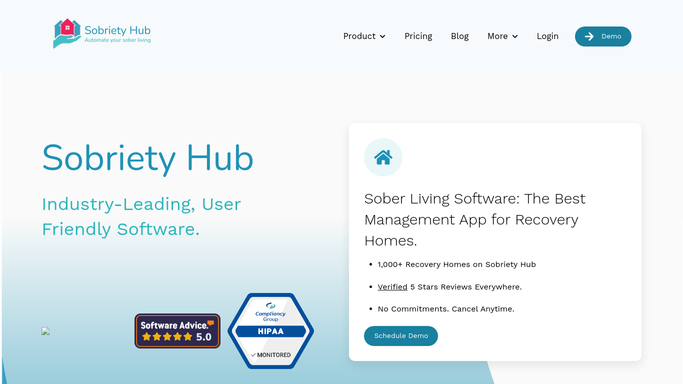
Every morning, WebRun checks Sobriety Hub for vacant and soon-to-vacate beds, logs them in Google Sheets, and posts a ranked fill list to Slack so no bed sits empty overnight.
Sobriety HubGoogle SheetsSlack
Automated OptiMantra EPCS Renewal Alerts
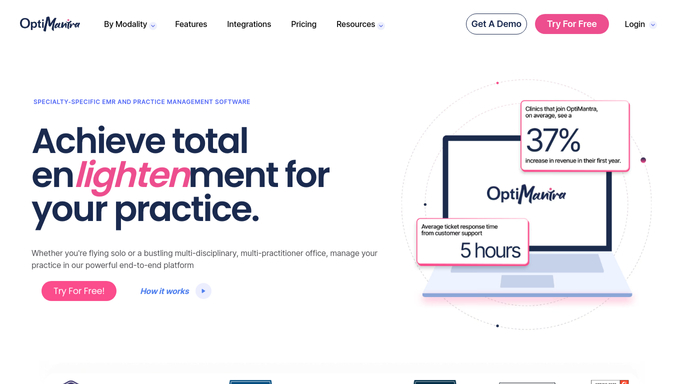
WebRun checks OptiMantra and DoseSpot every morning for patients whose take home sublingual ketamine prescription is nearing its renewal or expiration date, and alerts the prescriber to act before a patient runs out.
OptiMantraDoseSpotSlack
Automated HelmBot Daily Cryo Revenue Digest
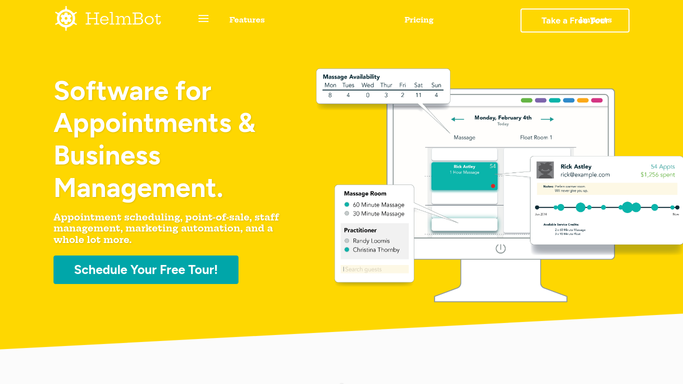
Every morning, WebRun opens HelmBot to pull yesterday's completed sessions, logs revenue by session type to a Google Sheet, and posts a short recap to Slack so you know how the studio performed before you even open the door.
HelmBotGoogle SheetsSlack
Automated AestheticsPro Daily Revenue Digest
Every night, WebRun tallies the day's treatments and payments in AestheticsPro, reconciles the total against QuickBooks, and posts a clear revenue recap to Slack before you close up.
AestheticsProQuickBooksSlack
Glooko Automated CGM Prior Authorization Tracking
Every Monday, WebRun checks Glooko for patients whose CGM supply prescription is expiring soon, checks CoverMyMeds for the prior authorization status, and posts a worklist to Slack of which requests still need a clinician signature.
GlookoCoverMyMedsSlack
Nextech Automated Patient Consent Form Tracking
WebRun checks Nextech every hour for upcoming Mohs surgeries, prepares the consent envelope in DocuSign with the patient and procedure details pre-filled, and posts your front desk a Slack alert for anyone still unsigned close to their surgery date.
NextechDocuSignSlack
Automated Deskera Inventory Valuation Report
Every Monday, WebRun runs Deskera's stock valuation report, saves it to Google Drive, and posts a Slack summary of total inventory value and what shifted most since last week.
DeskeraGoogle DriveSlack
Automated iKhokha Chargeback Dispute Alerts
Every morning, WebRun checks iKhokha for any new chargeback dispute, logs the amount, reason, and response deadline in Google Sheets, and posts a Slack alert so you never miss the window to respond.
iKhokhaGoogle SheetsSlack
Automated SASSIE Geo Verification Fraud Flags
WebRun checks each submitted shop in SASSIE for GPS coordinates that do not match the shop location or a visit duration that looks implausible, logs anything suspicious to a Google Sheet, and alerts your QA team in Slack to investigate before it reaches a client.
SASSIEGoogle SheetsSlack
Automated BCC Software Job Pipeline Digest
Every morning, WebRun opens BCC Software, counts every active job by production stage, logs the breakdown to a running Google Sheet, and posts your team a Slack digest that flags any job at risk of missing its mail date.
BCC SoftwareGoogle SheetsSlack
Automated LoanPro Delinquency Escalation
Every morning, WebRun opens LoanPro, sorts every delinquent loan into its aging bucket, builds a worklist in Google Sheets, and posts each collector their assigned accounts in Slack so nothing sits untouched.
LoanProGoogle SheetsSlack
Automated Credit Repair Cloud Document Requests
Every morning, WebRun checks Credit Repair Cloud for clients with outstanding document requests, drafts a friendly text reminder in Twilio for each one, leaves it unsent for review, and posts your team a Slack list of who's still holding things up.
Credit Repair CloudTwilioSlack
Automated PermitFlow Inspection Scheduling
Every morning, WebRun checks PermitFlow for permits ready for their next inspection, updates a Google Sheets scheduling tracker, and posts a Slack reminder of which inspections need to be booked this week.
PermitFlowGoogle SheetsSlack
Automated PrismHR Client Headcount Digest
Every morning, WebRun opens PrismHR, finds every worksite employee added, terminated, or changed status across your client base yesterday, logs the running headcount history to a Google Sheet, and posts your account managers a Slack digest of who changed and where.
PrismHRGoogle SheetsSlack
Automated TazWorks Client SLA Reporting
Every Monday, WebRun compiles each client's completed orders in TazWorks against their contracted turnaround SLA, drafts a performance summary email for your account manager to review, and posts an internal Slack copy for the team.
TazWorksGoogle SheetsGmail
Automated Amtelco Shift Coverage Gap Alerts
WebRun checks Amtelco a few minutes after every shift start to confirm the scheduled agent has logged into their queue, texts a backup through Telegram if not, and alerts the supervisor in Slack.
AmtelcoTelegramSlack
Automated accesso Dynamic Pricing Approvals
WebRun watches demand signals in accesso, proposes a dynamic pricing change when a ticket type is running hot or slow, logs the proposal in Airtable with its rationale, and pings your revenue manager in Slack to approve before anything goes live.
accessoAirtableSlack
Automated Occupier Critical Date Alerts
Every morning, WebRun checks Occupier for critical lease dates coming up across your portfolio, adds a Google Calendar hold for each one, and posts your team a Slack digest of what needs attention this week.
OccupierGoogle CalendarSlack
Automated Conservice High Consumption Leak Alerts
Every morning, WebRun compares each occupied unit's latest submeter read in Conservice against its own trailing average, flags any unit running well above its normal consumption, and posts the list to Slack so maintenance can check for a leak before it shows up on next cycle's bill.
ConserviceSlack
Automated O-Valet Driver Tip Payout Drafts
Every night, WebRun tallies the digital tips each driver received in O-Valet, drafts a payout summary by driver, and posts it to Slack for your manager to review and approve. It never disburses funds on its own.
O-ValetGoogle SheetsSlack

Want one of these running on your own Slack?

Show WebRun the process once and it will run it on schedule, in your own private browser environment.