Fill vacant beds before they cost you rent
Every morning, WebRun opens Sobriety Hub, finds beds that are vacant or set to open in the next 3 days, logs each one in Google Sheets with days vacant, and posts house managers a ranked fill list in Slack before intake calls start.
- No credit card
- Under $0.01 per run
- Cancel anytime
What does WebRun do on every run?
The exact actions WebRun takes, in order - in plain language, so you can adjust anything.
-
WebRun signs in and gets to work
Opens
app.sobrietyhub.comin a real browser with your saved login - no setup, no API keys. -
1
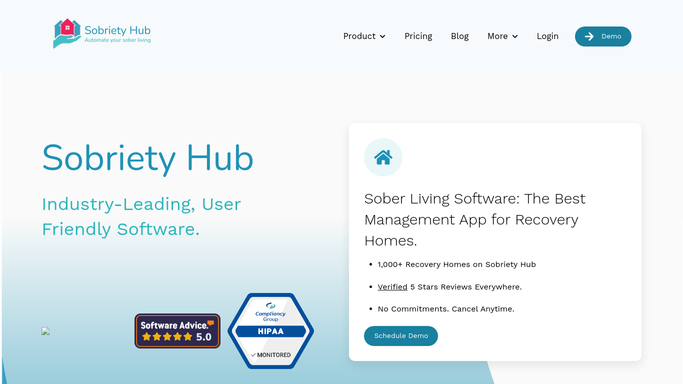
Sobriety Hub - find vacant and opening beds
sobrietyhub.com How to Automate Sobriety Hub

WebRun opens Sobriety Hub to find vacant and opening beds. - Open Sobriety Hub's bed board and filter to vacant beds
- Also pull beds with a move-out scheduled in the next 3 days
- Capture house, bed number, gender or track requirements, and vacancy date for each
Done when Every current and upcoming vacancy for the next 3 days is listed with its details.
-
2
Google Sheets - log the vacancy and fill history
google.com How to Automate Google Sheets
WebRun opens Google Sheets to log the vacancy and fill history. - Open the Bed Vacancy log
- Append a row per vacant or soon-to-vacate bed with house, bed id, and vacancy date
- Keep a running tally of vacant-bed nights lost this month
Done when The vacancy log is updated with today's open beds and month-to-date vacant nights.
-
3
Slack - alert house managers to fill list
slack.com How to Automate Slack
WebRun opens Slack to alert house managers to fill list. - Post today's fill list to the house managers channel, oldest vacancies first
- Tag the house manager responsible for each house
- Note any upcoming move-outs so the next intake can be lined up early
Done when House managers have today's bed fill list in Slack before intake calls start.


How can I automatically track vacant beds in my sober living home?
WebRun checks Sobriety Hub every morning for vacant beds and beds with a move-out scheduled in the next three days, logs each one to Google Sheets with days vacant, and posts a ranked fill list to Slack. House managers start their day knowing exactly which beds need filling first, so occupancy revenue stops leaking overnight.
- Vacant beds get flagged before they cost a night of lost rent
- House managers start the day with a ranked fill list, not a manual bed count
- Upcoming move-outs are caught 3 days ahead so the next intake is ready
Built for sober living homes · recovery residences · halfway houses · house managers
How is each run configured?
Secure by default
Connect once, stays signed in
WebRun signs in once and keeps each session in a persistent environment, so every run picks up right where it left off.
Every action is checked against this policy before it runs.
Questions, answered
Does it book new residents into the beds?
No. WebRun only lists open beds and flags them for your intake team. Every move-in decision and bed assignment stays with house staff in Sobriety Hub.
How far ahead does it look for upcoming vacancies?
It checks Sobriety Hub for beds with a move-out scheduled in the next 3 days, so managers can start filling a bed before it actually opens, not after.
What if a bed fills before the digest posts?
It reads the live bed status in Sobriety Hub each morning, so any bed assigned overnight is automatically dropped from that day's list.
Related templates
Put this on autopilot.
Turn it on in minutes - or have our team set it up for you.