Automated PrismHR Client Headcount Digest
Every morning, WebRun opens PrismHR, finds every worksite employee added, terminated, or changed status across your client base yesterday, logs the running headcount history by client to a Google Sheet, and posts your account managers a Slack digest of who changed and where.
How do I track client headcount changes across a PEO book of business?
Every morning, WebRun reads every worksite employee hired, terminated, or changed in status across your client base yesterday in PrismHR, then logs each client's headcount history to a Google Sheet. It posts your account managers a Slack digest of who gained or lost headcount and flags any client with a swing of 5 or more employees, so big changes get noticed the same day.
- Account managers see headcount swings the same day they happen
- Every client builds a running headcount history automatically
- Large swings get flagged and tagged to the right account manager
Built for PEOs · ASOs · PEO account managers · HR outsourcing firms
What does WebRun do on every run?
The exact actions WebRun takes, in order - in plain language, so you can adjust anything.
-
WebRun signs in and gets to work
Opens
app.prismhr.comin a real browser with your saved login - no setup, no API keys. -
1
PrismHR - find yesterday's headcount changes
prismhr.com
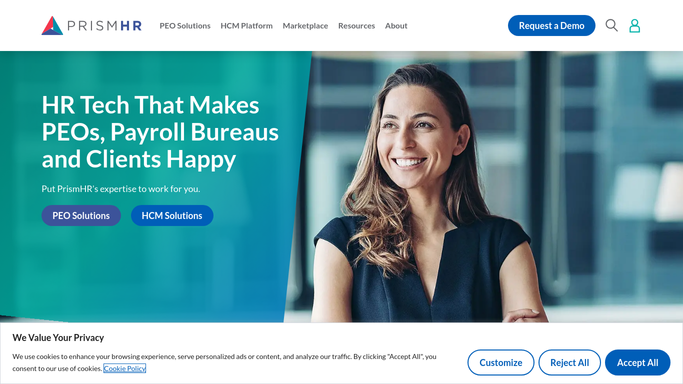
WebRun opens PrismHR to find yesterday's headcount changes. - Open PrismHR and list every new hire, termination, and status change recorded yesterday across all clients
- Capture the client, the employee, the change type, and the effective date for each
- Total the net headcount change per client
Done when Every headcount change from yesterday is listed by client.
-
2
Google Sheets - log the headcount history
docs.google.com

WebRun opens Google Sheets to log the headcount history. - Add a row for each client with yesterday's hires, terminations, and net change
- Update that client's running headcount total
- Flag any client with a net change of 5 or more employees
Done when Yesterday's headcount changes are logged in the running history.
-
3
Slack - digest changes to account managers
slack.com

WebRun opens Slack to digest changes to account managers. - Post a digest of which clients gained or lost headcount yesterday and by how much
- List any client flagged for a large swing first
- Tag the account manager for each flagged client
Done when Your account managers have yesterday's headcount digest in Slack.
How is each run configured?
Secure by default
Connect once, stays signed in
WebRun signs in once and keeps each session in a persistent environment, so every run picks up right where it left off.
Every action is checked against this policy before it runs.
Questions, answered
Does it contact clients about their headcount changes?
No. WebRun only reports internally to your account managers in Slack. It never emails or messages a client about their headcount on its own.
What counts as a large swing worth flagging?
Any client with a net change of 5 or more employees in a single day is flagged and listed first in the Slack digest, so account managers see the biggest moves without scrolling the full list.
How far back does the headcount history go?
Every morning's run adds that day's numbers to the same Google Sheet, so the history builds day by day and account managers can see a client's headcount trend over time.
Related templates
Put this on autopilot.
Turn it on in minutes - or have our team set it up for you.