How to Automate Airtable

Airtable automates a lot on its own. Triggers fire on new or changed records, scripts run inside the base, and sync pulls from products that publish an API. Getting records in from a system with no API and no export is the gap, and it is usually filled by somebody pasting.

Airtable is the database an operations team can actually build

Airtable is a database that looks enough like a spreadsheet that people who would never open a database will build one. That single fact explains most of where it ends up.

The teams using it are operations, marketing, production and HR, not engineering. They build the thing nobody would ever get budget to have built: an applicant tracker, a content calendar, an inventory of equipment, a pipeline of properties, a register of every machine on site and when it was last serviced.

What they get is real structure. Linked records, so a supplier connects to its orders. Views, so the same data is a grid for one person and a calendar for another. Forms, so somebody outside the team can add a row without touching the base.

It works well enough that within a year it holds something the business genuinely depends on.

The base is only as current as its last paste

A base earns its keep by being accurate, and accuracy is where the manual work hides.

Somebody exports a CSV from the ordering system every Monday and imports it. Somebody checks four supplier sites for lead times and updates a column. Somebody opens the applicant tracking system, reads which candidates moved stage, and mirrors that into the base the team actually looks at.

It is a strange kind of work: high consequence and no skill. If it is skipped for a fortnight nothing appears to break, and then a decision gets made on a stale number and the base loses the team's trust for good.

Once people stop believing the base, they go back to asking each other, and the whole thing quietly becomes a very tidy museum.

The airtable.com homepage, the app these three jobs run in. Airtable
Records that arrive on their own Orders, applications and stock levels written into the base from wherever they actually happen.
Fields kept current A status that changed in the source system changed in the base too, instead of quietly going stale.
No connector required The regional portal and the industry package never built an integration. They can still fill a table.

Automations and syncs stop at the connector list

Airtable is far from passive, and inside its own boundaries it is strong.

Automations trigger when a record is created, updated, or matches a condition, and then send email, update other records, post to chat or run a script. The scripting extension runs JavaScript against the base. Sync pulls a table from another base or from a product Airtable has built a connector for, and keeps it updated. Interfaces put a usable front end on top for people who should never see the raw grid.

All of that is triggered by something happening in the base, or by a product that already publishes an API and got a connector built for it.

The systems that hold most operational reality tend to have neither. The industry package the company runs on, the supplier portal, the customer's extranet, the government site with the licence status. Those are exactly the sources people paste in by hand, week after week.

The base can fill itself from anywhere you can log in

A connector list is a list of the systems somebody else decided to support. Your base can know more than that.

The orders that came in overnight, read from a system that only ever shows them on screen, written in as rows. Lead times checked across every supplier you buy from, updated in place, with the ones that moved marked. Candidate stages mirrored from the recruiting system so the base and the source agree by nine each morning.

The equipment register updated with the service dates the maintenance portal holds. The property pipeline updated with the listings that changed price. The compliance table updated with which certificates now expire inside ninety days.

One habit is worth adopting early: write incoming data to its own table that only the automation touches, and let your working views read from it. Then a bad run can never overwrite something a person typed, and you can compare the two when a number looks wrong.

Data entry is the part worth handing over

The judgement in a base is in how it is structured and what gets decided from it. Keeping the rows current is not judgement, it is transcription.

WebRun is an AI agent that works a real Chrome browser, signed in as you. It opens the ordering system, the portal or the industry package that has no API, reads what is on the screen, and writes the rows into your base.

It runs on your schedule in your own private environment, and you can watch a run and stop it mid-way. Anything that would message a person outside the team drafts and waits.

The workflows below are already built, and each one names the apps it touches.

Questions people ask

Do we need an Airtable paid plan for this?

No. It works the Airtable interface signed in as you, so whatever your current plan allows you to do by hand is what it can do. Sync and higher automation limits are separate Airtable features you may or may not want.

Will it create duplicate records?

Each workflow matches on a key from the source, such as an order number, so a second run updates the existing record rather than adding another. Writing to a dedicated intake table makes that easy to verify.

Can it pull from a system that offers no export?

Yes, and that is the usual reason to use it. It reads what is on the screen the way a person would, then writes the rows, so a portal with no download button stops being a weekly copy and paste job.

1,250 ready-made Airtable workflows

Each one names the apps it touches and the exact steps it takes. Open one to read what it will do, then turn it on.
Automated TrueAccord Missed Payment Tracking
Each morning, WebRun compares payments expected on your TrueAccord placements against what actually posted, and builds you a list of accounts to make a decision on.
TrueAccordSlackAirtable
Automated Xactware Reinspection Worklist
WebRun checks XactAnalysis for claims flagged for reinspection, sorts them by priority and age, and writes a ready-to-action worklist to Airtable each morning.
XactwareAirtable
Automated Motive Harsh Event Coaching Queue
Every week, WebRun pulls harsh braking, acceleration, and cornering events from Motive and builds a coaching queue in Airtable ranked by frequency and severity so your safety manager works the right conversations first.
MotiveAirtable
Automated athenahealth Cardiology Claim Denial Worklist
WebRun checks athenahealth daily for denied cardiology claims, groups them by denial reason and payer, logs them in a prioritized Airtable worklist, and posts a count alert to your billing team in Slack.
athenahealthAirtableSlack
Automated athenahealth Abnormal Cardiology Result Worklist
WebRun scans athenahealth each morning for abnormal cardiology lab and diagnostic results with no documented follow-up, builds a prioritized worklist, and alerts the clinical team in Slack.
athenahealthSlackAirtable
Automated Markate Unsold Estimate Worklist
Every week, WebRun scans Markate for estimates that were sent but never accepted and never formally declined, and posts a prioritised worklist to Slack so your team can reach back out to the right leads.
MarkateSlackAirtable
Automated Markate Remake Order Worklist
WebRun finds all open remake or re-order jobs in Markate, checks their age and supplier status, and posts a prioritised weekly worklist to Slack so your team can chase every outstanding remake before the customer follows up.
MarkateSlackAirtable
Automated Markate Deposit Collection Reminders
WebRun finds accepted Markate estimates with no deposit collected, drafts a payment reminder for each customer, and queues every message for your approval before it is sent.
MarkateGmailAirtable
Automated Employee Navigator Missing Beneficiary Chaser
WebRun identifies employees in Employee Navigator who have life insurance or other benefits without a beneficiary on file and queues reminder drafts for HR to send.
Employee NavigatorGmailAirtable
Automated Suralink Sampling Request Follow-Up
WebRun checks your Suralink request list each morning for items tied to sampling selections that are still unfulfilled, compiles the outstanding list, and drafts a follow-up note for your review before any client contact is made.
SuralinkGmailAirtable
Automated Suralink New Engagement Onboarding Kickoff
When a new engagement is created in Suralink, WebRun sets up the standard PBC request list, creates onboarding tasks in Airtable, and drafts the client welcome email for your team to review before sending.
SuralinkAirtableGmail
Automated Suralink Client Portal Inactivity Flags
WebRun checks each active Suralink client portal every morning and flags any client who has not logged in or uploaded a document in the past 5 days, then posts a prioritized inactivity report to Slack.
SuralinkSlackAirtable
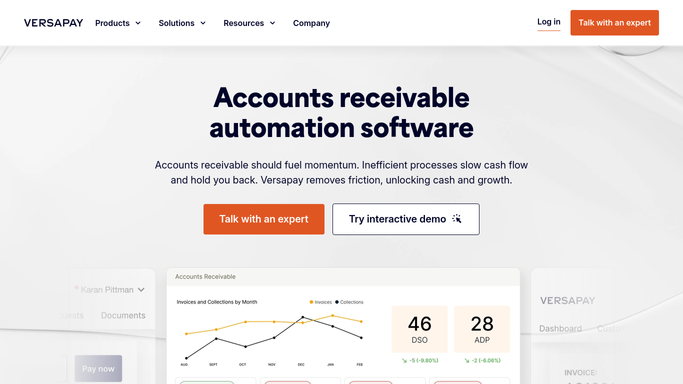
Automated Versapay Promise-to-Pay Follow-Up
WebRun checks Versapay each morning for customers who promised to pay by a specific date but have not, drafts a firm follow-up for each, and flags them for your AR team to review.
VersapayGmailAirtable
Automated Versapay High-Risk Account Watchlist
WebRun monitors your defined high-risk accounts in Versapay, tracks payment behaviour changes week over week, and delivers a watchlist digest to your credit team in Slack every Monday.
VersapaySlackAirtable
Automated Versapay Disputed Invoice Tracking
WebRun monitors Versapay for open invoice disputes, tracks each one's age and owner, and posts a daily digest to your AR team in Slack so no dispute stalls without a next action.
VersapaySlackAirtable
Automated Bill.com Fraud Risk Payment Flags
WebRun scans bills and payment records in Bill.com for fraud risk signals such as new bank account changes, unusual amounts, and first-time vendors, and flags them for review before the payment run.
Bill.comSlackAirtable
Automated Bill.com Approval Bottleneck Digest
WebRun reviews bills sitting in approval queues in Bill.com, identifies who is holding up the most spend, and posts a daily bottleneck digest to Slack so you can intervene before due dates pass.
Bill.comSlackAirtable
Automated Practice Fusion Results Follow-Up Worklist
WebRun checks Practice Fusion each morning for allergy test results that arrived but have no follow-up visit or note recorded, logs each to a worklist in Airtable, and posts a priority queue to Slack.
Practice FusionAirtableSlack
Automated Practice Fusion Prior Authorization Tracking
WebRun checks Practice Fusion each morning for allergy and immunotherapy prior authorizations that are pending, expiring soon, or need resubmission, and posts a status digest to Slack.
Practice FusionSlackAirtable
Automated Practice Fusion Denied Claim Worklist
WebRun checks Practice Fusion each morning for newly denied allergy and immunotherapy insurance claims, logs each denial with payer reason codes to an Airtable worklist, and posts a priority queue to Slack.
Practice FusionAirtableSlack
Build Your Weekly Ops Dashboard
WebRun pulls data from across your ops tools each Monday, compiles it into a visual dashboard, and shares it with your leadership team for the week ahead.
AirtableGoogle SheetsSlack
Deduplicate Your Contacts List
WebRun scans your contacts spreadsheet for duplicates, merges the best data from each record, and flags any uncertain merges for your review.
Google SheetsAirtableSlack
Keep Your Client Tracker Up to Date
WebRun checks your project tools and inbox each morning for client activity, and updates the master tracker so it always reflects the latest status - no manual entry.
AirtableGmailSlack
Copy Form Responses to Your Tracker
Every time someone submits a form, WebRun captures the response, adds a structured row to your tracker, and notifies the right person.
Google SheetsAirtableSlack

Want one of these running on your own Airtable?

Show WebRun the process once and it will run it on schedule, in your own private browser environment.