Coach drivers on harsh events before they become safety liabilities
Every Monday, WebRun opens Motive, pulls the prior week's harsh braking, acceleration, and cornering events by driver, scores each driver by frequency and severity, and writes a ranked coaching queue to Airtable so your safety manager has a prioritized one-on-one list ready at the start of each week.
- No credit card
- Under $0.01 per run
- Cancel anytime
What does WebRun do on every run?
The exact actions WebRun takes, in order - in plain language, so you can adjust anything.
-
WebRun signs in and gets to work
Opens
app.gomotive.comin a real browser with your saved login - no setup, no API keys. -
1
Motive - pull harsh events by driver
gomotive.com How to Automate Motive

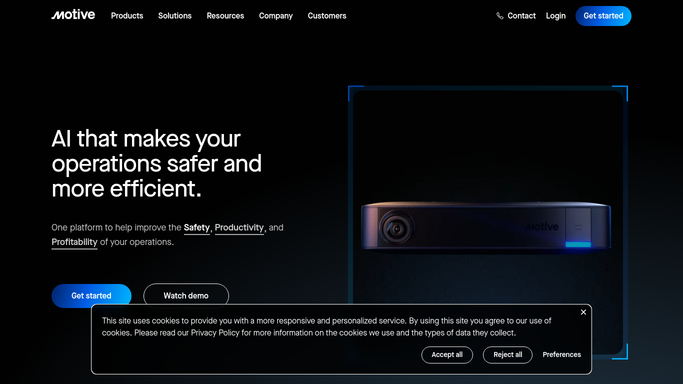
WebRun opens Motive to pull harsh events by driver. - Open Motive and navigate to the Safety Reports or Driver Scorecard section
- Filter to the previous full week and export harsh braking, harsh acceleration, and harsh cornering events by driver
- Capture event count and severity rating for each driver
- Identify drivers with three or more severe events as high-priority coaching candidates
Done when Harsh event counts and severity are captured for every driver who triggered events last week.
-
2
Airtable - build ranked coaching queue
airtable.com How to Automate Airtable
WebRun opens Airtable to build ranked coaching queue. - Upsert each driver's weekly event summary into the Coaching Queue table
- Set priority field: High for three or more severe events, Standard for others
- Sort the view by priority then by total event count descending
- Archive entries from drivers with zero events this week so the queue stays clean
Done when Airtable coaching queue is updated with the week's harsh-event data, sorted by priority.

How do I automatically build a driver coaching queue from Motive harsh events?
WebRun pulls every harsh braking, acceleration, and cornering event from Motive each Monday, scores drivers by frequency and severity, and writes a ranked coaching queue to Airtable. Your safety manager starts the week with the highest-risk drivers at the top, so coaching time goes where it reduces accidents most.
- Safety manager has a ranked coaching queue ready every Monday morning
- High-risk drivers with multiple severe events are surfaced at the top automatically
- Coaching conversations are tracked in Airtable alongside event history
Built for trucking carriers · fleet safety managers · private fleets · insurance-conscious carriers
How is each run configured?
Secure by default
Connect once, stays signed in
WebRun signs in once and keeps each session in a persistent environment, so every run picks up right where it left off.
Every action is checked against this policy before it runs.
Questions, answered
Will it send coaching messages to drivers automatically?
No. WebRun builds the prioritized queue in Airtable only. Your safety manager decides when and how to conduct each coaching conversation.
Which event types does it include?
It includes all harsh-event types Motive records: harsh braking, harsh acceleration, and harsh cornering, using the severity ratings Motive assigns to each event.
Can it track whether a coaching conversation was completed?
Yes. Airtable includes a Coached checkbox field your safety manager ticks after each conversation, keeping the queue accurate without overwriting the event data.
Related templates
Put this on autopilot.
Turn it on in minutes - or have our team set it up for you.