Run a payroll pre-check before every pay day
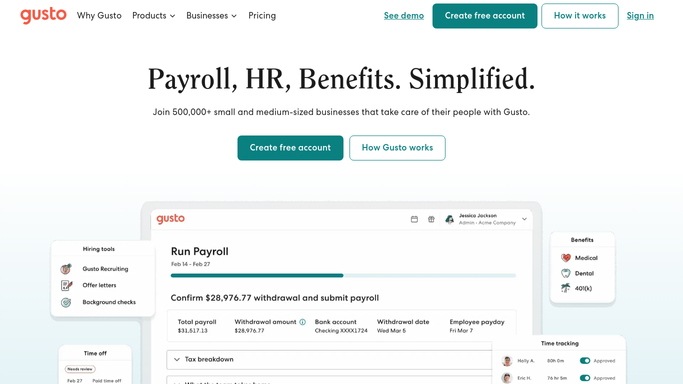
Every Monday, WebRun opens Gusto, checks that all active employees are included in the upcoming pay run, verifies hours and deductions against your records, logs any discrepancy to a review sheet, and alerts you in Slack so you can fix issues before payroll locks.
- No credit card
- Under $0.01 per run
- Cancel anytime
What does WebRun do on every run?
The exact actions WebRun takes, in order - in plain language, so you can adjust anything.
-
WebRun signs in and gets to work
Opens
app.gusto.comin a real browser with your saved login - no setup, no API keys. -
1
Gusto - verify headcount, hours, deductions
gusto.com How to Automate Gusto

WebRun opens Gusto to verify headcount, hours, deductions. - Open Gusto and navigate to the upcoming payroll run
- Compare active employee list against last payroll to spot new hires or terminations
- Check hours entered for hourly employees match your time-tracking records
- Verify deductions (benefits, garnishments) match the amounts on file
Done when Every active employee is verified; discrepancies are listed with details.
-
2
Google Sheets - log discrepancies
google.com How to Automate Google Sheets
WebRun opens Google Sheets to log discrepancies. - Open the Payroll Pre-Check sheet
- Log any discrepancy: employee, field at issue, expected value, value found in Gusto
- Note the pay date and run ID at the top of the sheet
Done when All discrepancies are documented in the sheet before the payroll deadline.
-
3
Slack - alert you before payroll locks
slack.com How to Automate Slack
WebRun opens Slack to alert you before payroll locks. - Post the count of issues found and the number of employees verified clean
- Flag the most urgent discrepancies so you know where to focus first
Done when You have been alerted to fix any issues before payroll is finalised.


How can I automatically run a payroll pre-check in Gusto before every pay day?
Every Monday, WebRun opens Gusto, checks that all active employees are included in the upcoming pay run, verifies hours and deductions against your records, logs any discrepancy to a Google Sheets review sheet, and alerts you in Slack so you can fix issues before payroll locks.
- Payroll errors caught before the run locks - not after
- Every employee verified for inclusion each pay cycle
- Discrepancies flagged with enough time to fix them
Built for HR managers · payroll administrators · small business owners · finance teams
How is each run configured?
Secure by default
Connect once, stays signed in
WebRun signs in once and keeps each session in a persistent environment, so every run picks up right where it left off.
Every action is checked against this policy before it runs.
Questions, answered
Will it submit or approve the payroll run?
Never. WebRun only reads and reports discrepancies. Submitting payroll is always your action in Gusto.
What if there are no discrepancies?
It posts a green all-clear in Slack so you know the pre-check ran clean and payroll is ready to submit.
Can it check contractor payments too?
Yes - tell WebRun which contractors to include and it will verify their amounts alongside regular employees.
Related templates
Put this on autopilot.
Turn it on in minutes - or have our team set it up for you.