Keep every disputed invoice moving toward resolution
Every morning, WebRun opens Versapay, reads all open invoice disputes, records each dispute's age, owner, and last action in Airtable, and posts a daily resolution digest to Slack so your AR team always knows which disputes need attention today.
- No credit card
- Under $0.01 per run
- Cancel anytime
What does WebRun do on every run?
The exact actions WebRun takes, in order - in plain language, so you can adjust anything.
-
WebRun signs in and gets to work
Opens
app.versapay.comin a real browser with your saved login - no setup, no API keys. -
1
Versapay - read all open invoice disputes
versapay.com How to Automate Versapay

WebRun opens Versapay to read all open invoice disputes. - Open Versapay and navigate to the disputes or deductions view
- Read each open dispute: customer, invoice number, disputed amount, dispute reason, and date opened
- Note which disputes are newly opened since yesterday and which have been resolved
Done when All open disputes and their current status have been read from Versapay.
-
2
Airtable - update dispute tracker records
airtable.com How to Automate Airtable
WebRun opens Airtable to update dispute tracker records. - Open the AR dispute tracker Airtable base
- Add any newly opened disputes as new records with full details
- Update the status and age field on existing records
- Mark resolved disputes as closed with today's resolution date
Done when The Airtable tracker reflects every dispute's current status and days open.
-
3
Slack - post daily resolution digest
slack.com How to Automate Slack
WebRun opens Slack to post daily resolution digest. - Post a digest to the AR Slack channel: total open disputes, total value in dispute, and count by reason type
- List any dispute open more than 10 days without a logged action as overdue
- Include a link to the Airtable dispute tracker for the team to update ownership
Done when The AR team has a complete view of open disputes and knows which need action today.
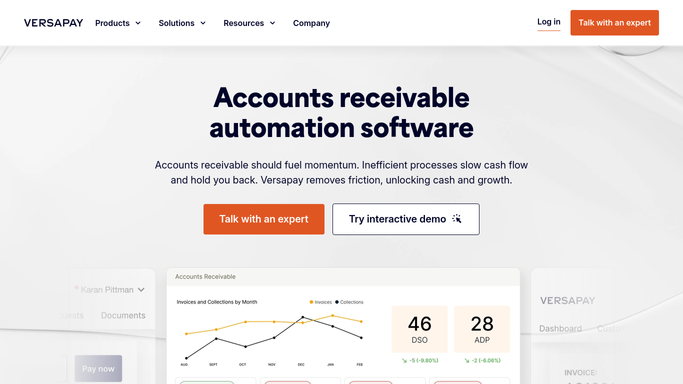


How do I track and manage disputed invoices from Versapay automatically?
WebRun reads every open invoice dispute from Versapay each morning, updates an Airtable tracker with the latest age and status for each, and posts a Slack digest showing total disputed value, breakdown by reason, and any disputes that have stalled without action. Your AR team always knows exactly where to focus to keep resolution times short.
- Every open dispute tracked with age, owner, and last action in one place
- Stalled disputes flagged before they breach your resolution SLA
- AR team starts each day knowing exactly which disputes need attention
Built for AR managers · deductions teams · credit controllers · B2B companies with high dispute volumes
How is each run configured?
Secure by default
Connect once, stays signed in
WebRun signs in once and keeps each session in a persistent environment, so every run picks up right where it left off.
Every action is checked against this policy before it runs.
Questions, answered
Will it respond to customers about their disputes?
No. WebRun only reads dispute data from Versapay and tracks it internally in Airtable and Slack. Any customer-facing response to a dispute is drafted separately for human review before sending.
How does it define an overdue dispute?
Any dispute open for more than 10 business days without a logged action in Airtable is flagged as overdue in the Slack digest. You can adjust this threshold to match your dispute SLA policy.
Can it assign disputes to specific team members?
Yes. Set up owner-assignment rules in Airtable by dispute reason or customer segment and WebRun will route each new dispute to the right owner automatically.
Related templates
Put this on autopilot.
Turn it on in minutes - or have our team set it up for you.