How to Automate Slack

Slack automates in two layers. Workflow Builder, reminders and vendor Slack apps cover anything that starts inside Slack or gets pushed to it. Getting an answer out of a tool that never built a Slack app is the layer people still do by hand, one browser tab at a time.

Slack is where the company keeps its attention

Slack is a messaging app that turned into something else along the way: the place a company keeps its attention. Decisions get made in a thread before they are written down anywhere official. The person who needs to know something asks in a channel rather than opening the system that holds the answer. New staff learn how the business actually works by scrolling.

Most companies run a few dozen channels and about four that matter. The one where orders come in. The one where things break. The one where the numbers get posted every morning. Those few are checked constantly, by people who are supposed to be doing something else.

That is both the value and the cost. Everything important passes through Slack, which is what makes it worth automating. Everything unimportant passes through too, which is why half the workspace has notifications off.

Someone is quietly paid to watch the dashboards

In most teams one person has become the human integration layer, without anyone deciding they should be.

They open the payment dashboard each morning and post yesterday's total. They check whether the overnight job finished and tell the channel either way. They copy the day's bookings across because the booking system has no Slack app. When somebody asks whether an order shipped, they open another tab and look.

None of that is in their job description. It is what happens when the tool everyone watches knows nothing about the tools that hold the facts. The channel is full of people and short of data.

The slack.com homepage, the app these three jobs run in. Slack
Morning numbers Yesterday's takings, failures and bookings read from the systems that hold them and posted before the team logs on.
The usual questions, answered Whether it shipped, whether it cleared, whether the status changed, checked and posted without anyone opening a tab.
Exceptions only The three lines that fell below reorder, not the two hundred that did not. Quiet channels are the ones people still read.

Workflow Builder only reacts to what happens inside Slack

Slack automates a fair amount on its own, and for what it covers it is good.

Workflow Builder runs a sequence when someone joins a channel, reacts with an emoji, submits a form or clicks a button. Reminders repeat on a schedule. Scheduled send posts a message you already wrote at a time you pick. Hundreds of products publish a Slack app that pushes their own events into a channel.

Every one of those is triggered by something that happened in Slack, or pushed in by a vendor who decided to build the integration. That is the ceiling. A workflow cannot go and look at anything. It posts what it is handed.

So the gap is every tool that never built a Slack app: the supplier portal, the council website, the twenty-year-old booking system, the bank. Those hold the answers people ask for in channels all day, and Slack has no way to reach them.

The channel can report before anyone asks

Change what is able to reach the channel and the whole thing inverts. Instead of people asking the channel questions, the channel starts answering them first.

Yesterday's takings, posted at seven, read from the till system that only ever shows them on a dashboard. The overnight payment failures, listed by customer, out of a portal with no export. The three stock lines that dropped below reorder, checked across every supplier you buy from. The bookings that came in during the night from a system that never built an integration.

The same goes for the questions people ask over and over. Whether a shipment moved. Whether a permit changed status. Whether a listing is still on the first page. Whether a competitor put their price up again. Each of those is somebody opening a tab, looking, and typing what they saw.

One thing worth building in from the start: a channel that posts everything gets muted inside a week, and a muted channel is worse than no channel. The version that survives posts what changed and stays quiet otherwise. Report the exception, not the heartbeat.

Nobody has to be watching at six in the morning

The till system will not post its own number into a channel, and the number is wanted before the doors open. Reading it off a screen at that hour is work, but it is not the kind that justifies a phone by the bed.

WebRun is an AI agent that works a real Chrome browser, signed in as you. It opens the portal or the dashboard, reads what is on the screen, and posts the result into the channel you choose. Because it works the browser rather than an API, it reaches the tools that never built a Slack app, which is most of them.

It runs on your schedule in your own private environment, and you can watch a run and stop it. Anything that would reach a customer drafts and waits for you.

The workflows below are already built, and each one names the apps it touches.

Questions people ask

Will it post to a channel without me approving it?

Posting to your own internal channel runs on its own, because a message you did not want is a message you delete. Anything customer-facing, like an email or a public reply, is drafted and waits for a person.

Do we need a paid Slack plan or admin rights?

No. It posts through the browser using the access you already have, so there is no app to get approved into the workspace and no admin ticket to wait on.

How do we stop it turning into noise?

Post exceptions rather than everything. Each workflow decides what is worth saying: the lines below reorder, the payments that failed, the job that did not finish. A channel that only speaks when something changed keeps getting read.

5,789 ready-made Slack workflows

Each one names the apps it touches and the exact steps it takes. Open one to read what it will do, then turn it on.

FieldGroove Automated Rebate Doc Collection
Every morning, WebRun checks which rebate jobs in FieldGroove are missing audit paperwork, drafts a request email and a signature packet for each homeowner, and posts what is still outstanding to Slack.
FieldGrooveGmailDocuSign
Automated Elevator Permit Expiry Tracker
Each week, WebRun checks FIELDBOSS for elevator operating permits nearing expiry, logs them to a sheet, and posts your compliance team a Slack list of what to renew.
FIELDBOSSGoogle SheetsSlack
Automated Commission Payout Statements
At period close, WebRun builds each rep's commission statement in QuotaPath, drafts the payout email to send, and posts finance a summary to approve before anything goes out.
QuotaPathGmailSlack
Automated Landlord Rent Payment Prep
Each month, WebRun reads the cash rent and crop share owed in Traction Ag, drafts the matching bills and a payment run in QuickBooks, leaves them unpaid for approval, and posts you a Slack summary of who is due and how much.
Traction AgQuickBooksSlack
Automated Restaurant Vendor Payment Runs
Every week, WebRun reviews approved AP bills due in Restaurant365, builds a proposed payment run staged in Ramp, leaves it queued but unsent, and posts you a Slack summary of who would be paid, how much, and from which account.
Restaurant365RampSlack
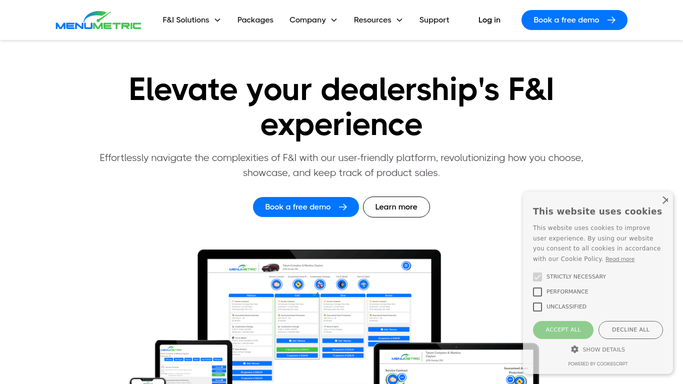
MenuMetric Automated F&I Menu Prep
WebRun reads the deal and vehicle details in MenuMetric, builds a compliant four column F&I product menu with the right eligible products and pricing, logs what it prepared to Google Sheets, and pings the F&I manager in Slack so the menu is ready to present.
MenuMetricGoogle SheetsSlack
Automated Due Diligence Letter Drafts
Ahead of each filing cycle, WebRun opens Simple Escheat, finds the owners who need a due diligence letter, drafts each one from your template, leaves them unsent for review, and posts the team a Slack list of who is being contacted.
Simple EscheatGmailSlack
Automated 1031 180-Day Deadline Tracking
Each morning, WebRun reads active exchanges in Accruit Exchange Manager Pro, calculates the 180-day completion deadline and days remaining for each, writes each as a Google Calendar milestone, and posts the team a Slack countdown.
Accruit Exchange Manager ProGoogle CalendarSlack
Trux Automated Hauler Pace Alerts
Through the day, WebRun compares each hauler's completed loads in Trux against their target pace, alerts dispatch in Slack the moment a hauler is trending short, and pings the owner on Telegram when the gap is severe.
TruxSlackTelegram
Automated Produced Water Pickup ETA Texts
When a produced-water haul is dispatched in Engage Mobilize, WebRun works out the pickup ETA, drafts a short text for the lease operator, and leaves it for a dispatcher to approve before it sends.
Engage MobilizeTwilioSlack
Deliveright Automated Install Completion Emails
WebRun spots completed white glove installs in Deliveright, drafts a per-order completion email to the retailer with the POD, and leaves it in Gmail for a coordinator to send.
DeliverightGmailSlack
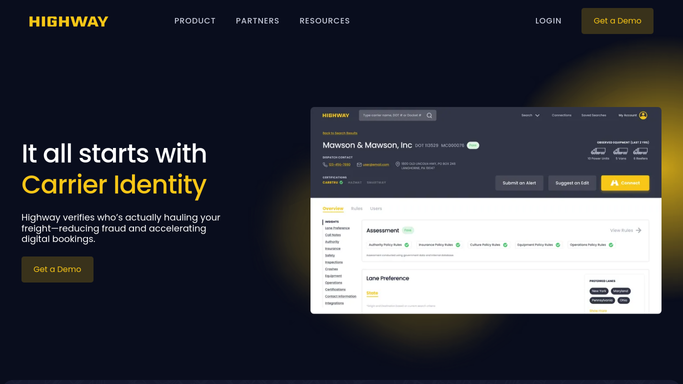
Automated Carrier Insurance Lapse Alerts
WebRun watches your active carriers in Highway for insurance that has lapsed or is about to expire, and posts your team an instant Slack alert so no load rides on an uninsured carrier.
HighwaySlack
Automated Plant Livestock ETA Updates
WebRun reads each inbound load in M2X, compares its live ETA to the plant's booked processing slot, posts any at-risk arrival to Slack, and drafts an ETA update email to the plant for your team to send.
M2XSlackGmail
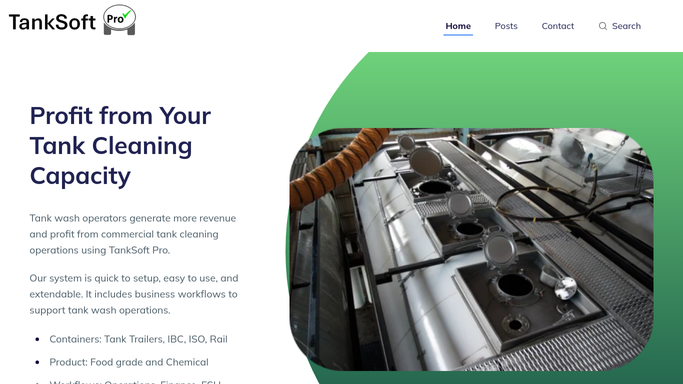
Automated Prior-Commodity Wash Flags
As each wash is checked in, WebRun reads the prior commodity in TankSoft Pro, checks it against your restricted list in Google Sheets, and flags any that need an extra wash step in Slack.
TankSoft ProGoogle SheetsSlack
Automated Depot Stock Count
WebRun reads the current depot inventory in MRI Intermodal Software, tallies containers, tanks, and chassis by type and status, writes the count to a Google Sheet, and posts the team a Slack snapshot of the yard.
MRI Intermodal SoftwareGoogle SheetsSlack
Automated Cold Chain Breach Logging
WebRun reads temperature readings for each specimen leg in CXT Software, logs any breach outside the required range to a sheet, and posts an internal Slack alert so the specimen can be reviewed.
CXT SoftwareGoogle SheetsSlack
BeyondTrucks Automated BOL Invoicing
WebRun reads each completed bill of lading in BeyondTrucks, drafts a matching QuickBooks invoice with the right customer, product, and delivered volume, and posts billing a Slack summary of what is queued for review.
BeyondTrucksQuickBooksSlack
Automated Limb Volume Change Alerts
WebRun compares each patient's latest LymphaTech scan against their prior baseline, spots any limb volume that has climbed past your threshold, and posts the treating therapist a Slack alert so a worsening limb gets attention fast.
LymphaTechSlack
Automated Lab Surfacing Bottleneck Alerts
WebRun checks the surfacing queue in Ocuco Innovations each hour, compares wait times and job counts against your targets, and alerts your lab leads in Microsoft Teams the moment a stage starts to back up.
Ocuco InnovationsMicrosoft TeamsSlack
nAbleIVF Automated Consent Expiry Monitor
Every week, WebRun opens nAbleIVF, finds stored embryos whose disposition consent is expiring or already lapsed, builds a review worklist in Google Sheets, and posts a prioritized summary to Slack so your lab never holds a specimen on an out-of-date consent.
nAbleIVFGoogle SheetsSlack
Automated CIED Billing Interval Check
Every morning, WebRun checks each patient's remote-monitoring interval in Octagos, flags the 90-day windows that are now eligible to bill, logs them to Google Sheets, and posts your billing team a Slack worklist so no reimbursable interval slips by.
OctagosGoogle SheetsSlack
Automated Rating Scale Threshold Alerts
Every few hours, WebRun opens Osmind, checks new patient rating-scale results against your alert thresholds, and when a score crosses a safety line, such as PHQ-9 item nine or a C-SSRS flag, it immediately pages the on-call clinician in Slack and drafts a check-in note for review.
OsmindSlackGmail
Automated Donor Density Change Tracking
WebRun compares each patient's latest donor-zone density scan in TrichoSuite against their earlier scans, logs the change to a Google Sheet, and flags any meaningful drop to your clinicians in Slack.
TrichoSuiteGoogle SheetsSlack
OmniMD Automated Compression Trial Log
Every week, WebRun reviews vein patients prescribed compression stockings in OmniMD, checks that wear and tolerance are documented, and posts your team a Slack list of trials with gaps or missing follow-up.
OmniMDGoogle SheetsSlack

Want one of these running on your own Slack?

Show WebRun the process once and it will run it on schedule, in your own private browser environment.