Prepare the landlord rent payment run for approval
Each month, WebRun opens Traction Ag, reads the cash rent and crop share due to each landlord, drafts the matching bills and a payment run in QuickBooks, leaves every payment unpaid for approval, and posts you a Slack summary of who is due, how much, and what needs a person to release.
- No credit card
- Under $0.01 per run
- Cancel anytime
What does WebRun do on every run?
The exact actions WebRun takes, in order - in plain language, so you can adjust anything.
-
WebRun signs in and gets to work
Opens
tractionag.comin a real browser with your saved login - no setup, no API keys. -
1
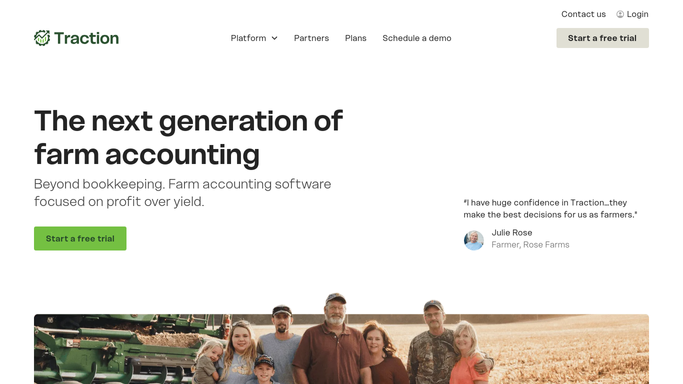
Traction Ag - read the rent owed
tractionag.com How to Automate Traction Ag

WebRun opens Traction Ag to read the cash rent and crop share owed to each landlord. - Open Traction Ag and read the land agreements due this period
- Capture each landlord, the cash rent or crop share owed, and the fields it covers
- Skip any agreement already paid or already drafted this period
Done when Every landlord due this period has been listed with the amount and the fields it covers.
-
2
QuickBooks - draft the payment run
- Open QuickBooks and draft a bill for each landlord for the amount owed
- Build the payment run but leave every payment unpaid and queued for approval
- Note any landlord whose bank details or amount need a person to confirm before release
Done when A bill and a queued, unpaid payment sit ready in QuickBooks for every landlord due.
-
3
Slack - summarize who is due
slack.com How to Automate Slack
WebRun posts you a Slack summary of the queued landlord payment run. - Post you a summary of the run: landlords due, amount each, and the run total
- Flag any payment held for a person to confirm and why
- Note that the payment run is queued in QuickBooks and waiting for approval
Done when You have this period's rent payment summary in Slack.

How do I prepare the landlord rent payment run for approval automatically?
Each month, WebRun opens Traction Ag, reads the cash rent and crop share owed to each landlord, and drafts the matching bills and a payment run in QuickBooks. It leaves every payment unpaid and queued for approval, then posts you a Slack summary of who is due and how much, so the run is ready to release with one review.
- The rent run is drafted and queued, so approval takes one review
- Every amount ties back to the land agreement in Traction Ag
- No payment leaves without a person releasing it
Built for row crop farmers · farm bookkeepers · land managers · farm accountants
How is each run configured?
Secure by default
Connect once, stays signed in
WebRun signs in once and keeps each session in a persistent environment, so every run picks up right where it left off.
Every action is checked against this policy before it runs.
Questions, answered
Will it pay landlords without me?
No. WebRun drafts the bills and builds the payment run in QuickBooks but leaves every payment unpaid and queued for approval. A person reviews the run and releases it, so no money moves on its own.
How does it know what each landlord is owed?
It reads the live land agreements in Traction Ag each period and calculates the cash rent or crop share due, then drafts a bill for that amount so the figures tie back to the lease.
What if a landlord was already paid this period?
It checks Traction Ag and QuickBooks each run and skips any agreement already paid or already drafted, so a landlord is never queued for a double payment.
Related templates
Put this on autopilot.
Turn it on in minutes - or have our team set it up for you.