Never miss a farm estimated tax deadline
Every Monday, WebRun opens Traction Ag, reads your Schedule F income and expense position, works out the next estimated tax due date and a rough amount owed, and sends you a Telegram reminder ahead of each deadline so a farm estimated tax payment is never missed.
- No credit card
- Under $0.01 per run
- Cancel anytime
What does WebRun do on every run?
The exact actions WebRun takes, in order - in plain language, so you can adjust anything.
-
WebRun signs in and gets to work
Opens
tractionag.comin a real browser with your saved login - no setup, no API keys. -
1
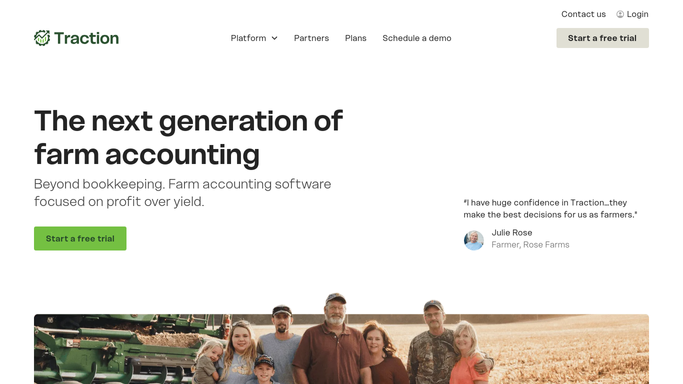
Traction Ag - read the Schedule F position
tractionag.com How to Automate Traction Ag

WebRun opens Traction Ag to read the Schedule F position and next tax deadline. - Open Traction Ag and read the current Schedule F income and expense totals
- Note the year to date net and any large recent grain sales or input purchases that move the estimate
- Work out the next estimated tax due date and a rough amount based on the position
Done when The next estimated tax deadline and a rough amount have been worked out from the Schedule F position.
-
2
Telegram - send the deadline reminder
telegram.org How to Automate Telegram
WebRun sends you a Telegram reminder ahead of the estimated tax deadline. - Send you a reminder naming the deadline, the days remaining, and the rough amount
- Note the year to date Schedule F net so the estimate has context
- Keep it an internal reminder for you, with nothing sent to the IRS or a preparer
Done when You have a Telegram reminder for the next estimated tax deadline.

How do I track farm estimated tax deadlines from my Schedule F position?
Every Monday, WebRun opens Traction Ag, reads your Schedule F income and expense position, and works out the next estimated tax due date with a rough amount owed. It sends you a Telegram reminder ahead of each deadline with the days remaining, so a farm estimated tax payment is planned for and never missed.
- Every estimated tax deadline is flagged with days to spare
- A rough amount from your live Schedule F net helps you plan cash
- No quarterly payment slips past because the check runs weekly
Built for row crop farmers · farm owners · farm bookkeepers · farm accountants
How is each run configured?
Secure by default
Connect once, stays signed in
WebRun signs in once and keeps each session in a persistent environment, so every run picks up right where it left off.
Every action is checked against this policy before it runs.
Questions, answered
Does it file or pay the tax for me?
No. WebRun only reads your Schedule F position and sends you a reminder. It never files a return, makes a payment, or contacts the IRS or your preparer. You decide what to pay and when.
Is it safe to auto-send the reminder to Telegram?
Yes. The reminder is an internal note for you, so WebRun sends it on its own each week. No payment is made and no one outside your farm is contacted, so there is nothing to approve.
How accurate is the amount?
It is a rough estimate from your live Schedule F net in Traction Ag, meant to help you plan cash and not miss the date. Confirm the exact figure with your tax preparer before you pay.
Related templates
Put this on autopilot.
Turn it on in minutes - or have our team set it up for you.