How to Automate Slack

Slack automates in two layers. Workflow Builder, reminders and vendor Slack apps cover anything that starts inside Slack or gets pushed to it. Getting an answer out of a tool that never built a Slack app is the layer people still do by hand, one browser tab at a time.

Slack is where the company keeps its attention

Slack is a messaging app that turned into something else along the way: the place a company keeps its attention. Decisions get made in a thread before they are written down anywhere official. The person who needs to know something asks in a channel rather than opening the system that holds the answer. New staff learn how the business actually works by scrolling.

Most companies run a few dozen channels and about four that matter. The one where orders come in. The one where things break. The one where the numbers get posted every morning. Those few are checked constantly, by people who are supposed to be doing something else.

That is both the value and the cost. Everything important passes through Slack, which is what makes it worth automating. Everything unimportant passes through too, which is why half the workspace has notifications off.

Someone is quietly paid to watch the dashboards

In most teams one person has become the human integration layer, without anyone deciding they should be.

They open the payment dashboard each morning and post yesterday's total. They check whether the overnight job finished and tell the channel either way. They copy the day's bookings across because the booking system has no Slack app. When somebody asks whether an order shipped, they open another tab and look.

None of that is in their job description. It is what happens when the tool everyone watches knows nothing about the tools that hold the facts. The channel is full of people and short of data.

The slack.com homepage, the app these three jobs run in. Slack
Morning numbers Yesterday's takings, failures and bookings read from the systems that hold them and posted before the team logs on.
The usual questions, answered Whether it shipped, whether it cleared, whether the status changed, checked and posted without anyone opening a tab.
Exceptions only The three lines that fell below reorder, not the two hundred that did not. Quiet channels are the ones people still read.

Workflow Builder only reacts to what happens inside Slack

Slack automates a fair amount on its own, and for what it covers it is good.

Workflow Builder runs a sequence when someone joins a channel, reacts with an emoji, submits a form or clicks a button. Reminders repeat on a schedule. Scheduled send posts a message you already wrote at a time you pick. Hundreds of products publish a Slack app that pushes their own events into a channel.

Every one of those is triggered by something that happened in Slack, or pushed in by a vendor who decided to build the integration. That is the ceiling. A workflow cannot go and look at anything. It posts what it is handed.

So the gap is every tool that never built a Slack app: the supplier portal, the council website, the twenty-year-old booking system, the bank. Those hold the answers people ask for in channels all day, and Slack has no way to reach them.

The channel can report before anyone asks

Change what is able to reach the channel and the whole thing inverts. Instead of people asking the channel questions, the channel starts answering them first.

Yesterday's takings, posted at seven, read from the till system that only ever shows them on a dashboard. The overnight payment failures, listed by customer, out of a portal with no export. The three stock lines that dropped below reorder, checked across every supplier you buy from. The bookings that came in during the night from a system that never built an integration.

The same goes for the questions people ask over and over. Whether a shipment moved. Whether a permit changed status. Whether a listing is still on the first page. Whether a competitor put their price up again. Each of those is somebody opening a tab, looking, and typing what they saw.

One thing worth building in from the start: a channel that posts everything gets muted inside a week, and a muted channel is worse than no channel. The version that survives posts what changed and stays quiet otherwise. Report the exception, not the heartbeat.

Nobody has to be watching at six in the morning

The till system will not post its own number into a channel, and the number is wanted before the doors open. Reading it off a screen at that hour is work, but it is not the kind that justifies a phone by the bed.

WebRun is an AI agent that works a real Chrome browser, signed in as you. It opens the portal or the dashboard, reads what is on the screen, and posts the result into the channel you choose. Because it works the browser rather than an API, it reaches the tools that never built a Slack app, which is most of them.

It runs on your schedule in your own private environment, and you can watch a run and stop it. Anything that would reach a customer drafts and waits for you.

The workflows below are already built, and each one names the apps it touches.

Questions people ask

Will it post to a channel without me approving it?

Posting to your own internal channel runs on its own, because a message you did not want is a message you delete. Anything customer-facing, like an email or a public reply, is drafted and waits for a person.

Do we need a paid Slack plan or admin rights?

No. It posts through the browser using the access you already have, so there is no app to get approved into the workspace and no admin ticket to wait on.

How do we stop it turning into noise?

Post exceptions rather than everything. Each workflow decides what is worth saying: the lines below reorder, the payments that failed, the job that did not finish. A channel that only speaks when something changed keeps getting read.

5,789 ready-made Slack workflows

Each one names the apps it touches and the exact steps it takes. Open one to read what it will do, then turn it on.

Automated Silo Customer Spec Sheet Follow-Up
Every Monday, WebRun checks Silo for customer product spec sheets awaiting sign-off, drafts a follow-up email to each customer for your review, and posts your account manager a Slack list of which specs are still outstanding.
SiloGmailSlack
Automated DDI Inform Min Max Reorder Alerts
Every morning, WebRun checks DDI Inform for branch stock below its min level, checks QuickBooks for the current cash position, drafts the reorder in DDI Inform for the buyer, and posts the dollar impact in Slack.
DDI System (Inform ERP)QuickBooksSlack
Automated rfxcel Lot Expiry Tracking
Every Monday, WebRun scans rfxcel for lots nearing their expiry date, logs each one to a Google Sheet with days remaining, and posts your warehouse team a Slack list sorted so the soonest-to-expire stock moves first.
rfxcelGoogle SheetsSlack
Automatic Out-of-Stock Substitution Alerts
Every morning, WebRun opens VIP, checks today's route orders against warehouse stock, drafts a substitution notice for each affected retailer in Gmail, and posts the warehouse a Slack pick list of what to pull instead.
VIPGmailSlack
Automated DistributionPlus Price File Update Digest
Every morning, WebRun checks CP Tech DistributionPlus for vendor price file updates loaded overnight, syncs the new item costs to QuickBooks, and posts your sales team a Slack digest of what went up, what went down, and which open quotes now use a stale price.
CP Tech DistributionPlusQuickBooksSlack
Automated Eclipse Submittal Approval Alerts
WebRun checks Epicor Eclipse for switchgear and panel submittals still awaiting engineer or GC approval, drafts a chase email in Gmail for each one, and posts your project team a Slack digest of what's holding up release.
Epicor EclipseGmailSlack
Muck Rack Automated Pitch Response Tracking
Every morning, WebRun reviews all pitches sent through Muck Rack, classifies each as interested, declined, or awaiting reply, logs the status in Google Sheets, and posts your team a Slack summary of where every pitch stands.
Muck RackGoogle SheetsSlack
Function Point Automated New Business Follow Ups
Every Monday, WebRun checks Function Point for pitches and proposals sent to prospects with no reply, drafts a follow up email for each in Gmail, and posts your new business lead a Slack list of who to chase.
Function PointGmailSlack
Studio Ninja Automated Print Order Status Tracking
Every morning, WebRun checks Studio Ninja for print and product orders with a status change since yesterday, logs each stage in Google Sheets, and posts the studio's print order digest to Slack.
Studio NinjaGoogle SheetsSlack
Total Party Planner Automated Kitchen Prep Lists
WebRun compiles tomorrow's menu items and quantities from every booked event, saves a prep list to Google Drive, and posts the kitchen team a Slack link so prep starts on the right numbers.
Total Party PlannerGoogle DriveSlack
Planning Pod Automated RFP Follow-Up Drafts
WebRun checks Planning Pod every morning for sent proposals with no client reply, drafts a friendly follow up in Outlook for each one, and posts your sales team a Slack list of who still needs a nudge.
Planning PodOutlookSlack
Automated Marketing Rule Review Checklists
When a new marketing piece is submitted, WebRun checks it in ComplySci against the SEC Marketing Rule requirements, logs the outcome to Google Sheets, and posts your team a Slack alert for anything needing revision.
ComplySci (COMPLY)Google SheetsSlack
Automated Draft Appraisal Review Reminders
WebRun checks Rouse Services for draft reports waiting on a QC reviewer, confirms the draft document exists in Google Drive, and posts a Slack reminder to the assigned reviewer before a deadline slips.
Rouse ServicesGoogle DriveSlack
Automatic Forensic Evidence Intake Tracking
Whenever new evidence files are uploaded to Drive, WebRun catalogs each one, registers it as a data source in CaseWare IDEA, and posts your team a Slack summary of what arrived, from whom, and what still needs a source file.
Google DriveCaseWare IDEASlack
Automated Peer Review Sign-Off Reminders
Every morning, WebRun checks AXIS for completed reserve, valuation, or pricing work still waiting on its required peer review, logs each one to a Google Sheet with the reviewer and days waiting, and posts a Slack reminder so nothing goes out unreviewed.
Moody's Analytics AXISGoogle SheetsSlack
Automated Form ADV Annual Update Tracking
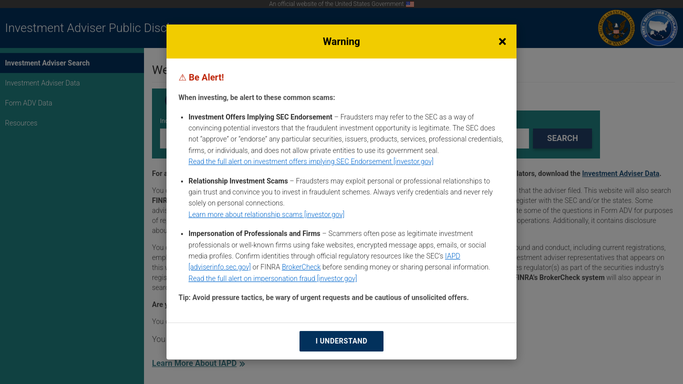
WebRun checks your firm's filing status on SEC IAPD against key facts on file in Redtail Technology, flags what has changed since your last annual update, and posts a Slack checklist for your compliance officer well before the deadline.
Redtail TechnologySEC IAPDSlack
Automated Punchpass No-show Deposit Alerts
Every morning, WebRun checks Punchpass attendance for no-shows on deposit-required classes, checks Stripe for the card on file, and drafts the charge for staff to approve in Slack.
PunchpassStripeSlack
Automated CoreCampus Instructor Credential Alerts
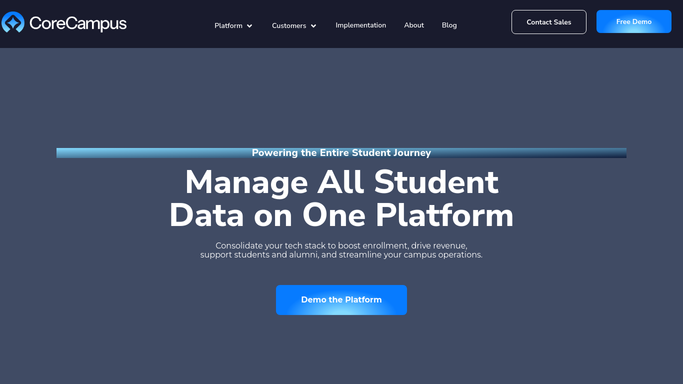
Every Monday, WebRun checks CoreCampus for instructor licenses and certifications nearing expiration, posts a compliance-risk digest to Slack, and logs renewal status in Google Sheets.
CoreCampusSlackGoogle Sheets
Automated Bookeo Class Ingredient Shopping Lists
Every Monday, WebRun checks Bookeo for the week's confirmed classes and headcounts, scales each recipe's ingredients, and posts your kitchen manager a consolidated shopping list in Google Sheets.
BookeoGoogle SheetsSlack
Automated GoPrep Menu Rotation Checklists
When a new menu rotation is added in GoPrep, WebRun builds a launch checklist card in Trello for every new recipe, and posts your kitchen and marketing team a Slack summary of what still needs to be done.
GoPrepTrelloSlack
Automated Trym Lab Results Notifications
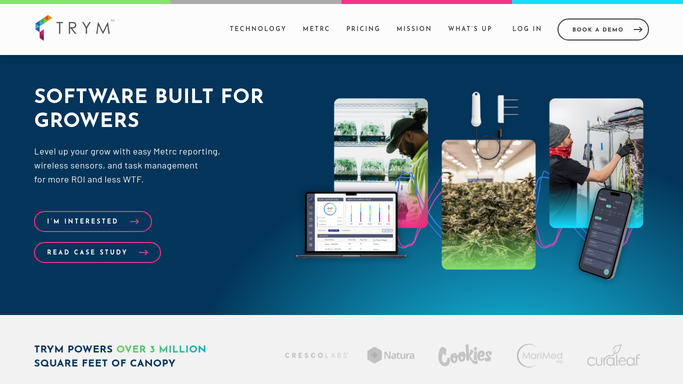
The moment a batch's test results post in Confident LIMS, WebRun checks the pass or fail status and potency numbers against the matching harvest batch in Trym, and posts a Slack alert so your team knows what's cleared to sell and what needs a retest.
TrymConfident LIMSSlack
Automated PoultryPlan Grading and Packing Reports
Every night, WebRun pulls the day's grade breakdown from PoultryPlan, logs jumbo, grade A, grade B, and cracks to Airtable, and posts a packing summary to Slack so sales knows what's available before morning.
PoultryPlanAirtableSlack
Automated DairyComp Herd Health Digests
Every night, WebRun pulls the health events logged in DairyComp 305 that day, mastitis, lameness, ketosis, and more, logs them to a tracking sheet, and posts your management team a Slack digest so nothing gets missed at tomorrow's check.
DairyComp 305Google SheetsSlack
Automated Mar-Kov Freezer Inventory Aging Reports
WebRun checks finished goods inventory in Mar-Kov every Monday, flags any pallet approaching its code date or sitting past your FIFO window, and posts a Microsoft Excel aging report and Slack alert so warehouse can move it before it's written off.
Mar-KovMicrosoft ExcelSlack

Want one of these running on your own Slack?

Show WebRun the process once and it will run it on schedule, in your own private browser environment.