Clear marketing pieces before they go out the door
When a new marketing piece is submitted, WebRun reads it from the Google Sheets intake log, checks it in ComplySci against your Marketing Rule checklist, such as substantiated performance claims and disclosed testimonials, and posts your compliance team a Slack alert naming any requirement the piece fails.
- No credit card
- Under $0.01 per run
- Cancel anytime
What does WebRun do on every run?
The exact actions WebRun takes, in order - in plain language, so you can adjust anything.
-
WebRun signs in and gets to work
Opens
docs.google.com/spreadsheetsin a real browser with your saved login - no setup, no API keys. -
1
Google Sheets - read the new marketing submission
google.com How to Automate Google Sheets

WebRun opens Google Sheets to read the new marketing submission. - Open the marketing submission log in Google Sheets
- Read the newly submitted piece: the client, the piece type, and a link to the content
- Mark it as picked up for review
Done when Every new marketing submission this run is picked up for review.
-
2
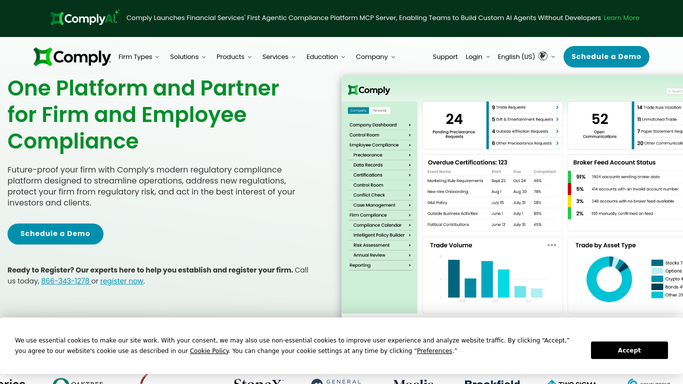
ComplySci (COMPLY) - check it against marketing rule requirements
comply.com How to Automate ComplySci (COMPLY)
WebRun opens ComplySci (COMPLY) to check it against marketing rule requirements. - Open ComplySci and check the piece against your Marketing Rule checklist: performance claims substantiated, testimonials and endorsements disclosed, and required disclosures present
- Note every requirement the piece fails
- Score the piece as clear or needs revision
Done when Every submitted piece has been checked against the full Marketing Rule checklist.
-
3
Slack - alert the team on the outcome
slack.com How to Automate Slack
WebRun opens Slack to alert the team on the outcome. - Post the review outcome for each piece to your compliance team
- List the specific requirement behind any needs revision score
- Leave the approval decision to your compliance officer. WebRun does not clear a piece to publish
Done when Your team has today's marketing review outcomes in Slack.


How do I review marketing pieces against the SEC Marketing Rule before they go out?
WebRun reads each new marketing submission logged in Google Sheets, checks it in ComplySci against your Marketing Rule checklist, such as substantiated performance claims and disclosed testimonials, and posts the outcome to your compliance team in Slack within the hour. It never clears a piece to publish itself, so every approval still passes through your compliance officer.
- Every marketing piece gets checked within the hour of submission
- The specific failed requirement is named, not a vague rejection
- No piece is cleared to publish without your compliance officer's sign off
Built for investment adviser compliance consultants · outsourced chief compliance officers · RIA marketing teams · broker-dealer compliance officers
How is each run configured?
Secure by default
Connect once, stays signed in
WebRun signs in once and keeps each session in a persistent environment, so every run picks up right where it left off.
Every action is checked against this policy before it runs.
Questions, answered
Does WebRun approve marketing pieces to publish?
No. WebRun only checks a piece against your Marketing Rule checklist and reports the outcome. Your compliance officer makes the actual approval decision, nothing gets cleared to publish automatically.
What does the Marketing Rule checklist cover?
Performance claims substantiated, testimonials and endorsements disclosed, and required disclosures present, matching the SEC Marketing Rule requirements you've set in ComplySci.
How fast does a submission get reviewed?
Within the hour of being logged, so a piece submitted in the morning has a reviewed outcome in Slack well before your marketing team needs to move it forward.
Related templates
Put this on autopilot.
Turn it on in minutes - or have our team set it up for you.