How to Automate Slack

Slack automates in two layers. Workflow Builder, reminders and vendor Slack apps cover anything that starts inside Slack or gets pushed to it. Getting an answer out of a tool that never built a Slack app is the layer people still do by hand, one browser tab at a time.

Slack is where the company keeps its attention

Slack is a messaging app that turned into something else along the way: the place a company keeps its attention. Decisions get made in a thread before they are written down anywhere official. The person who needs to know something asks in a channel rather than opening the system that holds the answer. New staff learn how the business actually works by scrolling.

Most companies run a few dozen channels and about four that matter. The one where orders come in. The one where things break. The one where the numbers get posted every morning. Those few are checked constantly, by people who are supposed to be doing something else.

That is both the value and the cost. Everything important passes through Slack, which is what makes it worth automating. Everything unimportant passes through too, which is why half the workspace has notifications off.

Someone is quietly paid to watch the dashboards

In most teams one person has become the human integration layer, without anyone deciding they should be.

They open the payment dashboard each morning and post yesterday's total. They check whether the overnight job finished and tell the channel either way. They copy the day's bookings across because the booking system has no Slack app. When somebody asks whether an order shipped, they open another tab and look.

None of that is in their job description. It is what happens when the tool everyone watches knows nothing about the tools that hold the facts. The channel is full of people and short of data.

The slack.com homepage, the app these three jobs run in. Slack
Morning numbers Yesterday's takings, failures and bookings read from the systems that hold them and posted before the team logs on.
The usual questions, answered Whether it shipped, whether it cleared, whether the status changed, checked and posted without anyone opening a tab.
Exceptions only The three lines that fell below reorder, not the two hundred that did not. Quiet channels are the ones people still read.

Workflow Builder only reacts to what happens inside Slack

Slack automates a fair amount on its own, and for what it covers it is good.

Workflow Builder runs a sequence when someone joins a channel, reacts with an emoji, submits a form or clicks a button. Reminders repeat on a schedule. Scheduled send posts a message you already wrote at a time you pick. Hundreds of products publish a Slack app that pushes their own events into a channel.

Every one of those is triggered by something that happened in Slack, or pushed in by a vendor who decided to build the integration. That is the ceiling. A workflow cannot go and look at anything. It posts what it is handed.

So the gap is every tool that never built a Slack app: the supplier portal, the council website, the twenty-year-old booking system, the bank. Those hold the answers people ask for in channels all day, and Slack has no way to reach them.

The channel can report before anyone asks

Change what is able to reach the channel and the whole thing inverts. Instead of people asking the channel questions, the channel starts answering them first.

Yesterday's takings, posted at seven, read from the till system that only ever shows them on a dashboard. The overnight payment failures, listed by customer, out of a portal with no export. The three stock lines that dropped below reorder, checked across every supplier you buy from. The bookings that came in during the night from a system that never built an integration.

The same goes for the questions people ask over and over. Whether a shipment moved. Whether a permit changed status. Whether a listing is still on the first page. Whether a competitor put their price up again. Each of those is somebody opening a tab, looking, and typing what they saw.

One thing worth building in from the start: a channel that posts everything gets muted inside a week, and a muted channel is worse than no channel. The version that survives posts what changed and stays quiet otherwise. Report the exception, not the heartbeat.

Nobody has to be watching at six in the morning

The till system will not post its own number into a channel, and the number is wanted before the doors open. Reading it off a screen at that hour is work, but it is not the kind that justifies a phone by the bed.

WebRun is an AI agent that works a real Chrome browser, signed in as you. It opens the portal or the dashboard, reads what is on the screen, and posts the result into the channel you choose. Because it works the browser rather than an API, it reaches the tools that never built a Slack app, which is most of them.

It runs on your schedule in your own private environment, and you can watch a run and stop it. Anything that would reach a customer drafts and waits for you.

The workflows below are already built, and each one names the apps it touches.

Questions people ask

Will it post to a channel without me approving it?

Posting to your own internal channel runs on its own, because a message you did not want is a message you delete. Anything customer-facing, like an email or a public reply, is drafted and waits for a person.

Do we need a paid Slack plan or admin rights?

No. It posts through the browser using the access you already have, so there is no app to get approved into the workspace and no admin ticket to wait on.

How do we stop it turning into noise?

Post exceptions rather than everything. Each workflow decides what is worth saying: the lines below reorder, the payments that failed, the job that did not finish. A channel that only speaks when something changed keeps getting read.

5,789 ready-made Slack workflows

Each one names the apps it touches and the exact steps it takes. Open one to read what it will do, then turn it on.

Automated Ekos Keg Return Tracking Alerts
Every Monday, WebRun checks Ekos for kegs that have been out at an account longer than your return window, drafts a friendly return reminder for each, and leaves it in Gmail for your team to review and send.
EkosGmailSlack
Tekla PowerFab Automatic Project Margin Reports
Every Monday, WebRun compares estimated cost against actual labor and material cost in Tekla PowerFab, checks invoiced amounts in QuickBooks Online, and posts a Slack digest ranking every active job by margin.
Tekla PowerFabQuickBooks OnlineSlack
FactoryLogix Automatic NPI Schedule Reminders
Every Monday, WebRun checks FactoryLogix for NPI milestones due this week, logs each program's status to a Google Sheet, and posts your NPI channel a reminder of what is due and who owns it.
FactoryLogixGoogle SheetsSlack
ePS Radius Automatic Quality Hold Alerts
Every hour, WebRun checks ePS Radius for any job or lot newly placed on quality hold, logs it to a Google Sheet for your QC record, and posts an alert in Slack so shipping doesn't release it.
ePS RadiusGoogle SheetsSlack
Cabinet Vision Automatic Install Schedule Alerts
WebRun checks Cabinet Vision for jobs staged for install, confirms the date and crew on Google Calendar, drafts a confirmation email to the customer or GC for review, and gives the install crew a Slack heads up.
Cabinet VisionGoogle CalendarGmail
Automated SigmaNEST Press Brake Schedule Reminders
Every morning, WebRun checks SigmaNEST for jobs scheduled to form on the press brake that day and posts a Slack reminder to operators with bend counts and tooling needed for each job.
SigmaNESTSlack
ProShop Automatic Nonconformance Alerts
WebRun watches ProShop ERP for new nonconformance reports, pings quality and production leads on Telegram right away, and posts the details to Slack so containment starts immediately.
ProShop ERPTelegramSlack
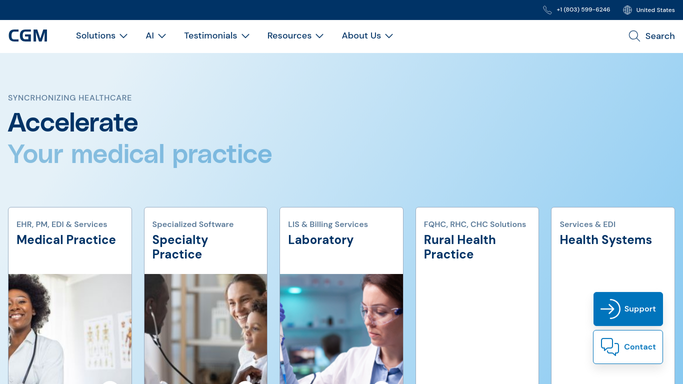
Automated CGM APRIMA Hospital ED Admission Alerts
WebRun watches CGM APRIMA for hospital or ED admission notifications on your homebound patients, posts an alert to Slack right away, and drafts a heads up email to the assigned provider for review before it's sent.
CGM APRIMASlackGmail
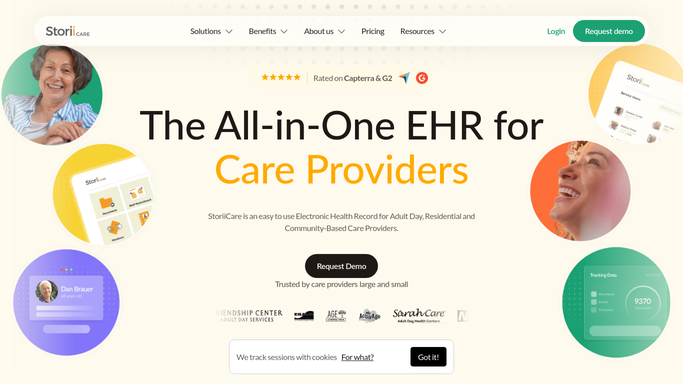
Automated StoriiCare Family Photo Update Drafts
Every Friday, WebRun finds new photos and moments logged in StoriiCare, drafts a warm family update email for each resident, and leaves it in Gmail for a staff member to review before sending.
StoriiCareGmailSlack
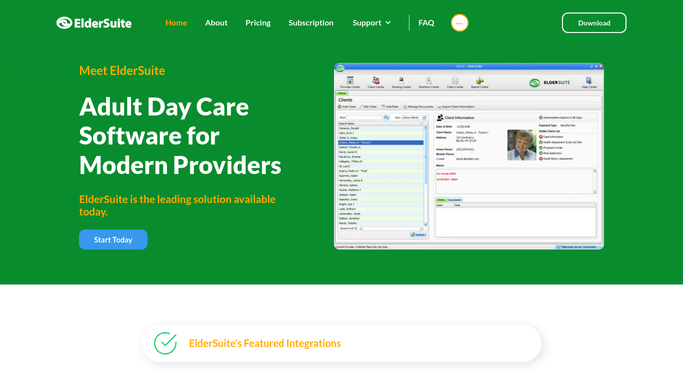
Automated ElderSuite Pickup Notification Drafts
Every afternoon before closing, WebRun opens ElderSuite, checks which participants are wrapping up their day, and drafts a short pickup-ready text for each family, holding every message unsent for your front desk to review and send.
ElderSuiteTwilioSlack
Automated Therap ISP Goal Progress Reports
Every month, WebRun reads each individual's goal data in Therap, drafts a clear progress summary for the case manager, and lets your team review every draft in Gmail before it goes out.
TherapGmailSlack
Automated Sigmund Level of Care Review Reminders
WebRun checks every patient's next level of care review date in Sigmund Software each week, logs the schedule to a tracker sheet, and posts a Slack reminder to the clinical team before each review call with the payer.
Sigmund SoftwareGoogle SheetsSlack
Automated Sobriety Hub Infraction Logging
Whenever staff log a house rule violation in Sobriety Hub, WebRun records it in Google Sheets with the resident, rule, and consequence, and posts a nightly summary to Slack.
Sobriety HubGoogle SheetsSlack
Automated LongevityEHR Renewal Reminder Drafts
Every Monday, WebRun opens LongevityEHR, finds members whose membership tier renews in the next 14 days, drafts a personalized renewal reminder in Gmail for each, and posts the team a Slack list of who is up for renewal, leaving every email unsent for staff review.
LongevityEHRGmailSlack
Automated HRT Control New Patient Lab Summaries
Every morning, WebRun reads each new patient's baseline hormone panel in HRT Control, logs a clean summary to a Google Sheet, and lets the provider know it's ready for chart review.
HRT ControlGoogle SheetsSlack
Automated PracticeQ Nurse Staffing Recap
Every Friday, WebRun compares nurse shift hours in PracticeQ against drips administered, pulls labor cost from QuickBooks Online, and posts your staffing recap to Slack.
PracticeQQuickBooks OnlineSlack
Automated AestheticsPro New Patient Consult Briefs
The moment a new patient intake form is submitted, WebRun reads it in AestheticsPro, logs a clean summary to Google Sheets, and pings the assigned provider in Slack so they walk into the consult prepared.
AestheticsProGoogle SheetsSlack
Automated Infusion Reschedule Outreach
WebRun finds infusion appointments cancelled or missed that day in Cellma, drafts a reschedule text in Twilio for each patient, and posts your infusion suite a Slack worklist of who still needs rebooking.
Cellma (RioMed)TwilioSlack
Automatic Fall Risk Assessment Scheduling
WebRun reviews Hologic Horizon DXA scan results for patients whose T-score or history signals high fall risk, checks Google Calendar for open assessment slots, and posts your care team a scheduling worklist in Slack.
Hologic Horizon DXAGoogle CalendarSlack
Automatic Lung Nodule Follow-Up CT Scan Reminders
Every morning, WebRun checks ModuleMD for patients with a tracked lung nodule due for a follow-up CT, drafts a reminder email in Gmail for the care coordinator to review and send, and posts a Slack summary of who is due this week.
ModuleMDGmailSlack
Automated Lab Culture Follow-Up Alerts
When a new lab culture result posts in CureMD, WebRun flags any positive or resistant organism, alerts the on-call clinician in Slack, and drafts a patient follow-up email for review before it sends.
CureMDSlackGmail
Nextech Automated Referral Outcome Reports
Every night, WebRun reviews the day's completed Mohs cases in Nextech, drafts an outcome letter for each referring dermatologist, and leaves every letter unsent in Gmail for your surgeon to review before it goes out.
NextechGmailSlack
Automated Deskera Overdue Invoice Reminders
Every Monday, WebRun finds invoices past due in Deskera, sends a polite reminder for small balances and drafts one for you to review on larger ones, and posts a Slack list of who still owes you.
DeskeraGmailSlack
Automated Yoco Refund and Void Alerts
WebRun watches your Yoco transactions for refunds and voids, checks each one against your normal pattern, and sends an instant WhatsApp and Slack alert if a till looks out of line.
YocoWhatsAppSlack

Want one of these running on your own Slack?

Show WebRun the process once and it will run it on schedule, in your own private browser environment.