Alert your team the second a nonconformance is logged
Every 15 minutes, WebRun opens ProShop ERP, checks for newly logged nonconformance reports, pings your quality and production leads on Telegram with the part and defect, and posts the full details to the quality Slack channel so containment starts right away.
- No credit card
- Under $0.01 per run
- Cancel anytime
What does WebRun do on every run?
The exact actions WebRun takes, in order - in plain language, so you can adjust anything.
-
WebRun signs in and gets to work
Opens
proshoperp.comin a real browser with your saved login - no setup, no API keys. -
1
ProShop ERP - check for new nonconformance reports
proshoperp.com How to Automate ProShop ERP

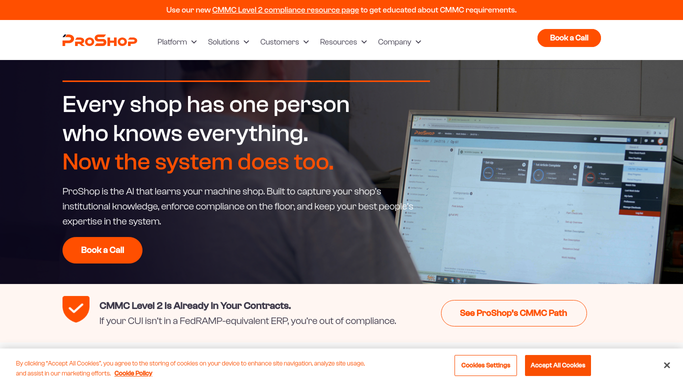
WebRun opens ProShop ERP to check for new nonconformance reports. - Open ProShop ERP and check the quality module for new nonconformance reports
- Capture the job, part, operation, and defect described for each
- Note the disposition status if one has already been set
Done when Every nonconformance report logged since the last check is captured.
-
2
Telegram - ping quality and production leads
telegram.org How to Automate Telegram
WebRun opens Telegram to ping quality and production leads. - Send an immediate alert to quality and production leads naming the job and defect
- Mark anything tied to a shipped or in transit job as urgent
Done when Quality and production leads have been alerted to every new nonconformance.
-
3
Slack - post full details for containment
slack.com How to Automate Slack
WebRun opens Slack to post full details for containment. - Post the full nonconformance details to the quality channel
- Include the job, part, operation, and defect so containment can start
Done when The quality channel has full details for every nonconformance logged this run.


How do I get alerted the moment a nonconformance is logged on the shop floor?
WebRun checks ProShop ERP every 15 minutes for newly logged nonconformance reports, then pings your quality and production leads on Telegram and posts the full job, part, and defect detail to Slack. Containment starts within minutes of a nonconformance being logged instead of waiting for the next shift meeting to surface it.
- Quality hears about a new nonconformance within 15 minutes
- Containment starts the same shift instead of the next meeting
- Every NCR alert includes the job, part, and defect up front
Built for CNC machine shops · AS9100 certified shops · quality managers · production leads
How is each run configured?
Secure by default
Connect once, stays signed in
WebRun signs in once and keeps each session in a persistent environment, so every run picks up right where it left off.
Every action is checked against this policy before it runs.
Questions, answered
Does it notify the customer about the nonconformance?
No. WebRun only alerts your internal quality and production leads on Telegram and Slack. It never contacts a customer about a nonconformance on its own.
Does it set the disposition or close the NCR?
No. It only reads and reports what is logged in ProShop ERP. Dispositioning, containment, and closing the nonconformance stay with your quality team.
How fast is the alert?
It checks ProShop ERP every 15 minutes, so your team typically hears about a new nonconformance within minutes of it being logged, not at the next shift meeting.
Related templates
Put this on autopilot.
Turn it on in minutes - or have our team set it up for you.