Flag hospital admissions the moment they happen
The moment CGM APRIMA logs a new hospital or ED admission notification for one of your homebound patients, WebRun reads the admission details, posts an immediate alert to your care team's Slack channel, and drafts a heads up email to the assigned provider that stays unsent until they review and approve it.
- No credit card
- Under $0.01 per run
- Cancel anytime
What does WebRun do on every run?
The exact actions WebRun takes, in order - in plain language, so you can adjust anything.
-
WebRun signs in and gets to work
Opens
www.cgm.com/usa_en/products/electronic-health-records/cgm-aprima.htmlin a real browser with your saved login - no setup, no API keys. -
1
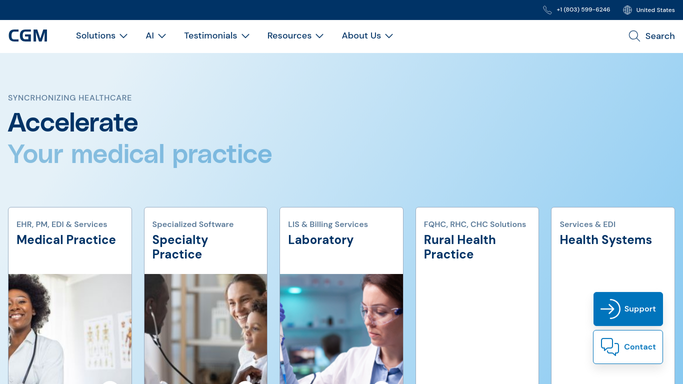
CGM APRIMA - read the new admission notification
cgm.com How to Automate CGM APRIMA

WebRun opens CGM APRIMA to read the new admission notification. - Open CGM APRIMA and check the admission, discharge, and transfer notifications feed
- Match the new admission to the patient's chart and assigned provider
- Capture the facility, admission time, and reason for admission if available
Done when The new admission is matched to a patient chart with facility and time captured.
-
2
Slack - alert the care team now
slack.com How to Automate Slack
WebRun opens Slack to alert the care team now. - Post an immediate alert to the care team Slack channel with the patient initials, facility, and admission time
- Tag the assigned provider and any covering clinician
- Note whether the patient has a recent visit note or care plan that should be reviewed
Done when The care team has an immediate Slack alert naming the patient, facility, and assigned provider.
-
3
Gmail - draft a heads up to the provider
gmail.com How to Automate Gmail
WebRun opens Gmail to draft a heads up to the provider. - Draft a heads up email to the assigned provider summarizing the admission and the patient's recent status
- Leave the email as a draft. Do not send it automatically
- Suggest whether a transitional care visit should be scheduled once the patient is discharged
Done when A draft heads up email is ready in Gmail for the assigned provider to review and send.


How do I get alerted immediately when a homebound patient is admitted to the hospital?
WebRun watches the CGM APRIMA admission and transfer feed for new hospital or ED admissions among your homebound patients. The moment one appears, it posts an immediate Slack alert naming the patient, facility, and assigned provider, and drafts a heads up email in Gmail that stays unsent until the provider reviews and approves it.
- Care team learns about an admission the same day it happens, not at the next visit
- Every admission alert names the assigned provider so nothing waits on the wrong person
- A draft handoff email is ready before the provider even opens their inbox
Built for home based primary care physicians · care coordinators · transitional care managers · independence at home programs
How is each run configured?
Secure by default
Connect once, stays signed in
WebRun signs in once and keeps each session in a persistent environment, so every run picks up right where it left off.
Every action is checked against this policy before it runs.
Questions, answered
Will it notify anyone outside the practice about the admission?
No. The Slack alert and Gmail draft both stay inside your care team. WebRun never contacts the hospital, the patient, or the family on its own, and the draft email waits for the assigned provider to send it.
How fast does the alert reach the care team?
As soon as CGM APRIMA logs the admission notification in its feed, WebRun reads it and posts the Slack alert within the same run, so the team hears about it the same day, not at the next scheduled visit.
What if the notification is for a discharge instead?
It reads the notification type from CGM APRIMA and only triggers this alert for new admissions. Discharge notifications are handled separately so the care team is not paged for the wrong event.
Related templates
Put this on autopilot.
Turn it on in minutes - or have our team set it up for you.