Get pickup texts drafted for every family
Every weekday afternoon, WebRun opens ElderSuite, finds which participants are wrapping up for the day, drafts a short, friendly pickup-ready text for each family contact on file, and posts the batch to Slack so your front desk can review and send each one instead of typing every message by hand.
- No credit card
- Under $0.01 per run
- Cancel anytime
What does WebRun do on every run?
The exact actions WebRun takes, in order - in plain language, so you can adjust anything.
-
WebRun signs in and gets to work
Opens
app.eldersuite.comin a real browser with your saved login - no setup, no API keys. -
1
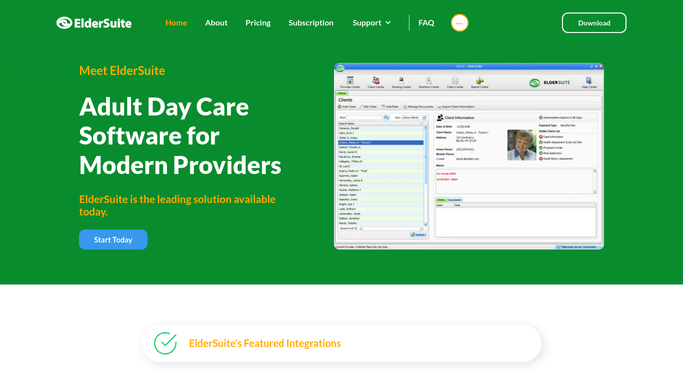
ElderSuite - find participants wrapping up for the day
eldersuite.com How to Automate ElderSuite

WebRun opens ElderSuite to find participants wrapping up for the day. - Open ElderSuite and pull today's list of participants nearing end-of-day departure
- Capture each participant's family contact number on file
- Skip anyone already marked as picked up
Done when Every participant still awaiting pickup is listed with a family contact number.
-
2
Twilio - draft a pickup-ready text for each family
twilio.com How to Automate Twilio
WebRun opens Twilio to draft a pickup-ready text for each family. - Draft a short, friendly pickup-ready text for each family contact, using the participant's first name only
- Leave every drafted message unsent in the Twilio queue
- Never include health, incident, or care plan details in the message
Done when A reviewable, unsent draft text exists for every participant awaiting pickup.
-
3
Slack - queue the drafts for front desk review
slack.com How to Automate Slack
WebRun opens Slack to queue the drafts for front desk review. - Post the batch of drafted pickup texts to the front desk channel
- List each one by participant first name so staff can match it to the family
- Leave sending to a staff member. Never send a text directly to a family
Done when Front desk staff have the full batch of drafted texts in Slack, ready to review and send.


How do I notify families their loved one is ready for pickup without texting them myself?
WebRun checks ElderSuite each weekday afternoon for participants nearing end-of-day departure and drafts a short, friendly pickup-ready text for every family contact on file. It queues the drafts in Twilio and lists the batch in Slack, so your front desk reviews and sends each message, and no text reaches a family without staff approval first.
- Every departing participant gets a drafted pickup text without staff typing each one
- No message reaches a family without a human reviewing and sending it first
- Health and care plan details never appear in a pickup text
Built for adult day care front desk staff · ADHC administrators · day center family liaisons
How is each run configured?
Secure by default
Connect once, stays signed in
WebRun signs in once and keeps each session in a persistent environment, so every run picks up right where it left off.
Every action is checked against this policy before it runs.
Questions, answered
Will it text families without a staff member sending it?
No. Every pickup text is drafted and held unsent in the queue. A front desk staff member reviews and sends each one, and WebRun never messages a family on its own.
Does the text include any health or care information?
No. The draft only says the participant is ready for pickup and uses their first name. It never includes health, incident, or care plan details.
What if a participant is already picked up?
It checks ElderSuite for each participant's pickup status first, so anyone already marked picked up is skipped and no draft is created for them.
Related templates
Put this on autopilot.
Turn it on in minutes - or have our team set it up for you.