How to Automate Cass
Cass automates the freight invoice itself. Ratemaker prices each shipment against your contracted rates before the carrier bills, the audit catches overpayments and duplicates, and accruals and GL coding allocate the cost. Proving a detention charge or chasing an unbilled move still means opening a carrier's own site.
 Written by
Owen Hartley
Workflow engineer
Written by
Owen Hartley
Workflow engineer
 Reviewed by
Aiko Tanabe
Product researcher
Reviewed by
Aiko Tanabe
Product researcher
Freight arrives as thousands of small claims about last week
Cass Information Systems audits and pays the freight bills of large shippers, and has been doing it for decades. Most people in a logistics department simply call it Cass, or their freight audit and payment provider.
Freight is an unusual expense. A company can spend enormous sums moving product and never receive one large invoice for it. What arrives instead is a torrent of small ones, each asserting that a trailer went from a particular dock to a particular door on a particular day, at a rate somebody negotiated eighteen months ago, plus whatever happened on the way.
The people who live in it are a transportation manager, a freight analyst and somebody in accounts payable who inherited the queue. They answer for a cost line allocated down to business unit, region, product and plant, and they are expected to explain any part of it on request.
The exception queue is where the freight team's week goes
The clean invoices are not the problem. The exceptions are.
A carrier bills detention for four hours at a dock and your own gate log says ninety minutes. A liftgate charge appears on a delivery to a warehouse that has a loading bay. A fuel surcharge is calculated off a different week of the published index than the contract names. A reweigh moves a shipment two freight classes. A load shipped in March and no invoice has ever arrived, so the accrual carries an estimate nobody has revisited. A duplicate turns up under a slightly different pro number.
Each one is settled the same way: open the carrier's own site, find the proof of delivery or the tracking timestamps, compare against the contract, then email a rep who answers in four days. Multiply by the number of carriers, and that is the week.
Ratemaker prices the load before the invoice turns up
Cass takes most of this off a shipper, and the mechanism is worth understanding because it explains where the limit falls.
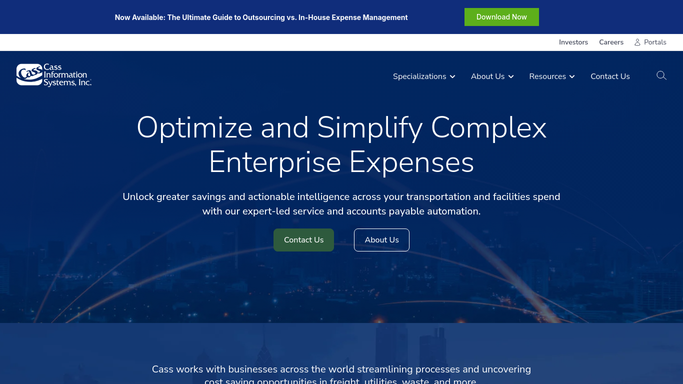
Ratemaker rates each shipment against your contracted rates and creates a record in the payment system, so when the carrier's invoice arrives there is already an independent figure to audit it against. It covers all modes, complex geographical and mileage exceptions, accessorial charges and multiple currencies. The audit itself catches overpayments and duplicate payments before money leaves. Accruals and GL coding allocate the cost the way your accounting needs it, down to business unit, region, product and plant. CassPort is the reporting side, with interactive dashboards and multi-dimensional reporting a freight analyst can drill through. Payment runs through Cass Commercial Bank, its own banking subsidiary.
The audit compares an invoice to a rate. That is the boundary, and it is a real one.
Whether the detention actually happened, whether the accessorial was authorised by your own planner, whether the delivery a carrier billed for is the one your warehouse received, and whether a claim you filed in June was ever settled are facts that live on carrier portals, in your transportation system and in your own yard, not in the rate table.
An invoice can be checked against the load it describes
Evidence is what turns an exception into a decision, and it is sitting on the carrier's own site.
A detention charge checked against the carrier's own tracking timestamps for that shipment, so the dispute is either dropped or filed with proof the same day. Accessorials compared to your approved charge types by lane and carrier, with the ones that have quietly become routine surfaced before a renewal. Fuel surcharges recalculated against the index week the contract actually names.
Then the invoices that never came. Your shipment file compared with what Cass has received, so a move that shipped six weeks ago and was never billed gets chased while the carrier can still find it, not after the period closed. The accrual pulled by lane and cost centre and reconciled against what the ERP is carrying.
And the pattern work nobody has time for. Claims filed for damage or shortage, their status read on the carrier's claims page weekly, so one that stalled in July is chased rather than written off. Rate compliance by carrier and lane, assembled quarterly, so a renewal conversation opens with a scorecard instead of an impression.
The carrier gets paid when your team says so
Which is the one thing that never gets delegated. Preparing an exception, drafting a dispute and assembling an accrual are clerical. Releasing money to a carrier is not, and stays a deliberate act by whoever holds that authority.
WebRun is an AI agent that works a real Chrome browser, signed in as you. It opens CassPort the way your freight analyst does, reads the invoices, the exceptions and the accruals, then opens the carrier's tracking site or your transportation system beside it and brings back the comparison.
It reads and it prepares. No invoice is approved, no payment file is released, no dispute is sent to a carrier and no GL code is changed until a person with the authority reviews it.
The workflows below are already built, and each one names what it opens.
Questions people ask
Will it release a payment to a carrier?
No. Approving an invoice, releasing a payment file and sending a dispute to a carrier all stay with the person who holds that authority. It prepares the exception, the evidence and the draft, then waits.
Can it read the carriers' own websites as well as Cass?
Yes, and that is where most of the evidence lives. One run can open CassPort, a carrier's tracking page and your transportation system, because it works the screens your analyst works rather than an integration somebody has to build first.
Is it safe to give it access to freight spend data?
It runs in your own private environment, signed in as your own user, and sessions are not shared between the tools in a workflow. A run can be locked to an explicit list of domains, so it reaches Cass and the carriers you named and nothing else.
12 ready-made Cass workflows
Each one names the apps it touches and the exact steps it takes. Open one to read what it will do, then turn it on.




Want one of these running on your own Cass?
Show WebRun the process once and it will run it on schedule, in your own private browser environment.