Onboard a new carrier into your freight audit program without missing a step
When you trigger a new carrier onboarding run, WebRun opens CassPort, verifies that the carrier's contract rate table, GL allocation rules, payment terms, and electronic invoice submission details are correctly configured, flags anything incomplete, and posts a readiness summary to Slack so your audit team knows the carrier is set up before the first invoice arrives.
- No credit card
- Under $0.01 per run
- Cancel anytime
What does WebRun do on every run?
The exact actions WebRun takes, in order - in plain language, so you can adjust anything.
-
WebRun signs in and gets to work
Opens
my.cassport.comin a real browser with your saved login - no setup, no API keys. -
1
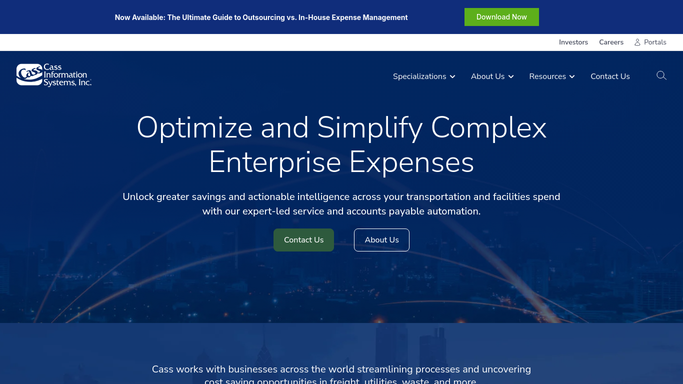
Cass - verify carrier contract, GL rules, and payment terms are configured
cassinfo.com How to Automate Cass

WebRun opens Cass to verify carrier contract, GL rules, and payment terms are configured. - Open CassPort and locate the new carrier record created for onboarding
- Verify that a rate table covering all expected lanes and modes has been uploaded and activated
- Confirm GL allocation rules and cost center codes are assigned for the carrier
- Check that payment terms, remittance instructions, and electronic invoice submission details are complete
- Flag any missing or incomplete field with its specific gap description
Done when Every required setup element has been checked and any gaps are documented.
-
2
Slack - post carrier readiness summary and flag any gaps
slack.com How to Automate Slack
WebRun opens Slack to post carrier readiness summary and flag any gaps. - Post a carrier readiness summary to your freight-audit Slack channel
- List each setup element with a pass or flag status
- For any flagged gap, include a one-line description of what is missing so your team can resolve it before the carrier ships its first load
Done when Your team has a complete readiness checklist for the new carrier in Slack.

How do I verify a new carrier is fully set up in Cass before their first invoice arrives?
When triggered, WebRun opens CassPort and checks every required setup element for a new carrier: rate table, GL allocation rules, payment terms, and electronic invoice submission details. A readiness summary is posted to Slack with a pass or flag for each element so your audit team can resolve gaps before the first invoice arrives.
- New carriers verified as fully configured before their first invoice enters the audit pipeline
- Setup gaps surfaced as a specific action list, not discovered when invoices fail
- Re-runnable check confirms readiness after each gap is resolved
Built for freight audit teams · transportation managers · carrier relations teams · logistics operations
How is each run configured?
Secure by default
Connect once, stays signed in
WebRun signs in once and keeps each session in a persistent environment, so every run picks up right where it left off.
Every action is checked against this policy before it runs.
Questions, answered
Will it create the carrier record in Cass automatically?
No. Your team creates the carrier record in CassPort as part of the standard carrier onboarding process. WebRun then verifies that all required setup elements are complete and flags any gaps.
What happens if the carrier is not ready when the first invoice arrives?
Incomplete setup means invoices may fail audit or be incorrectly coded. The readiness check gives your team a specific gap list to resolve before the carrier's first shipment, preventing audit errors on day one.
Can I run the check more than once for the same carrier?
Yes. Trigger the run again after your team resolves the flagged gaps. WebRun re-checks all elements and posts an updated summary so you can confirm the carrier is fully ready before approving shipments.
Related templates
Put this on autopilot.
Turn it on in minutes - or have our team set it up for you.