See exactly how well each carrier is honoring your negotiated rates
Every Monday, WebRun opens CassPort, compares the prior week's paid invoices against contracted rates for each carrier and lane, calculates a compliance rate and total overbilling amount per carrier, and writes a scorecard to Google Sheets so your team has data-backed leverage heading into carrier negotiations.
- No credit card
- Under $0.01 per run
- Cancel anytime
What does WebRun do on every run?
The exact actions WebRun takes, in order - in plain language, so you can adjust anything.
-
WebRun signs in and gets to work
Opens
my.cassport.comin a real browser with your saved login - no setup, no API keys. -
1
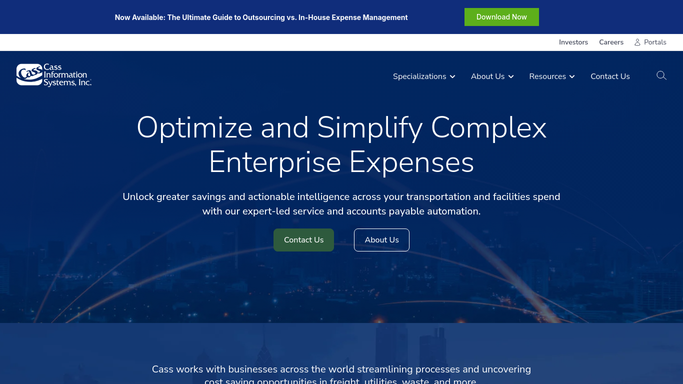
Cass - compare paid invoices against contract rates by carrier and lane
cassinfo.com How to Automate Cass

WebRun opens Cass to compare paid invoices against contract rates by carrier and lane. - Open CassPort and pull all paid invoices from the prior week with their base rate, lane, and carrier details
- For each invoice, retrieve the contracted rate for that carrier, lane, weight break, and mode
- Calculate the billed-vs-contracted variance for each invoice and flag those above your tolerance
- Aggregate per carrier: total invoices, total billed, total contracted, total variance, and a compliance percentage
Done when Each carrier's compliance rate and total overbilling for the week are calculated.
-
2
Google Sheets - write the weekly carrier compliance scorecard
google.com How to Automate Google Sheets
WebRun opens Google Sheets to write the weekly carrier compliance scorecard. - Write a summary tab with one row per carrier showing invoice count, total billed, total contracted, dollar variance, and compliance rate
- Write a detail tab with one row per non-compliant invoice for audit reference
- Apply conditional formatting so compliance rates below your threshold are highlighted in red
Done when The carrier compliance scorecard is updated in Google Sheets with this week's data.

How do I automatically track carrier contract rate compliance across all my freight invoices?
Every Monday, WebRun compares the prior week's paid freight invoices in Cass against your contracted rates for each carrier and lane, calculates a compliance rate and total overbilling per carrier, and writes a scorecard to Google Sheets. Your team gets data-backed leverage for carrier conversations without spending hours cross-referencing invoice data manually.
- Per-carrier compliance rate known every Monday rather than just at renewal
- Overbilling totals accumulated over time for negotiation leverage
- Non-compliant invoices available in a detail tab for dispute reference
Built for transportation managers · freight audit teams · carrier relations managers · supply chain directors
How is each run configured?
Secure by default
Connect once, stays signed in
WebRun signs in once and keeps each session in a persistent environment, so every run picks up right where it left off.
Every action is checked against this policy before it runs.
Questions, answered
Will it send the scorecard to carriers automatically?
No. The scorecard is written to Google Sheets for your team's internal use. Any carrier communication about compliance results is drafted for human review before being sent.
How many weeks of history does the scorecard track?
Each Monday run adds a new data set. The sheet accumulates weeks of data so you can track compliance trends over time heading into contract renewals.
What if a carrier's contract has multiple rate tables for different lanes?
The report looks up the rate table that applies to each specific lane and weight break, so carriers with complex contracts are evaluated correctly at the lane level, not with a single blended rate.
Related templates
Put this on autopilot.
Turn it on in minutes - or have our team set it up for you.