Automatic Bear Note To-Do Roundup
Every morning, WebRun opens Bear, walks your notes looking for unchecked to-do checkboxes, writes each open item to a Google Sheet alongside the note title it came from, and sends you the day's open list on Telegram.
How do I collect all the unfinished to-dos inside my notes?
WebRun opens Bear every morning and reads the unchecked to-do checkboxes buried inside your notes, no tags required. It writes each open item to a Google Sheet with the note it came from and how long it has been open, then sends you the full list on Telegram.
- Every open checkbox surfaces instead of hiding in a long note
- The day starts with one list rather than a scroll through notebooks
- Items open more than a week get called out by name
Built for writers · solo founders · consultants · note-heavy planners
What does WebRun do on every run?
The exact actions WebRun takes, in order - in plain language, so you can adjust anything.
-
WebRun signs in and gets to work
Opens
bear.appin a real browser with your saved login - no setup, no API keys. -
1
Bear - find unchecked to-dos in notes
bear.app
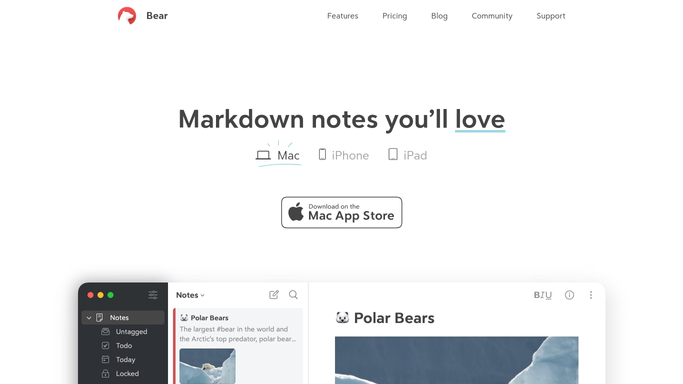
WebRun opens Bear to find unchecked to-dos in notes. - Open Bear and go through the notes in scope, skipping the archive and trash
- Read the to-do checkboxes inside each note and keep only the unchecked ones
- Capture the item text, the note title, and the note's tags
Done when Every unchecked to-do has been captured with the note it came from.
-
2
Google Sheets - collect them into one list
google.com

WebRun opens Google Sheets to collect them into one list. - Open the roundup sheet and write one row per open item
- Fill in the item, the source note, its tags, and the date first seen
- Mark rows whose checkbox is now ticked as done instead of deleting them
Done when The sheet holds every open to-do with its source note.
-
3
Telegram - send you the open items
telegram.org

WebRun opens Telegram to send you the open items. - Send the open list with the oldest items first
- Call out anything that has been open more than a week
Done when You have today's open to-do list on Telegram.
How is each run configured?
Secure by default
Connect once, stays signed in
WebRun signs in once and keeps each session in a persistent environment, so every run picks up right where it left off.
Every action is checked against this policy before it runs.
Questions, answered
Does it change my notes in Bear?
No. WebRun only reads your notes and copies the unchecked items out. It never ticks a checkbox, edits text, or moves a note, so Bear stays exactly as you left it.
What happens when I finish an item?
The next run sees the checkbox ticked in Bear and marks that row done in the sheet, keeping the history rather than deleting the row.
Can I limit which notes it reads?
Yes. Name the tags or notebooks you want in scope and WebRun reads only those, leaving archived notes and anything outside that scope untouched.
Related templates
Put this on autopilot.
Turn it on in minutes - or have our team set it up for you.