Healthy Roster Return-to-Play Clearance Tracking
Every morning, WebRun opens Healthy Roster, finds athletes currently in a return-to-play protocol, checks which clearance steps are complete and which are still outstanding, logs each athlete's progression to a Google Sheet, and posts an internal digest to Slack so the athletic trainer can see the full return-to-play board at a glance.
How do I track and manage return-to-play clearance steps for multiple athletes at once?
WebRun opens Healthy Roster every morning and checks every athlete in a return-to-play protocol to see which steps are complete and which are still outstanding. It logs the full progression to a Google Sheet and posts a daily clearance board to Slack so the training room team can see exactly where every athlete stands, with stalled cases flagged for priority follow-up.
- Every athlete in a return-to-play protocol has a live step-status entry in the tracking sheet
- Athletes stalled at the same step for more than 3 days are flagged automatically
- Coaches and parents are never updated without trainer review and approval
Built for athletic trainers · sports medicine physicians · high school and college athletic programs · sports medicine outreach clinics
What does WebRun do on every run?
The exact actions WebRun takes, in order - in plain language, so you can adjust anything.
-
WebRun signs in and gets to work
Opens
app.healthyroster.comin a real browser with your saved login - no setup, no API keys. -
1
Healthy Roster - find athletes in return-to-play protocols and check clearance steps
healthyroster.com
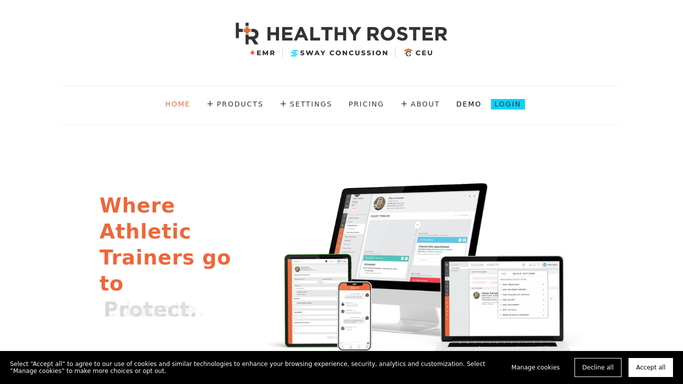
WebRun opens Healthy Roster to find athletes in return-to-play protocols and check clearance steps. - Open Healthy Roster and filter athletes with an active return-to-play or restricted-participation status
- For each athlete, check which protocol steps are marked complete and which are still pending
- Note the step name, completion date, and any physician or provider sign-off required for progression
- Flag athletes who have been stalled at the same step for more than 3 days
Done when Every athlete in a return-to-play protocol has their current step status captured.
-
2
Google Sheets - log return-to-play progression for each athlete
google.com

WebRun opens Google Sheets to log return-to-play progression for each athlete. - Update each athlete's row in the return-to-play tracking sheet with today's step status
- Add the date of the latest completed step and the next step required for clearance
- Flag stalled athletes in a priority column so they appear at the top of the sheet
Done when The return-to-play tracking sheet reflects today's protocol progression for every active athlete.
-
3
Slack - post daily return-to-play board to training room
slack.com

WebRun opens Slack to post daily return-to-play board to training room. - Post a daily return-to-play board to the training room Slack channel
- List each athlete by sport, current step, and days at that step
- Keep coach and parent status updates as drafts for the trainer to review: do not auto-send any external message about an athlete's return-to-play status
Done when The training room team has today's return-to-play status board in Slack.
How is each run configured?
Secure by default
Connect once, stays signed in
WebRun signs in once and keeps each session in a persistent environment, so every run picks up right where it left off.
Every action is checked against this policy before it runs.
Questions, answered
Will it tell coaches or parents that an athlete is cleared to return?
No. Any status update to a coach, parent, or athlete is drafted and held for the athletic trainer to review and approve before sending. Clearance decisions and their communication are always the trainer's responsibility.
What if an athlete needs a physician sign-off before advancing to the next step?
WebRun notes the required sign-off in the tracking sheet and flags the athlete in the Slack digest so the trainer knows to coordinate with the physician before the athlete can progress.
Can it handle multiple return-to-play protocols at once?
Yes. WebRun tracks every athlete currently in a return-to-play or restricted-participation status in Healthy Roster, regardless of which sport or protocol type they are on, and shows all of them on the same daily board.
Related templates
Put this on autopilot.
Turn it on in minutes - or have our team set it up for you.