Draft appointment confirmations for every scheduled athlete visit
Every morning, WebRun opens Healthy Roster, finds athlete appointments scheduled for the next two days, drafts an SMS confirmation via Twilio for each athlete for the trainer to review and approve, and logs the confirmation status to a Google Sheet.
- No credit card
- Under $0.01 per run
- Cancel anytime
What does WebRun do on every run?
The exact actions WebRun takes, in order - in plain language, so you can adjust anything.
-
WebRun signs in and gets to work
Opens
app.healthyroster.comin a real browser with your saved login - no setup, no API keys. -
1
Healthy Roster - find upcoming athlete appointments
healthyroster.com How to Automate Healthy Roster

WebRun opens Healthy Roster to find upcoming athlete appointments. - Open Healthy Roster and pull appointments scheduled for the next 48 hours
- Capture athlete name, appointment time, provider, and visit type for each
- Skip appointments already confirmed or marked as canceled
Done when All unconfirmed upcoming appointments are listed with their details.
-
2
Twilio - queue SMS confirmation drafts for trainer review
twilio.com How to Automate Twilio
WebRun opens Twilio to queue SMS confirmation drafts for trainer review. - Draft an SMS confirmation for each appointment using the athlete name, date, and time
- Queue each draft for the athletic trainer to review before sending
- Do not send any message until the trainer approves: all drafts are held for review
Done when Every upcoming appointment has a drafted SMS confirmation queued for trainer approval.
-
3
Google Sheets - log confirmation status
google.com How to Automate Google Sheets
WebRun opens Google Sheets to log confirmation status. - Append each appointment to the confirmation tracking sheet with draft status and timestamp
- Update the status column to Confirmed once the trainer approves and sends
Done when The confirmation log reflects today's draft and send activity.
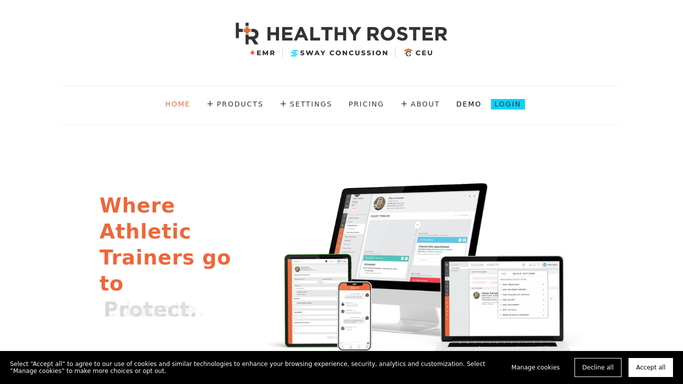


How do I automatically draft appointment confirmations for athlete sports medicine visits?
WebRun pulls the next two days of athlete appointments from Healthy Roster each morning, drafts an SMS confirmation for each via Twilio, and holds every draft for the athletic trainer to review before anything is sent. It logs the confirmation status to Google Sheets so the team always knows which visits are confirmed.
- Every upcoming appointment has a drafted confirmation ready for trainer review each morning
- No-show rates drop as athletes receive timely confirmation messages
- A Google Sheet log gives the team a real-time view of which visits are confirmed
Built for athletic trainers · sports medicine clinics · high school and college athletic programs · outreach athletic training sites
How is each run configured?
Secure by default
Connect once, stays signed in
WebRun signs in once and keeps each session in a persistent environment, so every run picks up right where it left off.
Every action is checked against this policy before it runs.
Questions, answered
Will it text athletes without my approval?
No. Every SMS confirmation draft is held in a review queue until the athletic trainer explicitly approves it. No message is sent to an athlete, parent, or coach automatically.
What if an appointment is already confirmed or has been canceled?
WebRun reads the live appointment status in Healthy Roster each morning and skips any visit already marked as confirmed or canceled, so it only drafts messages for visits that still need confirmation.
Can I customize the confirmation message?
Yes. Give WebRun your preferred wording, tone, and any clinic-specific details, and it will use your template for every draft it generates.
Related templates
Put this on autopilot.
Turn it on in minutes - or have our team set it up for you.