Chase incomplete intake forms before a new athlete's first visit
Every morning, WebRun opens Healthy Roster, finds new athlete records where required intake forms are still incomplete, drafts a follow-up email for the trainer to review and send, and appends the outstanding items to a Google Sheet so the team tracks what still needs to arrive before the first visit.
- No credit card
- Under $0.01 per run
- Cancel anytime
What does WebRun do on every run?
The exact actions WebRun takes, in order - in plain language, so you can adjust anything.
-
WebRun signs in and gets to work
Opens
app.healthyroster.comin a real browser with your saved login - no setup, no API keys. -
1
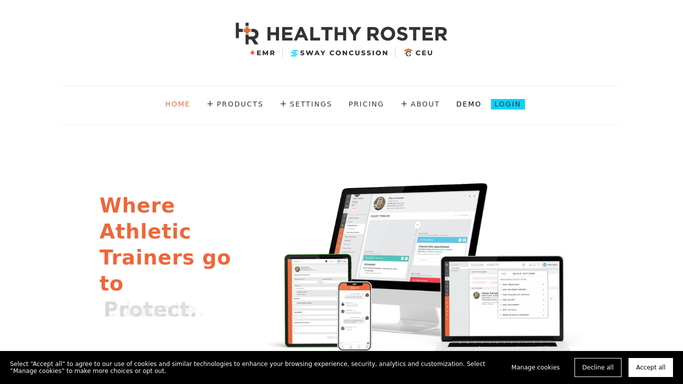
Healthy Roster - find new athletes with incomplete intake forms
healthyroster.com How to Automate Healthy Roster

WebRun opens Healthy Roster to find new athletes with incomplete intake forms. - Open Healthy Roster and filter new athlete records added in the past 14 days
- Identify records where required intake forms are still missing or unsigned
- Capture the athlete name, sport, first appointment date, and list of missing forms for each
Done when Every new athlete with incomplete intake paperwork is listed with the specific missing items.
-
2
Gmail - draft intake chaser emails for trainer review
gmail.com How to Automate Gmail
WebRun opens Gmail to draft intake chaser emails for trainer review. - Draft a polite intake chaser email for each athlete or their parent or guardian, listing the missing forms
- Leave every draft unsent in Gmail for the athletic trainer to review and approve before sending
- Do not send any email automatically: protected health information must stay under trainer control
Done when Each new athlete with missing forms has a draft chaser email queued for trainer review.
-
3
Google Sheets - log outstanding paperwork items
google.com How to Automate Google Sheets
WebRun opens Google Sheets to log outstanding paperwork items. - Append each athlete and their missing forms to the intake tracking sheet
- Update rows where forms have since been received to mark them as complete
- Flag athletes whose first appointment is fewer than 3 days away
Done when The intake tracking sheet reflects all outstanding paperwork and upcoming-visit urgency flags.


How do I automatically follow up with new athletes who have incomplete intake forms?
WebRun opens Healthy Roster every morning, finds new athletes with incomplete intake paperwork, and drafts a chaser email to the athlete or parent for the trainer to review and send via Gmail. It logs all outstanding forms to a Google Sheet and flags anyone with an appointment fewer than three days away, so every first visit starts with complete records.
- Every new athlete's first visit starts with complete intake paperwork
- Trainers spend minutes reviewing drafts instead of writing each chaser from scratch
- Athletes with an imminent appointment are flagged for same-day attention
Built for athletic trainers · sports medicine clinics · high school and college athletic programs · industrial athletic training sites
How is each run configured?
Secure by default
Connect once, stays signed in
WebRun signs in once and keeps each session in a persistent environment, so every run picks up right where it left off.
Every action is checked against this policy before it runs.
Questions, answered
Will it email athletes or parents without my review?
No. Every intake chaser email is saved as a draft in Gmail for the athletic trainer to read and approve before sending. No message with athlete information goes out without trainer sign-off.
What if the athlete submits forms after the chaser is drafted?
WebRun reads the live form status in Healthy Roster each morning, so athletes who have completed their intake since yesterday are automatically removed from that day's chaser list.
What forms does it track?
WebRun tracks whichever forms your Healthy Roster intake setup marks as required. Set your required form list in Healthy Roster and WebRun flags any that are still missing.
Related templates
Put this on autopilot.
Turn it on in minutes - or have our team set it up for you.