Automated Authy Authorized Device Audits
Every Monday, WebRun opens your Authy account, lists the devices currently authorized to approve two-factor logins, notes the linked accounts, the phone number on file, and whether backups and multi-device are switched on, posts the audit to Slack, and pings you on Telegram about anything unexpected.
How do I check which devices can still approve my two-factor logins?
WebRun audits your Authy devices every Monday. It lists the devices authorized to approve two-factor logins with their added and last seen dates, checks the phone number on file and whether backups and multi-device are on, posts the audit to Slack, and pings Telegram about anything unexpected.
- Old handsets are spotted while they can still approve a login
- Backup and multi-device settings get checked weekly, not annually
- Nothing is removed or changed without a human deciding
Built for IT owners · security teams · small business operators · office managers
What does WebRun do on every run?
The exact actions WebRun takes, in order - in plain language, so you can adjust anything.
-
WebRun signs in and gets to work
Opens
authy.comin a real browser with your saved login - no setup, no API keys. -
1
Authy - list authorized devices and settings
authy.com
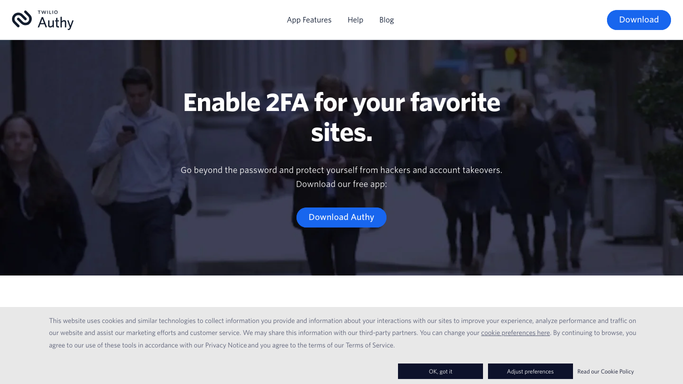
WebRun opens Authy to list authorized devices and settings. - Open your Authy account and read the list of authorized devices
- Record each device with the date it was added and when it was last seen
- Compare the list against the devices you expect to be there
- Note the phone number on file and whether it still belongs to a current holder
- Check whether backups and the multi-device setting are switched on
- Never remove a device or change a setting. WebRun reports and a human decides
Done when Every authorized device is listed with its dates and checked against the expected list.
-
2
Slack - post the weekly device audit
slack.com

WebRun opens Slack to post the weekly device audit. - Post the weekly device audit to your private IT channel
- List each authorized device with its added date and last seen date
- Call out any device that is not on the expected list
- State plainly whether backups and multi-device are on or off
Done when The IT owner has this week's device audit in Slack.
-
3
Telegram - flag anything unexpected
telegram.org

WebRun opens Telegram to flag anything unexpected. - Send a Telegram ping only when an unexpected device appears or a setting changed
- Name the device and the date it was added
- Say what a human should check, without changing anything
- Stay quiet on a clean week so the alert keeps its weight
Done when You hear about an unexpected device the week it appears.
How is each run configured?
Secure by default
Connect once, stays signed in
WebRun signs in once and keeps each session in a persistent environment, so every run picks up right where it left off.
Every action is checked against this policy before it runs.
Questions, answered
Will it remove a device on its own?
No. WebRun reads the authorized device list and reports it. Removing a device or changing a security setting stays a human action, because locking yourself out of two-factor is not recoverable in one click.
Why audit devices weekly?
Because an old handset stays authorized long after someone changes phone or leaves. A weekly read of added and last seen dates surfaces the device nobody remembered to remove, while it still matters.
Does it read my two-factor codes?
No. It reads the account's device list and settings only. WebRun never reads, copies, or transmits a one-time code, and the audit it posts contains device names and dates, not secrets.
Related templates
Put this on autopilot.
Turn it on in minutes - or have our team set it up for you.