Automated Zoho Invoice Overdue Reminders
Every Monday, WebRun opens Zoho Invoice, finds every invoice past its due date, saves each invoice PDF into a dated Google Drive folder, and queues a short, polite Twilio text message per customer that waits in your approval list until you release it.
How do I chase overdue Zoho Invoice bills by text without sending them by hand?
WebRun opens Zoho Invoice every Monday, finds every invoice past its due date, and files each PDF into a dated Google Drive folder. It then drafts a short reminder text per customer in Twilio and queues it for your approval, so the chase is ready to send but never sends itself.
- Overdue customers get a nudge the same week the invoice ages
- Every chase text is approved by a human before sending
- This week's overdue paperwork sits in one Google Drive folder
Built for small businesses · freelancers · bookkeepers · agencies
What does WebRun do on every run?
The exact actions WebRun takes, in order - in plain language, so you can adjust anything.
-
WebRun signs in and gets to work
Opens
invoice.zoho.comin a real browser with your saved login - no setup, no API keys. -
1
Zoho Invoice - find overdue invoices
invoice.zoho.com
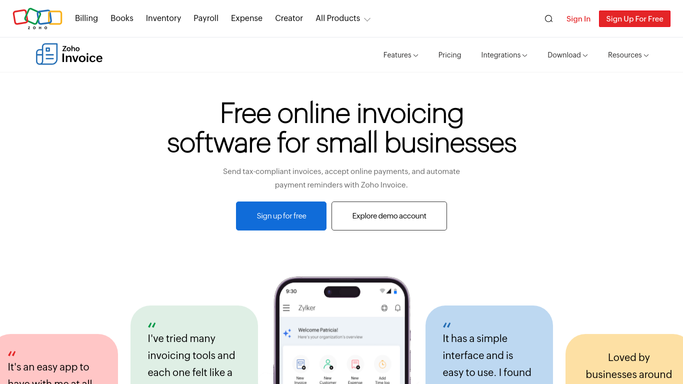
WebRun opens Zoho Invoice to find overdue invoices. - Open Zoho Invoice and filter the invoice list to Overdue
- Capture the customer, invoice number, amount due, and days overdue for each
- Read the customer record for a mobile number and skip anyone without one
- Skip invoices already chased within the last seven days
Done when Every overdue invoice is listed with its balance, age, and contact number.
-
2
Google Drive - file the invoice PDFs
drive.google.com

WebRun opens Google Drive to file the invoice PDFs. - Open your Overdue folder in Google Drive and create a folder for this week
- Save each overdue invoice PDF into it, named by customer and invoice number
- Add a single summary sheet listing every balance and its age
Done when This week's overdue paperwork is filed in one Google Drive folder.
-
3
Twilio - queue the reminder texts
twilio.com

WebRun opens Twilio to queue the reminder texts. - Draft a short, polite reminder text per customer with the invoice number, amount, and payment link
- Queue every message for review instead of sending it
- Leave the whole queue for a human to read and release. Nothing goes out unapproved
- Log which numbers were queued so a customer is never texted twice in a week
Done when A reviewed text is waiting for each overdue customer, unsent until you approve it.
How is each run configured?
Secure by default
Connect once, stays signed in
WebRun signs in once and keeps each session in a persistent environment, so every run picks up right where it left off.
Every action is checked against this policy before it runs.
Questions, answered
Will it text my customers without me?
No. Every reminder is queued in Twilio and held for approval. A human reads the list and releases it, so no message reaches a customer until you say so.
What if a customer already paid?
It reads the live invoice status in Zoho Invoice at the start of each run, so anything marked paid is dropped before a text is ever drafted.
What does the reminder text say?
A short, polite line with the invoice number, the amount due, and your payment link. Give WebRun a sample message once and it matches your wording every week.
Related templates
Put this on autopilot.
Turn it on in minutes - or have our team set it up for you.