Automated Process Serving Client Status Updates
Every morning, WebRun opens ServeManager, finds jobs where a new attempt was logged since the last run, drafts a clear status update email for each client, and leaves it in Gmail as a draft for you to review and send. Clients stay informed and your team stops fielding "any update?" calls.
How do I automatically send clients service attempt status updates?
WebRun checks ServeManager every morning for jobs with a new service attempt logged since the previous run. For each one, it drafts a concise status update email in Gmail with the attempt date, outcome, and next steps, leaving every draft unsent for you to review before clients receive anything.
- Clients receive timely attempt updates without your team making individual calls
- Every draft is reviewed before sending so nothing goes out in error
- Staff save hours previously spent on status call-backs each week
Built for process serving companies · legal support firms · process servers · law offices
What does WebRun do on every run?
The exact actions WebRun takes, in order - in plain language, so you can adjust anything.
-
WebRun signs in and gets to work
Opens
www.servemanager.comin a real browser with your saved login - no setup, no API keys. -
1
ServeManager - find new attempt entries
servemanager.com
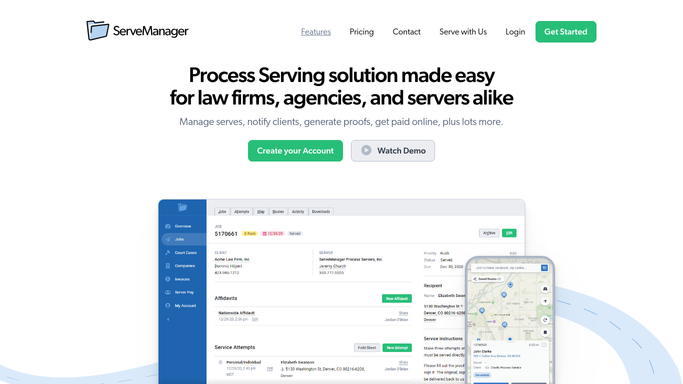
WebRun opens ServeManager to find new attempt entries. - Open ServeManager and filter jobs to those with a new attempt logged since yesterday
- For each job, read the attempt date, time, outcome (e.g. no answer, non-est, successful), and any notes
- Capture the client name and email address on file for the job
Done when Every job with a new attempt entry has its attempt detail and client contact ready.
-
2
Gmail - draft client status update
gmail.com

WebRun opens Gmail to draft client status update. - Draft a concise update email for each job in the client's tone
- Include job reference number, defendant name, attempt date and time, and outcome
- Note any next steps planned (e.g. another attempt scheduled)
- Save each email as a draft in Gmail and leave it unsent for your review
Done when A draft status email exists in Gmail for every client with a new attempt logged today.
How is each run configured?
Secure by default
Connect once, stays signed in
WebRun signs in once and keeps each session in a persistent environment, so every run picks up right where it left off.
Every action is checked against this policy before it runs.
Questions, answered
Will it send the emails automatically to clients?
No. Every update is saved as a Gmail draft for your review before sending. Nothing goes to a client until you approve and hit send.
What attempt detail does the email include?
It includes the job reference number, defendant name, the attempt date and time, the outcome (no answer, non-est, successful), and any planned next steps logged in ServeManager.
What if there are no new attempts on a given day?
WebRun finds nothing new to draft and skips the Gmail step entirely. You only see drafts on days when new attempt entries actually exist.
Related templates
Put this on autopilot.
Turn it on in minutes - or have our team set it up for you.