Chase servers for outstanding affidavits before they hold up a case
Every morning, WebRun opens ServeManager, finds jobs marked as served but with no affidavit or proof of service uploaded, drafts a polite reminder email to the assigned server, and flags the list in Slack so a manager can follow up. Proof-of-service backlogs stop quietly holding up cases.
- No credit card
- Under $0.01 per run
- Cancel anytime
What does WebRun do on every run?
The exact actions WebRun takes, in order - in plain language, so you can adjust anything.
-
WebRun signs in and gets to work
Opens
www.servemanager.comin a real browser with your saved login - no setup, no API keys. -
1
ServeManager - find serves missing affidavit
servemanager.com How to Automate ServeManager

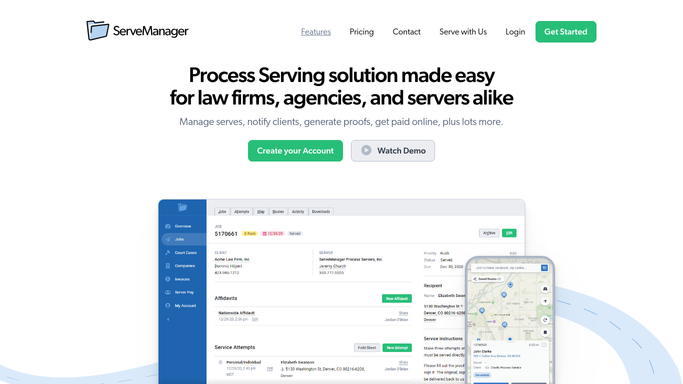
WebRun opens ServeManager to find serves missing affidavit. - Open ServeManager and filter jobs to status Served
- Check each served job for an uploaded affidavit or proof of service document
- Flag jobs with no affidavit on file for more than 24 hours since serve date
- Capture job number, defendant name, client, assigned server, and serve date
Done when Every completed serve missing an affidavit is listed with its details and the server's contact.
-
2
Gmail - draft reminder to server
gmail.com How to Automate Gmail
WebRun opens Gmail to draft reminder to server. - Draft a polite reminder to the assigned server for each outstanding affidavit
- Include job reference number, defendant name, serve date, and instructions for uploading to ServeManager
- Save each email as a draft and leave it unsent for your review
Done when A draft reminder email exists in Gmail for every server with an outstanding affidavit.
-
3
Slack - flag open affidavit list
slack.com How to Automate Slack
WebRun opens Slack to flag open affidavit list. - Post a summary list to the ops channel: job number, defendant, server name, and days since serve
- Sort by oldest outstanding affidavit first
Done when The ops channel has today's outstanding affidavit list with aging detail.


How do I automatically chase servers for outstanding affidavits?
WebRun checks ServeManager every morning for jobs marked as served but missing an uploaded affidavit or proof of service. It drafts a polite reminder email in Gmail to the assigned server for each outstanding case, and posts a manager summary to Slack sorted by oldest first, so proof-of-service backlogs never quietly stall a case.
- Affidavit backlogs are caught and chased daily before they delay court filings
- Managers see an aging list each morning without manual checking
- Every reminder draft is reviewed before reaching a server
Built for process serving companies · legal support firms · process service managers · law offices
How is each run configured?
Secure by default
Connect once, stays signed in
WebRun signs in once and keeps each session in a persistent environment, so every run picks up right where it left off.
Every action is checked against this policy before it runs.
Questions, answered
Will it send reminder emails to servers automatically?
No. Every reminder is saved as a Gmail draft for your review before sending. Nothing goes to a server until you approve and send it.
What if a server already uploaded the affidavit this morning?
WebRun reads the live document status in ServeManager each run, so any serve with an affidavit already on file is skipped automatically.
How far back does it look for missing affidavits?
It flags served jobs with no affidavit uploaded for more than 24 hours after the serve date. You can adjust this threshold in the run settings.
Related templates
Put this on autopilot.
Turn it on in minutes - or have our team set it up for you.