Send clients a polished weekly status report without compiling it yourself
Every Monday, WebRun opens ServeManager, gathers each client's open and recently completed jobs, counts attempts and completions, builds a summary per client, logs it to a Google Sheet for your records, and drafts a professional weekly status email in Gmail for each client. All drafts wait for your review before anything is sent.
- No credit card
- Under $0.01 per run
- Cancel anytime
What does WebRun do on every run?
The exact actions WebRun takes, in order - in plain language, so you can adjust anything.
-
WebRun signs in and gets to work
Opens
www.servemanager.comin a real browser with your saved login - no setup, no API keys. -
1
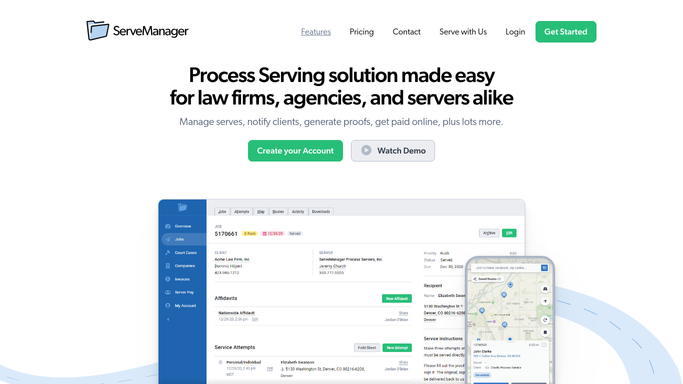
ServeManager - gather client job data
servemanager.com How to Automate ServeManager

WebRun opens ServeManager to gather client job data. - Open ServeManager and filter jobs by client
- For each client, list open jobs with status, attempt count, last attempt date, and serve-by deadline
- List completed jobs in the past week with serve date and confirmation number
- Flag any jobs approaching their deadline or with no attempt in the past 5 days
Done when Every client's open and recently completed job data is captured with attempt and deadline detail.
-
2
Google Sheets - log weekly summary data
google.com How to Automate Google Sheets
WebRun opens Google Sheets to log weekly summary data. - Open the Weekly Status Log sheet
- Append this week's summary for each client: open count, completed count, attempt count, and any flags
- Add the run date and a status column for easy week-over-week review
Done when This week's client summary data is logged in the Weekly Status sheet.
-
3
Gmail - draft client status report email
gmail.com How to Automate Gmail
WebRun opens Gmail to draft client status report email. - Draft a clear, professional weekly status email for each client
- List completed serves with confirmation detail, open jobs with status and next steps, and any flagged items needing client attention
- Save each email as a draft in Gmail and leave it unsent for your review
Done when A draft weekly status email exists in Gmail for every active client.


How do I automatically create weekly status reports for process serving clients?
WebRun opens ServeManager every Monday, gathers each client's completed and open job data for the week, logs the summary to Google Sheets, and drafts a professional weekly status email in Gmail per client. All drafts wait for your review before sending, so clients receive timely, accurate updates without your team compiling reports manually.
- Every active client receives a weekly status report without staff compiling it manually
- All drafts are reviewed before sending so accuracy is preserved
- Weekly logs in Google Sheets give you a running record of client activity
Built for process serving companies · legal support firms · client-facing process service managers · law office support
How is each run configured?
Secure by default
Connect once, stays signed in
WebRun signs in once and keeps each session in a persistent environment, so every run picks up right where it left off.
Every action is checked against this policy before it runs.
Questions, answered
Will it send the status reports automatically to clients?
No. Every report is saved as a Gmail draft for your review. Nothing is sent to a client until you approve and send it.
What does the status report include?
Each report lists completed serves from the past week with confirmation detail, all open jobs with current status and attempt count, and any jobs flagged for missing attempts or approaching deadlines.
How does it handle clients with no activity that week?
WebRun drafts a brief note for clients with no new activity confirming their open jobs are in progress, so every active client still hears from you each week.
Related templates
Put this on autopilot.
Turn it on in minutes - or have our team set it up for you.