Automated Holded Payables Run Brief
Every Monday, WebRun opens Holded, lists the supplier bills falling due in the next seven days plus anything already overdue, builds a payment run brief in Notion ordered by due date, and posts the totals and the overdue items to Microsoft Teams.
How do I see which supplier bills are due this week?
WebRun prepares your payables run every Monday. It lists the Holded supplier bills falling due in the next seven days plus anything already overdue, builds a brief in Notion ordered by due date with totals per supplier, and posts the overdue and weekly totals to Microsoft Teams for approval.
- The week's payables are known before Monday's first meeting
- Overdue supplier bills are named rather than discovered late
- No payment happens without a human approving the run
Built for finance teams · bookkeepers · small business owners · office managers
What does WebRun do on every run?
The exact actions WebRun takes, in order - in plain language, so you can adjust anything.
-
WebRun signs in and gets to work
Opens
app.holded.comin a real browser with your saved login - no setup, no API keys. -
1
Holded - list bills due and overdue
holded.com
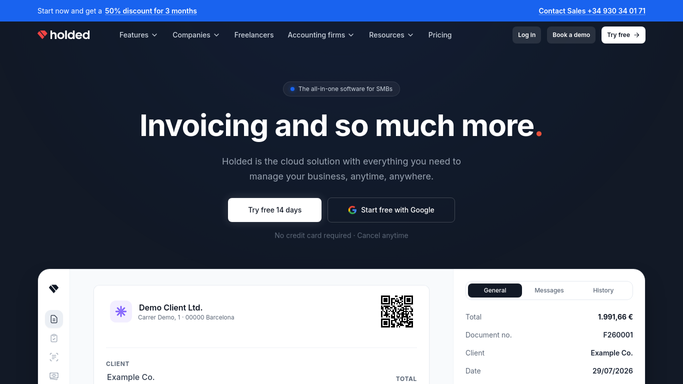
WebRun opens Holded to list bills due and overdue. - Sign into Holded and open the purchases area
- List every unpaid supplier bill with a due date in the next seven days
- Add any bill already past its due date, with the number of days overdue
- Capture the supplier, the bill number, the amount, the currency, the due date, and the payment method on file
- Note bills that are still awaiting internal approval, since those cannot go in the run yet
Done when Every bill due this week or already overdue is listed with supplier, amount, due date, and approval state.
-
2
Notion - build the payment run brief
notion.so

WebRun opens Notion to build the payment run brief. - Open the finance page in Notion and create this week's payment run brief
- Order the bills by due date, with overdue items at the top
- Show the total due this week, the overdue total, and the split by supplier
- Mark bills still awaiting approval as held back from the run
- Leave the brief as a proposal for a human to approve. WebRun never marks a bill as paid and never makes a payment
Done when The Notion brief lists every bill in due date order with totals and the held-back items marked.
-
3
Microsoft Teams - post the totals
microsoft.com

WebRun opens Microsoft Teams to post the totals. - Post the week's payables summary to the finance channel
- Lead with the overdue total and the suppliers involved
- Give the total falling due this week and the biggest three bills
- Link to the Notion brief and note that nothing is paid until someone approves the run
Done when The finance channel has this week's totals with overdue suppliers named.
How is each run configured?
Secure by default
Connect once, stays signed in
WebRun signs in once and keeps each session in a persistent environment, so every run picks up right where it left off.
Every action is checked against this policy before it runs.
Questions, answered
Will it pay any supplier?
No. WebRun never makes a payment, never marks a bill as paid, and never touches a bank connection. It reads unpaid bills in Holded and prepares a brief that a person approves before any money moves.
Does it include bills that are still awaiting approval?
Yes, but they are marked as held back from the run and excluded from the payable total, so the approval bottleneck is visible without inflating what you are about to pay.
Can it cover more than one currency?
Yes. Each bill keeps its own currency in the brief and totals are given per currency, so a multi-currency payables run is not collapsed into one misleading number.
Related templates
Put this on autopilot.
Turn it on in minutes - or have our team set it up for you.