Wherefour Automated FEFO Expiring Lot Alerts
Every morning, WebRun opens Wherefour, scans all active ingredient and finished goods lots for expiry dates within the next 30 days, checks whether each is allocated or unallocated, and posts a prioritized alert list to your quality Slack channel. For lots expiring within 7 days with no allocation, it also sends an SMS via Twilio to the quality manager as an urgent escalation.
How do I get automatic FEFO expiring lot alerts from my food manufacturing ERP?
Every morning, WebRun scans all active lots in Wherefour for expiry dates within 30 days, tiers them by urgency under FEFO logic, and posts a prioritized alert to your quality Slack channel. Unallocated lots expiring within 7 days also trigger an urgent SMS via Twilio to the quality manager so critical stock gets human attention the same day.
- Critical unallocated lots get an SMS escalation the same morning they enter the 7-day window
- Quality team sees the full 30-day expiry picture in Slack before production starts
- No expiring lot slips past unnoticed into a food safety event
Built for food manufacturers · beverage producers · co-packers · quality managers · food safety teams
What does WebRun do on every run?
The exact actions WebRun takes, in order - in plain language, so you can adjust anything.
-
WebRun signs in and gets to work
Opens
app.wherefour.comin a real browser with your saved login - no setup, no API keys. -
1
Wherefour - scan lots for expiry within 30 days
wherefour.com
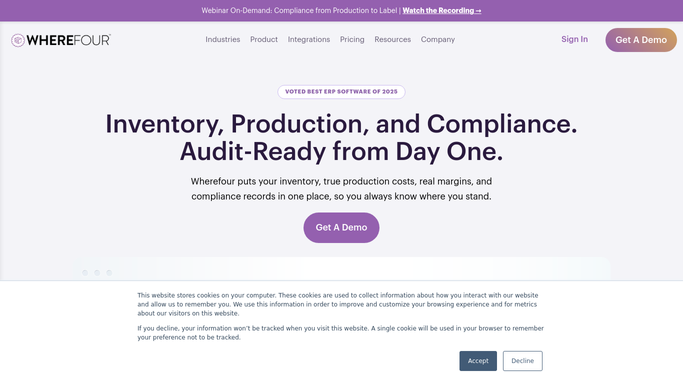
WebRun opens Wherefour to scan lots for expiry within 30 days. - Open Wherefour and navigate to the Lots section
- Filter to all active lots with an expiry date within the next 30 days
- For each lot, capture: lot number, item name, quantity remaining, expiry date, and whether it is allocated to a batch or sales order
- Tier lots by urgency: expiring within 7 days as critical, 8 to 14 days as high, 15 to 30 days as standard
- Flag unallocated lots in the critical and high tiers separately
Done when All expiring lots are tiered by urgency with allocation status noted.
-
2
Slack - post prioritized expiry alert to quality channel
slack.com

WebRun opens Slack to post prioritized expiry alert to quality channel. - Post the prioritized expiry alert to the quality Slack channel
- List critical lots first, followed by high, then standard
- Mark unallocated lots clearly so QA knows which need disposition decisions
- Include lot number, item, quantity, expiry date, and days remaining for each
Done when The quality team has today's tiered expiry alert in Slack.
-
3
Twilio - send urgent SMS for lots expiring within 7 days
twilio.com

WebRun opens Twilio to send urgent SMS for lots expiring within 7 days. - For each unallocated lot in the critical tier expiring within 7 days, send an SMS via Twilio to the quality manager's mobile number
- Include the lot number, item name, expiry date, and quantity in the SMS
- Limit to a maximum of one SMS per lot per day to avoid repeat alerts
Done when Quality manager has received an SMS for each critical unallocated lot expiring within 7 days.
How is each run configured?
Secure by default
Connect once, stays signed in
WebRun signs in once and keeps each session in a persistent environment, so every run picks up right where it left off.
Every action is checked against this policy before it runs.
Questions, answered
Will it quarantine or write off expiring lots automatically?
No. WebRun alerts your team to expiring lots and flags those needing disposition but never takes any action in Wherefour on its own. All quarantine, disposition, or write-off decisions are made by your quality team.
What does FEFO mean and how does WebRun apply it?
FEFO stands for First Expired, First Out. WebRun reads the expiry date from each lot in Wherefour and surfaces the earliest-expiring lots first in the alert, so your team prioritizes using or shipping the stock most at risk before it expires.
Can it alert on ingredients and finished goods separately?
Yes. Configure WebRun to include raw materials, work-in-progress, or finished goods lots independently, or all together. Each category can have its own lead time threshold.
Related templates
Put this on autopilot.
Turn it on in minutes - or have our team set it up for you.