Automated Expensify Policy Violation Sweep
Every morning, WebRun opens Expensify, reads the violations flagged on individual expenses across your workspace, names the rule each one broke, drafts a fix request per submitter in Twilio for you to approve, and sends the finance lead a summary on WhatsApp.
How do I catch out of policy expenses before they reach an approver?
WebRun opens Expensify every morning and reads the violations flagged on individual expenses, capturing the submitter, the amount, and the rule each one broke. It drafts a fix request per person in Twilio for your approval and sends the finance lead a WhatsApp summary before the approval round begins.
- Reports arrive at approval already clean
- Every violation names the submitter and the rule broken
- No employee is messaged until you release the draft
Built for finance leads · controllers · office managers · operations teams
What does WebRun do on every run?
The exact actions WebRun takes, in order - in plain language, so you can adjust anything.
-
WebRun signs in and gets to work
Opens
new.expensify.comin a real browser with your saved login - no setup, no API keys. -
1
Expensify - read flagged violations
expensify.com
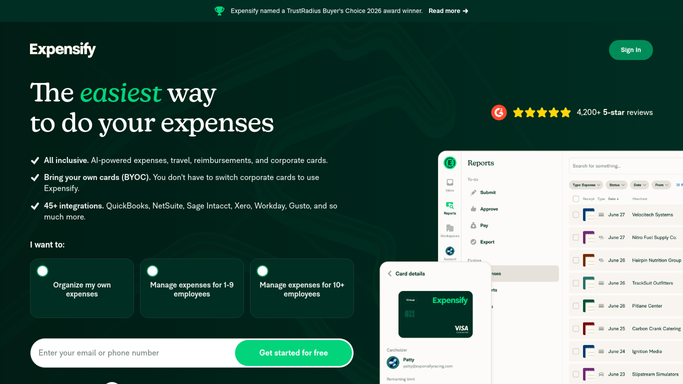
WebRun opens Expensify to read flagged violations. - Sign in to Expensify and open the workspace expenses view
- Find expenses carrying a violation and open each one
- Record the submitter, the amount, the category, and the rule the violation names
- Group the violations by report so a single report is chased once
Done when Every expense with a violation is listed with its submitter and the rule it broke.
-
2
Twilio - draft the fix requests
twilio.com

WebRun opens Twilio to draft the fix requests. - Draft a short SMS per submitter naming the expense and what needs fixing
- Keep the wording factual: the amount, the category, and the rule involved
- Queue every message in Twilio unsent and wait for your approval
- Send nothing to a person until you have read and released it
Done when A fix request is queued for each submitter, waiting on your approval.
-
3
WhatsApp - send finance the summary
whatsapp.com

WebRun opens WhatsApp to send finance the summary. - Send the finance lead a summary on WhatsApp
- Show the violation count, the total value involved, and the top rules being broken
- List the reports that cannot go to approval yet
Done when Finance has today's violation summary in WhatsApp.
How is each run configured?
Secure by default
Connect once, stays signed in
WebRun signs in once and keeps each session in a persistent environment, so every run picks up right where it left off.
Every action is checked against this policy before it runs.
Questions, answered
Will it text my staff without me approving it?
No. Every fix request is queued in Twilio unsent. You read each message and release it yourself, so no employee is texted about an expense without your approval.
Does it change or reject expenses in Expensify?
No. WebRun only reads the violations flagged on expenses. It never edits an amount, recategorises a line, rejects a report, or approves anything on your behalf.
How does it know which rule was broken?
It reads the violation Expensify already attached to the expense and reports the rule by name, along with the amount and category, so the submitter knows exactly what to fix.
Related templates
Put this on autopilot.
Turn it on in minutes - or have our team set it up for you.