Automated Crafter Win-Back Emails
Each week, WebRun opens Rain POS, finds loyalty and rewards members who have not visited in months, reads their past favorite fibers and points balance, logs the win-back list to a Google Sheet, and drafts each a personal comeback email in Mailchimp that waits for your approval before it sends.
How do I win back loyalty members who stopped shopping?
WebRun reviews your Rain POS loyalty report every Monday, finds members who have not shopped in months, and reads their points balance and favorite fibers. It logs the list to a Google Sheet and drafts each a personal comeback email in Mailchimp, left unsent, so you approve every note before a lapsed crafter is invited back.
- Lapsed regulars get a personal reason to come back
- Points balances get used instead of forgotten
- Every email waits for your approval before it sends
Built for yarn shops · needlework stores · loyalty programs · shop marketers
What does WebRun do on every run?
The exact actions WebRun takes, in order - in plain language, so you can adjust anything.
-
WebRun signs in and gets to work
Opens
rainpos.comin a real browser with your saved login - no setup, no API keys. -
1
Rain POS - find lapsed loyalty members
rainpos.com
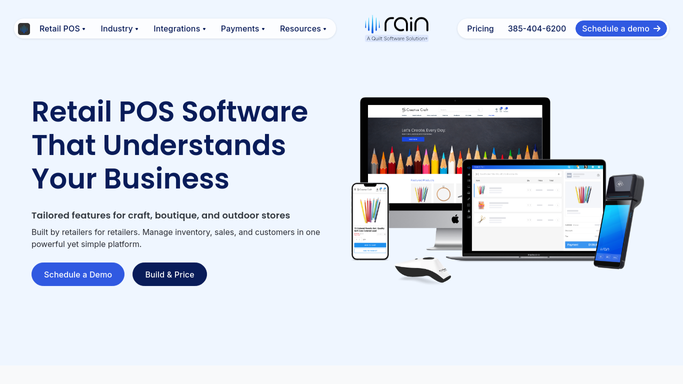
WebRun opens Rain POS to find lapsed loyalty members. - Open Rain POS and go to the loyalty and rewards report
- Find members whose last purchase was several months ago
- Capture the member, email, points balance, and their most-bought fiber types
Done when Every lapsed loyalty member is listed with their points and past favorites.
-
2
Google Sheets - log the win-back list
google.com

WebRun opens Google Sheets to log the win-back list. - Open the win-back tracker sheet
- Add a row per member with last visit, points balance, and favorite fiber types
- Skip anyone already emailed a win-back this quarter
Done when The tracker holds this week's win-back list without repeats.
-
3
Mailchimp - draft comeback emails
mailchimp.com

WebRun opens Mailchimp to draft comeback emails. - Draft a warm comeback email per member that nods to their favorite fibers and reminds them of their points balance
- Match your shop voice and keep it personal
- Leave every email unsent in Mailchimp for you to review and send. WebRun never emails a member on its own
Done when A win-back email sits ready in Mailchimp for every lapsed member, awaiting your approval.
How is each run configured?
Secure by default
Connect once, stays signed in
WebRun signs in once and keeps each session in a persistent environment, so every run picks up right where it left off.
Every action is checked against this policy before it runs.
Questions, answered
Will it email lapsed members without my approval?
No. Every win-back email is left unsent in Mailchimp. You read each one and send it yourself, so nothing reaches a member until you approve it.
How does it personalize each email?
It reads each member's points balance and most-bought fiber types in Rain POS, so the draft nods to the yarns they love and the rewards waiting for them, not a generic blast.
Will it pester the same people every week?
No. It logs who was drafted a win-back and skips anyone already contacted this quarter, so members hear from you at a sensible cadence, not repeatedly.
Related templates
Put this on autopilot.
Turn it on in minutes - or have our team set it up for you.