Automated Copyt Hot Model Restock Alerts
Every morning, WebRun opens Copyt, checks sell-through velocity by model and size, compares it against current demand on Whatnot, and posts Slack the models worth re-sourcing before demand cools.
How do I know which sneaker models are worth restocking right now?
Every morning, WebRun opens Copyt to check sell-through velocity by model and size, then compares it against current live demand on Whatnot. It posts Slack the models worth re-sourcing before demand cools, so restock decisions are based on real velocity, not a hunch about what's still hot.
- Restock candidates surface every morning based on real velocity, not a hunch
- Demand is checked live on Whatnot so cooling trends don't trigger a false alert
- Sourcing decisions stay with your team, WebRun only flags the opportunity
Built for sneaker resellers · streetwear resale shops · Whatnot sellers
What does WebRun do on every run?
The exact actions WebRun takes, in order - in plain language, so you can adjust anything.
-
WebRun signs in and gets to work
Opens
connect.copyt.ioin a real browser with your saved login - no setup, no API keys. -
1
Copyt - check sell-through velocity
copyt.io
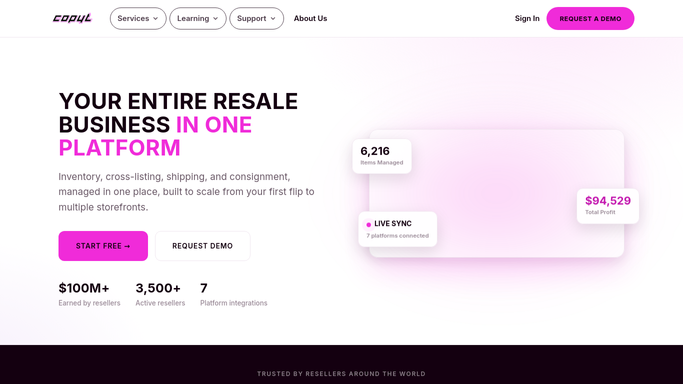
WebRun opens Copyt to check sell-through velocity. - Open Copyt and calculate sell-through rate by model and size over the last 14 days
- Flag any model selling faster than your restock threshold
- Note current remaining stock for each flagged model
Done when Every fast-selling model is flagged with its velocity and remaining stock.
-
2
Whatnot - compare current demand
whatnot.com
WebRun opens Whatnot to compare current demand. - Check Whatnot for current live demand and bidding activity on each flagged model
- Note whether demand is rising, steady, or cooling
- Skip any model where demand looks like it's already fading
Done when Each flagged model's current market demand is confirmed on Whatnot.
-
3
Slack - alert restock candidates
slack.com

WebRun opens Slack to alert restock candidates. - Post the models worth restocking, ranked by velocity and remaining stock
- Flag the ones closest to selling out first
- Leave the sourcing decision and purchase to you
Done when You have a ranked restock alert waiting in Slack each morning.
How is each run configured?
Secure by default
Connect once, stays signed in
WebRun signs in once and keeps each session in a persistent environment, so every run picks up right where it left off.
Every action is checked against this policy before it runs.
Questions, answered
Will it order or source new inventory for me?
No. It only flags which models are selling fast enough to be worth restocking. Sourcing and purchasing is a decision your team makes and acts on yourselves.
How does it decide a model is hot?
By sell-through velocity over the last 14 days in Copyt, checked against current live demand on Whatnot, so a spike from a single sale doesn't get mistaken for a real trend.
What if demand is already cooling on a fast-selling model?
It checks current Whatnot demand before alerting, so a model that sold fast last week but looks like it's cooling now gets skipped instead of triggering an unnecessary restock alert.
Related templates
Put this on autopilot.
Turn it on in minutes - or have our team set it up for you.