Automated QuoteIQ NFPA 96 Cleaning Reminders
Every Monday, WebRun opens QuoteIQ, reads each unit's cooking volume classification and last cleaning date, calculates who is coming due for their NFPA 96 interval in the next 30 days, holds a placeholder on Google Calendar for each, and sends the office a Telegram list ranked by how soon the interval runs out.
How do I keep every kitchen exhaust account on its NFPA 96 cleaning interval?
WebRun reads each customer unit's cooking volume classification and last cleaning date in QuoteIQ every Monday, calculates who is coming due for their NFPA 96 interval within 30 days, holds a placeholder on Google Calendar, and sends the office a ranked Telegram list, so no kitchen exhaust account lapses past its required cleaning interval.
- No account lapses past its required NFPA 96 interval
- The office gets a ranked booking list every Monday instead of digging through records
- Overdue accounts surface at the top before the compliance risk grows
Built for kitchen exhaust cleaning companies · hood cleaning dispatchers · fire code compliance coordinators · commercial hood cleaning owners
What does WebRun do on every run?
The exact actions WebRun takes, in order - in plain language, so you can adjust anything.
-
WebRun signs in and gets to work
Opens
myquoteiq.comin a real browser with your saved login - no setup, no API keys. -
1
QuoteIQ - read cooking volume class and last cleaning date
myquoteiq.com
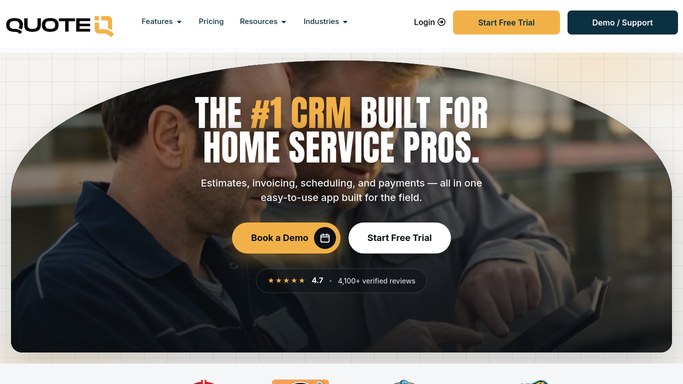
WebRun opens QuoteIQ to read cooking volume class and last cleaning date. - Open QuoteIQ and list every active account with its cooking volume classification, quarterly, semiannual, or annual, and last cleaning date
- Calculate each account's next due date from its classification and last cleaning date
- Flag any account whose next due date falls within the next 30 days or has already passed
Done when Every active account has a calculated next due date and the ones inside 30 days are flagged.
-
2
Google Calendar - hold a booking slot for each account coming due
calendar.google.com

WebRun opens Google Calendar to hold a booking slot for each account coming due. - Open the shop's booking calendar in Google Calendar
- Add a placeholder hold on the account's next due date for each flagged unit, titled with the account name and classification
- Skip any account that already has a confirmed job on the books for that window
Done when A placeholder hold sits on the calendar for every account coming due that isn't already booked.
-
3
Telegram - send the ranked booking list
telegram.org

WebRun opens Telegram to send the ranked booking list. - Send the office a Telegram list of accounts coming due, ranked by soonest next due date first
- Include the classification, last cleaning date, and days remaining for each
- Note any account already past its interval at the top as overdue
Done when The office has this week's ranked booking list in Telegram.
How is each run configured?
Secure by default
Connect once, stays signed in
WebRun signs in once and keeps each session in a persistent environment, so every run picks up right where it left off.
Every action is checked against this policy before it runs.
Questions, answered
How does it know each account's required cleaning interval?
It reads the cooking volume classification you set in QuoteIQ, quarterly, semiannual, or annual, and calculates the next due date from that account's last completed cleaning. Change the classification in QuoteIQ and the next run picks it up.
Does it book the job automatically?
No. It only holds a placeholder slot on the calendar and lists the account for the office to call and confirm. Nothing is scheduled with the customer without your team booking it.
What happens to accounts that are already overdue?
They are listed first, marked overdue, so the office sees the highest compliance risk before anything merely coming due.
Related templates
Put this on autopilot.
Turn it on in minutes - or have our team set it up for you.