FieldFlo Automated Fit Test Expiry Reminders
Every Monday, WebRun opens FieldFlo, reads each worker's respirator fit test and medical clearance dates, adds an event to Google Calendar for every expiry coming up, and sends you a Telegram reminder listing who needs a fit test or medical scheduled in the next 45 days.
How do I get reminded before respirator fit tests and medical clearances expire?
WebRun opens FieldFlo every Monday and reads each worker's respirator fit test and medical clearance dates. It adds a Google Calendar event ahead of every upcoming expiry and sends you a Telegram reminder grouping who is due in the next 45 days, so no crew member reaches the site with a lapsed fit test or clearance.
- Fit tests and medical clearances surface 45 days before they lapse
- A calendar event lands ahead of every expiry so tests get scheduled in time
- Worker medical details stay internal, never messaged out by the tool
Built for asbestos abatement contractors · abatement safety and health leads · environmental remediation firms · field crew supervisors
What does WebRun do on every run?
The exact actions WebRun takes, in order - in plain language, so you can adjust anything.
-
WebRun signs in and gets to work
Opens
fieldflo.comin a real browser with your saved login - no setup, no API keys. -
1
FieldFlo - read fit test and medical dates
fieldflo.com
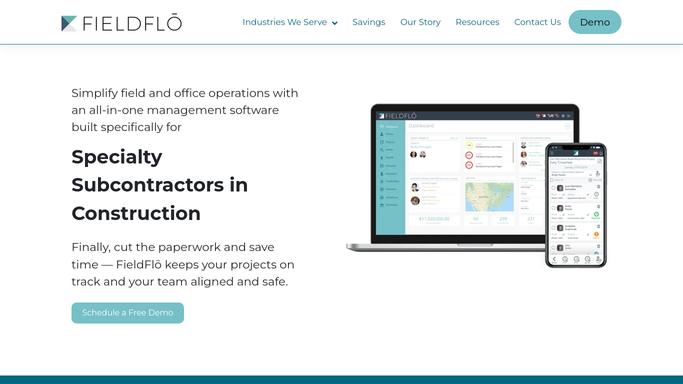
WebRun opens FieldFlo to read fit test and medical clearance dates. - Open FieldFlo and read each worker's respirator fit test date and medical clearance date
- Capture the worker, respirator type, last fit test date, and the expiry date for each
- Identify any fit test or medical clearance expiring in the next 45 days or already lapsed
Done when Every worker's fit test and medical clearance dates are captured with upcoming expiries identified.
-
2
Google Calendar - add an event for each upcoming expiry
calendar.google.com

WebRun adds a Google Calendar event ahead of each upcoming expiry. - Open your compliance calendar in Google Calendar
- Add a dated event a couple of weeks before each fit test or medical expiry, titled with the worker and what is due
- Avoid duplicating an event that already exists for that worker and expiry
Done when A Google Calendar event exists ahead of every upcoming fit test or medical expiry.
-
3
Telegram - send the scheduling reminder
telegram.org

WebRun sends the fit test scheduling reminder to Telegram. - Send a Telegram reminder listing every worker with a fit test or medical clearance due in the next 45 days
- Group by urgency: already lapsed, within 15 days, within 45 days
- Note the respirator type so the right test can be scheduled
Done when You have a Telegram reminder of every upcoming fit test and medical clearance to schedule.
How is each run configured?
Secure by default
Connect once, stays signed in
WebRun signs in once and keeps each session in a persistent environment, so every run picks up right where it left off.
Every action is checked against this policy before it runs.
Questions, answered
Does this notify the workers directly or share their medical details?
No. The reminder goes to you or your safety lead over Telegram, and calendar events sit on your internal compliance calendar. WebRun does not message workers or send any medical clearance detail outside your team.
How far ahead does it remind me?
It surfaces fit tests and medical clearances due within the next 45 days, grouped into already lapsed, within 15 days, and within 45 days, and places a calendar event a couple of weeks before each expiry so there is time to schedule.
What if a worker was just re-tested?
It reads the live fit test and medical dates in FieldFlo each Monday, so once you record a new test the worker drops off the reminder and no duplicate calendar event is added.
Related templates
Put this on autopilot.
Turn it on in minutes - or have our team set it up for you.