Syngency Automated Weekly Booking Digest
Every Monday, WebRun opens Syngency, pulls every booking scheduled for the coming week with its talent, client, call time, and location, logs the full schedule to a running Google Sheet, and posts your team a Slack digest of the week ahead sorted by day so nobody is caught off guard by a call time.
How do I see the whole week's bookings in one place?
Every Monday, WebRun opens Syngency and pulls every booking confirmed for the coming week, with the talent, client, call time, and location. It logs the full schedule to a running Google Sheet and posts your team a Slack digest sorted by day, grouped by talent, so agents see their own roster's week and never miss a call time.
- The whole team sees the week ahead in one Monday digest
- Double bookings for the same talent get flagged automatically
- Agents see their own roster's schedule without opening Syngency
Built for talent agencies · modeling agencies · booking coordinators · talent agents
What does WebRun do on every run?
The exact actions WebRun takes, in order - in plain language, so you can adjust anything.
-
WebRun signs in and gets to work
Opens
app.syngency.comin a real browser with your saved login - no setup, no API keys. -
1
Syngency - pull this week's confirmed bookings
syngency.com
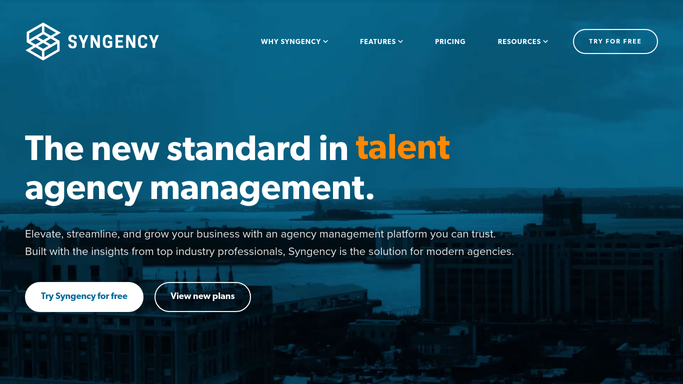
WebRun opens Syngency to pull this week's confirmed bookings. - Open Syngency and pull every booking confirmed for the coming week
- Capture the talent, client, call time, and location for each
- Note any booking still pending confirmation separately
Done when Every confirmed booking for the week is listed with its full details.
-
2
Google Sheets - log the full weekly schedule
google.com

WebRun opens Google Sheets to log the full weekly schedule. - Log each booking's talent, client, call time, and location
- Sort the log by day and call time
- Keep the sheet as the single running record of the week's schedule
Done when The weekly schedule sheet reflects every confirmed booking.
-
3
Slack - post the week ahead digest
slack.com

WebRun opens Slack to post the week ahead digest. - Post the week ahead digest to the team channel, sorted by day
- Group bookings by talent so agents see their own roster's week
- Flag any day with more than one booking for the same talent
Done when Your team has this week's booking digest in Slack.
How is each run configured?
Secure by default
Connect once, stays signed in
WebRun signs in once and keeps each session in a persistent environment, so every run picks up right where it left off.
Every action is checked against this policy before it runs.
Questions, answered
Does it change any bookings in Syngency?
No. It only reads confirmed bookings and reports them. Moving or editing a booking stays a decision for your agents inside Syngency.
What happens to bookings still pending confirmation?
They are listed separately and left out of the main digest, so the week ahead only shows jobs that are actually locked in.
Can it flag a talent booked twice in one day?
Yes. It checks each talent's schedule for the week and flags any day where they have more than one booking, so a double booking never slips through.
Related templates
Put this on autopilot.
Turn it on in minutes - or have our team set it up for you.