Automated Sawyer Sibling Discount Drafts
Every Monday, WebRun opens Sawyer, finds families with two or more children actively enrolled who are not yet flagged for the sibling discount, drafts a confirmation email in Gmail explaining the savings, and creates an unapplied draft credit memo in QuickBooks Online for your billing admin to review.
How do I catch families who qualify for a sibling discount but are not getting it?
WebRun checks Sawyer every Monday for families with two or more children actively enrolled who are missing the sibling discount, then drafts a confirmation email in Gmail and an unapplied credit memo in QuickBooks Online for the savings. Your billing admin reviews and approves both, so no family's bill changes and no discount email sends without a person signing off first.
- No family misses a sibling discount they qualify for
- Billing admin reviews a drafted credit memo instead of calculating it by hand
- No bill changes and no email sends without a person approving it first
Built for STEM studio owners · billing and accounts administrators · robotics and coding franchise operators
What does WebRun do on every run?
The exact actions WebRun takes, in order - in plain language, so you can adjust anything.
-
WebRun signs in and gets to work
Opens
www.hisawyer.comin a real browser with your saved login - no setup, no API keys. -
1
Sawyer - find qualifying sibling families
hisawyer.com
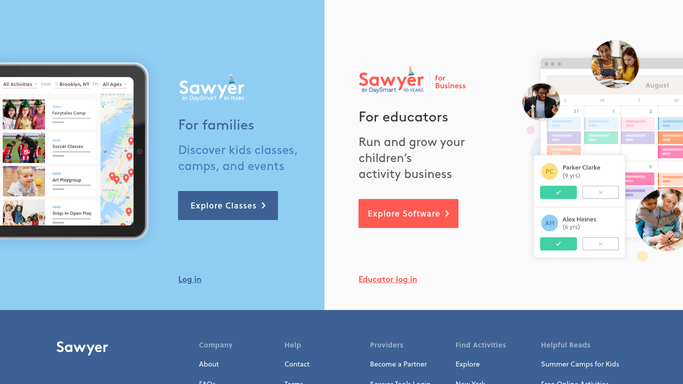
WebRun opens Sawyer to find qualifying sibling families. - Open Sawyer and group active enrollments by family to find any household with two or more children currently enrolled
- Check whether the sibling discount is already applied to that family's account
- Note each qualifying family's children, classes, and current billing amount
Done when Every family with two or more enrolled children and no sibling discount applied is listed.
-
2
Gmail - draft a discount confirmation email
gmail.com

WebRun opens Gmail to draft a discount confirmation email. - Draft a confirmation email telling the family they qualify for the sibling discount and what it saves them per session
- Save the email as a Gmail draft for your billing admin to review. Do not send automatically
Done when A discount confirmation draft is ready in Gmail for every newly qualifying family.
-
3
QuickBooks Online - draft the billing credit
- Find the matching customer record in QuickBooks Online for each qualifying family
- Create a draft credit memo for the discount amount, left unapplied
- Leave the credit memo for your billing admin to review and post. Do not apply it automatically
Done when An unapplied draft credit memo exists in QuickBooks Online for every family with a confirmation email drafted.
How is each run configured?
Secure by default
Connect once, stays signed in
WebRun signs in once and keeps each session in a persistent environment, so every run picks up right where it left off.
Every action is checked against this policy before it runs.
Questions, answered
Will it apply the discount to a family's bill automatically?
No. It creates a draft credit memo in QuickBooks Online and leaves it unapplied. Your billing admin reviews and posts it, so no charge changes without a person approving it.
Will it email the family before billing approves the discount?
No. The confirmation email is saved as a Gmail draft alongside the credit memo, so your billing admin can review both together before either one goes out.
How does it know a family qualifies?
By grouping active Sawyer enrollments under the same household and checking whether two or more children are currently enrolled without the sibling discount already applied to their account.
Related templates
Put this on autopilot.
Turn it on in minutes - or have our team set it up for you.