Flag revenue anomalies and reconciliation exceptions before they reach the GL
Every morning, WebRun opens Leapfin to scan for revenue anomalies, unmatched transactions, and reconciliation exceptions from the overnight processing run, logs each exception to a Google Sheet with its severity and recommended action, and posts a prioritized exception list to Slack so your accounting team resolves issues before they affect the close.
- No credit card
- Under $0.01 per run
- Cancel anytime
What does WebRun do on every run?
The exact actions WebRun takes, in order - in plain language, so you can adjust anything.
-
WebRun signs in and gets to work
Opens
app.leapfin.comin a real browser with your saved login - no setup, no API keys. -
1
Leapfin - scan for anomalies and reconciliation exceptions
leapfin.com How to Automate Leapfin

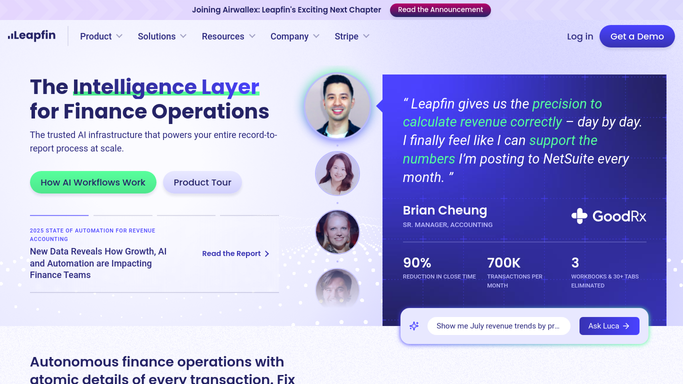
WebRun opens Leapfin to scan for anomalies and reconciliation exceptions. - Open Leapfin and navigate to the anomaly detection and reconciliation exception dashboard
- Read all exceptions flagged in the overnight processing run: unmatched transactions, revenue spikes or drops outside normal range, and duplicate detection flags
- Capture each exception with its type, amount, source, and severity level
Done when All overnight anomalies and reconciliation exceptions are captured with type, amount, and severity.
-
2
Google Sheets - log exceptions with severity and recommended action
google.com How to Automate Google Sheets
WebRun opens Google Sheets to log exceptions with severity and recommended action. - Open the revenue exception log in Google Sheets
- Add each new exception with its date, type, amount, source, severity, and a recommended resolution action
- Update the status of any exception resolved since the prior run
Done when The exception log reflects all current open exceptions with status and recommended actions.
-
3
Slack - post prioritized exception list to accounting team
slack.com How to Automate Slack
WebRun opens Slack to post prioritized exception list to accounting team. - Post a prioritized exception list to the accounting Slack channel
- Sort by severity: critical exceptions that could affect close at the top, informational flags below
- Tag the senior accountant or controller for any critical exception so it is resolved before the day's close tasks proceed
Done when The accounting team has today's exception list in Slack with severity rankings and responsible owners.


How do I automatically flag revenue anomalies and reconciliation exceptions in Leapfin?
WebRun scans Leapfin every morning for revenue anomalies and reconciliation exceptions from the overnight run, logs each one to a Google Sheet with severity and recommended action, and posts a prioritized exception list to your accounting Slack channel. Critical exceptions are flagged immediately so accountants resolve them before the day's close tasks begin.
- Critical revenue exceptions surface before 8 AM rather than at close
- Every anomaly is logged with severity and a recommended resolution action
- Accountants start each day with a clear, ranked list of what needs immediate attention
Built for revenue accounting managers · controllers · accounting ops teams · SaaS finance directors
How is each run configured?
Secure by default
Connect once, stays signed in
WebRun signs in once and keeps each session in a persistent environment, so every run picks up right where it left off.
Every action is checked against this policy before it runs.
Questions, answered
Does it automatically resolve or adjust any exceptions in Leapfin?
No. WebRun only reads and reports exceptions. Resolving an exception, such as manually matching a transaction or adjusting a revenue entry, is always done by an accountant in Leapfin.
What kinds of anomalies does it flag?
It flags unmatched transactions, revenue amounts that fall outside your normal daily or weekly range, duplicate transaction detection results, and any reconciliation exceptions Leapfin produces during overnight processing.
How does it decide what severity level to assign?
Critical severity is assigned when an exception involves an amount above a threshold you set, or when it is directly blocking a reconciliation. Informational severity covers smaller or out-of-trend items that need review but are not blocking the close.
Related templates
Put this on autopilot.
Turn it on in minutes - or have our team set it up for you.