Automated Seasonal HVAC Demand Forecasting
Every Monday, WebRun opens Savance Enterprise (Klipboard), compares this season's sell-through by SKU against the same week last year, checks current order value in Xero, and posts purchasing a ranked forecast of which equipment lines to stock up before demand peaks.
How do I forecast seasonal HVAC equipment demand before I run short?
WebRun compares this week's sell-through by SKU in Savance Enterprise (Klipboard) against the same week last season, checks Xero for current order value and any open purchase orders on flagged lines, and posts purchasing a ranked Slack forecast of which equipment is running ahead of pace, so they can stock up before demand peaks.
- Purchasing sees which equipment lines are outpacing last season every Monday
- Fast movers with no open purchase order get flagged before they run out
- Stocking decisions are based on this year's actual pace, not guesswork
Built for HVAC wholesale distributors · purchasing managers · branch inventory planners · distribution operations teams
What does WebRun do on every run?
The exact actions WebRun takes, in order - in plain language, so you can adjust anything.
-
WebRun signs in and gets to work
Opens
klipboard.com/loginin a real browser with your saved login - no setup, no API keys. -
1
Savance Enterprise (Klipboard) - compare sell-through to last season
klipboard.com
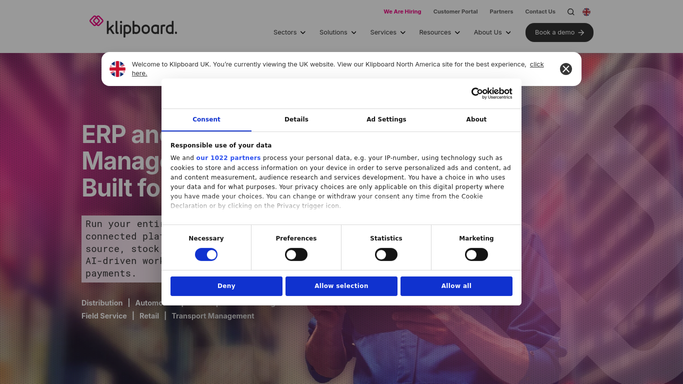
WebRun opens Savance Enterprise (Klipboard) to compare sell-through to last season. - Open Savance Enterprise (Klipboard) and pull sell-through by SKU for the current week
- Compare it against the same calendar week last season
- Flag any SKU tracking more than 15 percent above or below last year's pace
Done when Every major SKU has this week's sell-through compared to last season.
-
2
Xero - check current order value by line
xero.com

WebRun opens Xero to check current order value by line. - Open Xero and pull the current order value booked for each flagged equipment line
- Note which lines already have purchase orders in flight and which do not
Done when Each flagged SKU shows its booked order value and open purchase order status.
-
3
Slack - post the ranked stocking forecast
slack.com

WebRun opens Slack to post the ranked stocking forecast. - Post a ranked list of SKUs to purchasing, fastest movers first
- Note which flagged lines have no open purchase order yet
- Leave the reorder decision and quantities to your purchasing team
Done when Purchasing has this week's ranked stocking forecast in Slack.
How is each run configured?
Secure by default
Connect once, stays signed in
WebRun signs in once and keeps each session in a persistent environment, so every run picks up right where it left off.
Every action is checked against this policy before it runs.
Questions, answered
Does it place purchase orders for us?
No. It only ranks which equipment lines are running ahead of or behind last season's pace. Your purchasing team decides what and how much to order.
What counts as running ahead or behind pace?
Any SKU whose sell-through is more than 15 percent above or below the same calendar week last season, a threshold you can adjust.
Where does the order coverage number come from?
It reads the current booked order value and open purchase order status for each flagged line directly from Xero, so the forecast reflects what is already on the way.
Related templates
Put this on autopilot.
Turn it on in minutes - or have our team set it up for you.