How to Automate Google Calendar

Google Calendar automates the parts that live inside it. Recurring events repeat, booking pages let people take a slot, notifications fire before a meeting, and Apps Script can run on a schedule. Keeping it accurate when the work is scheduled in another system is the part still done by hand.

The calendar is the only place anyone checks

Google Calendar is the free scheduling tool in Google Workspace, and in most small companies it has become the single source of truth about time, whether or not anyone intended that.

People will look at a calendar. They will not reliably look at a job management system, a rota tool or a booking platform, even when those are the systems the business actually runs on. If it is not on the calendar, for practical purposes it is not happening.

This produces a specific and very common failure. The real schedule lives in one system, everyone's behaviour is driven by another, and the gap between them is maintained by a person copying things across.

Two systems disagree about Thursday

The copying is invisible until it goes wrong, and it goes wrong in a way that costs real money.

A job gets booked in the field service system and somebody adds it to the shared calendar. A shift changes in the rota tool and the calendar keeps the old one. A client reschedules by email and the calendar gets updated but the job system does not.

Then an engineer drives to an address that was cancelled on Tuesday, or two people turn up for the same slot, or a visit that was moved never made it onto anyone's day at all.

The cause is never carelessness. It is that keeping two systems in step by hand is a task with no natural end, and it is always the first thing dropped on a busy day.

The calendar.google.com homepage, the app these three jobs run in. Google Calendar
The week filled in for you Jobs, shifts and appointments created where the work is booked, appearing on the right calendar without retyping.
Changes that follow through A visit moved in the job system moves on the calendar too, instead of drifting apart until someone notices.
Reminders with real detail The address, the reference and the contact pulled in, so nobody opens another system to find out where they are going.

Recurring events and booking pages cover a narrow slice

Google Calendar is more capable on its own than it is given credit for.

Events repeat on flexible rules. Appointment schedules let people book a slot from a public page, with buffers and limits. Working hours stop meetings landing at seven in the morning. Notifications fire by popup or email before an event. Calendars can be shared with fine-grained permissions, and Apps Script will run against them on a timer, so a nightly tidy-up is possible for anyone willing to write a little code.

What all of that shares is that the calendar is the origin. Something is created in the calendar, or created by someone booking through the calendar, and the calendar manages it from there.

When the appointment is created somewhere else, none of it applies. The calendar has no way to know that a job was booked in a different system twenty minutes ago, and no way to find out.

The week can fill itself from wherever the work is booked

The calendar can be written straight out of whatever system took the booking. Nobody needs to read one screen and type into another.

Tomorrow's jobs, read out of the field service system and written onto the right engineer's calendar with the address and the reference in the description. The week's shifts from a rota tool that has no calendar export. Appointments from a clinic system that only ever shows them in its own day view.

The corrections matter as much as the creations. A visit moved in the source system moves on the calendar. A cancellation removes the event instead of leaving it there to send somebody on a wasted trip.

It is worth being deliberate about direction. Pick one system as the truth, usually the one where the work is genuinely booked, and let the calendar follow it. Two systems that both write to each other will eventually fight, and the argument will surface as a double booking on a Friday afternoon.

Keeping two systems in step is nobody's job

Tomorrow's jobs are already written down somewhere; they are just not written down on the calendar. Moving them across is not skilled work, but it is the work that stops an engineer driving to the wrong town.

WebRun is an AI agent that works a real Chrome browser, signed in as you. It opens the system where the work is booked, including the ones with no API and no calendar export, reads the day, and writes the events onto the calendar with the details filled in.

It runs on your schedule in your own private environment, and you can watch a run and stop it. Anything that would notify a customer drafts and waits for a person.

The workflows below are already built, and each one shows the steps it takes.

Questions people ask

Will it create duplicate events if it runs twice?

Each workflow matches on a reference from the source system, so a second run updates the event it already created rather than adding another one.

Can it write to several people's calendars?

Yes, as long as the account it signs in with has permission to those calendars. It uses the same access a person would, so shared team calendars work the way they already do for you.

What about a booking system with no export at all?

That is the usual case. It reads the day off the screen the way a person would, then writes the events, so a system that never offered a calendar feed is no longer a dead end.

1,265 ready-made Google Calendar workflows

Each one names the apps it touches and the exact steps it takes. Open one to read what it will do, then turn it on.

ScopeTakeoff Automated Scaffolding Scheduling
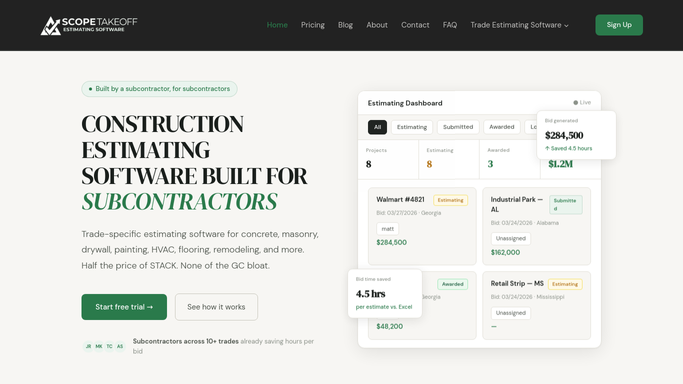
WebRun reads the start dates of your high-access ScopeTakeoff jobs, blocks the scaffolding rental window on Google Calendar, and reminds your team in Slack before each erect date.
ScopeTakeoffGoogle CalendarSlack
Automated Grease-Trap Route Scheduling
Every morning, WebRun reads the day's scheduled grease trap jobs in Tank Track, orders them into an efficient route per driver with site notes and access details, puts each stop on Google Calendar, and sends the driver their run over Telegram.
Tank TrackGoogle CalendarTelegram
Automated Fire Pump Test Scheduling
Every morning, WebRun finds fire pumps due for their annual flow test in Uptick, holds a slot on your Google Calendar, and drafts a scheduling text to each property contact for you to approve.
UptickGoogle CalendarTwilio
Automated Crew Route and Weather Planning
WebRun reads tomorrow's sealcoat and striping jobs from Bitumio, checks the forecast, orders each crew's stops into a sensible route, and posts the day plan.
BitumioGoogle CalendarSlack
Automated 1031 180-Day Deadline Tracking
Each morning, WebRun reads active exchanges in Accruit Exchange Manager Pro, calculates the 180-day completion deadline and days remaining for each, writes each as a Google Calendar milestone, and posts the team a Slack countdown.
Accruit Exchange Manager ProGoogle CalendarSlack
MyApiary Automated Varroa Treatment Reminders
Every morning, WebRun reads the varroa treatment log in MyApiary, works out which hives are due or overdue, puts each treatment on your Google Calendar, and pings your team about what to treat today.
MyApiaryGoogle CalendarTelegram
Interpreter.io Automated Hearing Reminders
Every afternoon, WebRun reads tomorrow's assigned court bookings in Interpreter.io, cross-checks each one against Google Calendar, and drafts a confirmation reminder text in Twilio with the court, time, and location for your coordinator to send.
Interpreter.ioGoogle CalendarTwilio
Automated Mediation Session Reminders
Each morning, WebRun reads tomorrow's mediation sessions from ADR Notable and Google Calendar, drafts a reminder in Outlook to each party covering the time, location, and documents to bring, and leaves every message unsent for your review.
ADR NotableGoogle CalendarOutlook
Automated Catering Order Follow-Up Drafts
After each catering platter is picked up, WebRun reads the order in ShelfPerks, checks the pickup happened, and drafts a warm thank-you and feedback email in Gmail for you to review and send.
ShelfPerksGoogle CalendarGmail
Automated Shoe Fitting Appointment Reminders
Before each gait analysis and shoe fitting, WebRun reads the booking, pulls the runner's Runit profile, and drafts a reminder text queued in Twilio for staff to approve.
RunitGoogle CalendarTwilio
Automated Quilting Class Confirmations
Before each class, WebRun opens Like Sew, pulls the roster and class details, and drafts every registered student a seat-confirmation text for you to approve.
Like SewTwilioGoogle Calendar
Ordorite Automated Haul-Away Scheduling
Every afternoon, WebRun reads tomorrow's Ordorite deliveries, finds which orders bought a haul-away, and builds the crew a Google Calendar plan plus a Slack prep list so the truck leaves ready.
OrdoriteGoogle CalendarSlack
Automated Commission Close Deadline Tracking
Each morning, WebRun reads your commission close calendar, checks what is done in QuotaPath, and posts the team the open tasks and days left before close.
QuotaPathGoogle CalendarSlack
Automated Restaurant Period Close Tracking
Every morning, WebRun checks each location's close tasks in Restaurant365 against your period-close calendar in Google Calendar and posts the team a Slack status of what is done, what is due today, and which units are behind.
Restaurant365Google CalendarSlack
Automated Distribution Run Deadline Tracking
Every morning, WebRun checks Petrofly and your calendar for the month's revenue distribution run steps, works out which close, purchaser, and payment deadlines are coming up, and posts the accounting team a Slack countdown of what is due next.
PetroflyGoogle CalendarSlack
Automated Chargeback Deadline Tracking
Every morning, WebRun reads each open dispute's response-by date in Chargeflow, adds it to your calendar, and warns you in Slack about any deadline coming up in the next two days.
ChargeflowGoogle CalendarSlack
Automated Escheat Deadline Tracking
Every morning, WebRun opens Simple Escheat, reads the filing deadline for each state you report to, puts the ones coming due onto a shared calendar, and pings you on Telegram about anything close.
Simple EscheatGoogle CalendarTelegram
Automated Two Person Crew Routing
WebRun scans tomorrow's orders in Deliveright, groups the oversized two person stops into an efficient run, and drops the proposed crew route on Google Calendar for a planner to confirm.
DeliverightGoogle CalendarSlack
Automated Reefer Pre-Cool Reminders
WebRun reads your scheduled pickups from Google Calendar, checks each assigned trailer's box temperature in Fleet.Net, and posts a Slack reminder to pre-cool the reefer while queuing the remote pre-cool command for approval.
Wireless Links Fleet.NetGoogle CalendarSlack
Automated Denture Try-In Scheduling
WebRun finds patients whose denture cases are ready for a try-in, checks the try-in openings on your calendar, and drafts a scheduling text for each patient so your front desk sends it with one tap.
XLDentGoogle CalendarTwilio
Panda Perio Automated SRP Re-Evaluation Recall
WebRun finds patients who finished scaling and root planing in Panda Perio, checks whether their four to six week re-evaluation is booked, holds a slot in Google Calendar, and drafts a recall text for staff to approve.
Panda PerioGoogle CalendarTwilio
User Interviews Automated Session Reminders
Every morning, WebRun checks tomorrow's User Interviews sessions against your Google Calendar and drafts a friendly reminder email for each participant, ready for you to review and send.
User InterviewsGoogle CalendarGmail
Automated Expert Report Deadline Tracking
Every morning, WebRun reviews report due dates in ExpertClear, checks them against your calendar, and posts a Slack worklist of engagements with a report deadline approaching.
ExpertClearGoogle CalendarSlack
Tint Wiz Automatic Appointment Reminders
WebRun watches your Tint Wiz calendar, mirrors each booked install to Google Calendar, and drafts a confirmation plus 24 hour and 1 hour reminders by text so customers show up and your bays stay full.
Tint WizGoogle CalendarTwilio

Want one of these running on your own Google Calendar?

Show WebRun the process once and it will run it on schedule, in your own private browser environment.