Remind participants of their upcoming session slot
Every morning, WebRun opens User Interviews, lists the sessions booked for the next day, confirms each slot against your Google Calendar, and drafts a friendly reminder email per participant in Gmail, then leaves every draft for you to review and send.
- No credit card
- Under $0.01 per run
- Cancel anytime
What does WebRun do on every run?
The exact actions WebRun takes, in order - in plain language, so you can adjust anything.
-
WebRun signs in and gets to work
Opens
www.userinterviews.comin a real browser with your saved login - no setup, no API keys. -
1
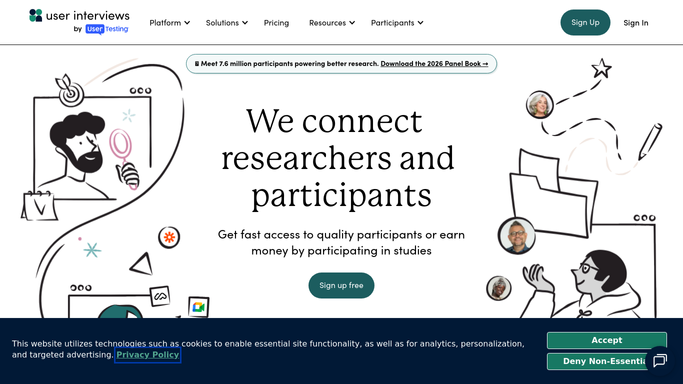
User Interviews - list tomorrow's sessions
userinterviews.com How to Automate User Interviews

WebRun opens User Interviews to list tomorrow's sessions. - Open User Interviews and filter sessions to the next calendar day
- Capture each participant, session time, and study name
- Note the join link or location for each session
Done when Every session booked for tomorrow is listed with its participant and time.
-
2
Google Calendar - confirm each slot
calendar.google.com How to Automate Google Calendar
WebRun opens Google Calendar to confirm each slot. - Open Google Calendar and find each matching session event
- Confirm the time, timezone, and researcher assigned
- Flag any slot that is missing from the calendar or double-booked
Done when Each session is confirmed against the calendar, conflicts flagged.
-
3
Gmail - draft reminders for review
gmail.com How to Automate Gmail
WebRun opens Gmail to draft reminders for review. - Draft a friendly reminder email for each participant with their time and join link
- Include reschedule instructions in case they can no longer attend
- Leave each reminder as a Gmail draft for you to review and send. Do not message participants automatically
Done when A reviewable reminder draft sits in Gmail for every participant, none sent.


How do I remind participants of their upcoming session slot?
WebRun keeps tomorrow's sessions warm. Each morning it lists the next day's User Interviews bookings, confirms every slot against your Google Calendar, and drafts a friendly Gmail reminder per participant with their time and join link. Each draft waits for your review, so participants are only messaged after you approve and send.
- Fewer no-shows from timely, personal reminders
- Every session confirmed against the calendar before it runs
- Reminders drafted in minutes, reviewed and sent in one pass
Built for UX researchers · research ops · user research teams · product researchers
How is each run configured?
Secure by default
Connect once, stays signed in
WebRun signs in once and keeps each session in a persistent environment, so every run picks up right where it left off.
Every action is checked against this policy before it runs.
Questions, answered
Will it message participants without me?
No. WebRun drafts each reminder in Gmail and leaves it unsent. You review the time and join link, then send it yourself, so nothing goes out on its own.
How does it know which sessions are tomorrow?
It filters User Interviews sessions to the next calendar day and cross-checks each one against your Google Calendar, so only real, confirmed slots get a reminder drafted.
What if a participant already rescheduled?
It reads the live session time in User Interviews each morning, so a moved or canceled slot is picked up and the old reminder is never drafted.
Related templates
Put this on autopilot.
Turn it on in minutes - or have our team set it up for you.