How to Automate DairyComp 305
DairyComp 305 automates the herd file itself: event entry from the parlor or a phone, protocol enrollment for breeding and vaccination, command-line reports and worklists built to order. The co-op statement, the lab result and the feed supplier's portal still need opening, which is where an agent like WebRun fits.
 Written by
Nora Whitfield
Editorial lead
Written by
Nora Whitfield
Editorial lead
 Reviewed by
Marcus Deleon
Support operations
Reviewed by
Marcus Deleon
Support operations
Every cow on the dairy has a page in DairyComp
DairyComp 305 is the file every other decision on a dairy gets made against. Two veterinarians founded Valley Agricultural Software in 1981 and put the first copy on a Tulare dairy two years later. The company trades as VAS now and sells the program simply as DairyComp, though most herdsmen still say DC305 out loud.
Open it and you are looking at animals. Each cow carries her tag, her pen, her lactation number, days in milk, every breeding and the sire behind it, her calving dates, the treatments she has had and the day she was dried off. Events go in from the parlor, from a phone out in the pen, from the veterinarian's laptop on herd-check morning.
That makes it the one place where the herdsman, the breeder, the nutritionist and the vet all look at the same cow. Which animals get bred this week, which get dried off, which leave on the next cull load: all of it comes out of this file.
Somebody retypes the co-op statement every month
The file is only as current as the person typing into it, and much of what belongs in it starts somewhere else.
The milk check is the clearest case. Every month the co-op posts a statement: pounds shipped, butterfat and protein tests, the somatic cell count off the bulk tank, hauling and marketing deductions, whatever quality premium was earned or missed. Somebody signs in, reads it, keys the parts that matter back into the herd file, then works out by hand whether this month beat last.
It has the same shape everywhere else. Test-day results come back from the lab and get typed in. The vet finishes herd check with a list of pregnancy diagnoses and treatments on paper, and somebody enters it after evening milking. Feed invoices get checked against what the mixer actually fed. None of this is difficult work. It is just a person, a screen and an evening.
The command line only reaches what is already in the herd file
A fair amount of that retyping is avoidable inside the program, and anyone doing it by hand deserves to know that.
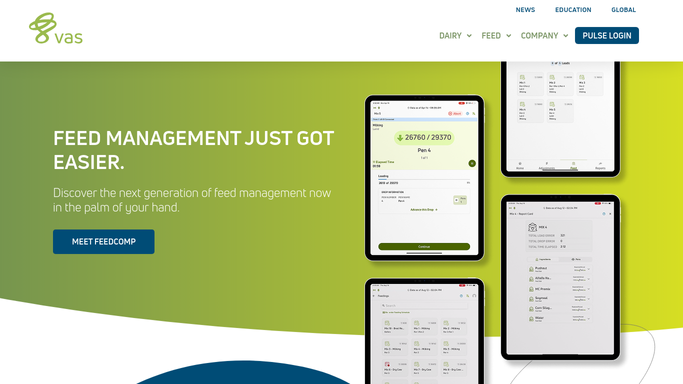
The command line is the reason DC305 has the reputation it has. LIST, SHOW, SUM and COUNT will build a report on any group of animals you can describe, and those commands now run from the PULSE platform as well as the program itself. Protocols are the other half: define an OvSynch or a vaccination protocol once, enroll animals against it, and the due list generates itself. The mobile app carries worklists into the pen and works offline, and pairing an RFID reader to it takes transcription error out of entry altogether.
All of that is real, and more than most vertical software manages. But every one of those tools operates on what is already inside the herd file. The command line cannot query the co-op's website. A protocol cannot notice that the lab posted a result overnight. The wall is not the reporting, which is genuinely excellent. It is that the program has no way to fetch the numbers arriving from off the farm.
Worklists that already know what the lab said
Start at the herd file and work outward, because that is the direction the dairy already runs.
Picture the fresh-cow list on the herdsman's phone with this morning's bulk tank result already beside it, so a cell count that jumped overnight is a pen to walk rather than a number found five weeks later. Picture the monthly milk check read off the co-op portal the day it posts, set line by line against the pounds and components the herd file expected, with the deduction that changed since last month named rather than buried.
Picture the vaccination and dry-off lists going out on Sunday evening with each product checked against what is actually left on the supplier's ordering page, so nobody discovers the shortage on Tuesday in the chute. Then the cull load: the animals the file already flags as chronic or low-production, set against what the sale barn published this week, so the decision gets made with a price next to it. Or the hauler's pickup schedule read off the processor's site against what the tank will hold by morning.
An agent walks the portals before milking
None of that is a reporting problem. Every one of those numbers is sitting on a screen somebody could open, behind a login, with no export button and no integration waiting to be switched on.
WebRun opens them. It drives a real browser, signed in as you, on whatever schedule you set: the co-op portal, the lab, the feed supplier's order page, the sale barn report. What it finds goes where you want it: a list on a phone, a note beside the fresh-cow group.
The reading runs unattended. Anything that writes to an animal's record, or that sends a message to your veterinarian or your hauler, is drafted and held for a person who knows the herd to release. A wrong treatment entry follows a cow for the rest of her life, so that stays a human decision. The cards below are the dairy jobs people usually start with.
Questions people ask
Will it enter events or treatments into DairyComp on its own?
No. Reading DairyComp and reading the sites around it runs unattended, but an event, a treatment or a cull decision written into an animal's record is drafted and left for the herdsman or the veterinarian to confirm. A wrong entry follows that cow for the rest of her life.
Our co-op posts the milk check as a PDF behind a login. Can it get at that?
Yes, and that is the usual reason to run this. It signs in the way you do, opens the statement and reads the pounds, components and deductions off it. The co-op does not have to publish an API or build anything, and nobody has to download the file first.
Does this replace PULSE?
No. PULSE is where your herd metrics live and it stays there. This covers the sites PULSE has no reason to reach: the co-op, the lab, the feed supplier, the sale barn. The two answer different halves of the same morning.
12 ready-made DairyComp 305 workflows
Each one names the apps it touches and the exact steps it takes. Open one to read what it will do, then turn it on.




Want one of these running on your own DairyComp 305?
Show WebRun the process once and it will run it on schedule, in your own private browser environment.