Turn your vet's visit notes into scheduled follow-ups
Every Monday after the herd health check, WebRun opens DairyComp 305, reads the vet's recommendations and flagged follow-ups, adds each internal task to Google Calendar with a due date, and drafts a confirmation email to the vet clinic listing the next visit's focus cows for your manager to review before sending.
- No credit card
- Under $0.01 per run
- Cancel anytime
What does WebRun do on every run?
The exact actions WebRun takes, in order - in plain language, so you can adjust anything.
-
WebRun signs in and gets to work
Opens
www.vas.com/dairycomp-305in a real browser with your saved login - no setup, no API keys. -
1
DairyComp 305 - read the vet's visit notes and follow-ups
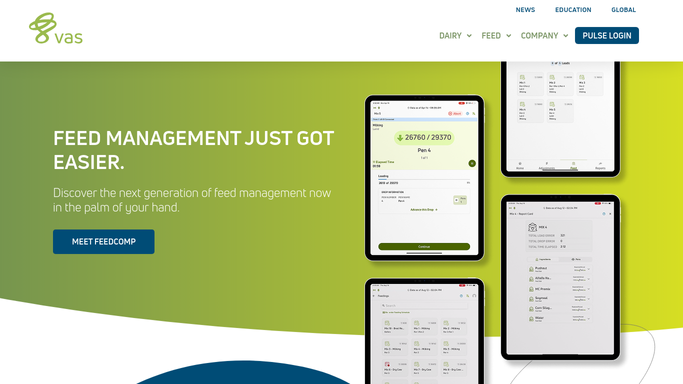
vas.com How to Automate DairyComp 305

WebRun opens DairyComp 305 to read the vet's visit notes and follow-ups. - Open DairyComp 305 and pull the vet's notes from the most recent herd check
- Capture every recommendation, recheck, or flagged cow along with the suggested timeframe
- Separate items into internal follow-ups and anything that needs the vet back on farm
Done when Every vet recommendation is listed with the cow, action, and timeframe.
-
2
Google Calendar - schedule internal follow-up tasks
calendar.google.com How to Automate Google Calendar
WebRun opens Google Calendar to schedule internal follow-up tasks. - Open the farm's shared Google Calendar
- Add a task for each internal follow-up, due on the date the vet recommended
- Assign each task to the herdsman or manager responsible for that cow
Done when Every internal follow-up has a calendar task with an owner and due date.
-
3
Gmail - draft the next visit confirmation
gmail.com How to Automate Gmail
WebRun opens Gmail to draft the next visit confirmation. - Draft an email to the vet clinic listing the cows that need a recheck on the next visit
- Include each cow's ID, condition, and the vet's own notes
- Leave the email as a draft. Do not send it. Your manager reviews and sends it to confirm the visit
Done when A Gmail draft is ready for the vet clinic, unsent, awaiting your manager's review.


How do I turn my vet's visit notes into scheduled follow-ups?
After each herd check, WebRun reads the vet's recommendations logged in DairyComp 305, adds an internal Google Calendar task with a due date and owner for anything your team can handle, and drafts a Gmail confirmation to the vet clinic for items that need a recheck. Your manager reviews and sends that draft, so nothing reaches the clinic unapproved.
- No vet recommendation gets forgotten between herd checks
- Internal follow-ups land on the calendar with an owner and due date the same day
- The vet confirmation email is drafted and ready, never sent without your manager's review
Built for dairy farm owners · farm managers · herd health managers · dairy operations managers
How is each run configured?
Secure by default
Connect once, stays signed in
WebRun signs in once and keeps each session in a persistent environment, so every run picks up right where it left off.
Every action is checked against this policy before it runs.
Questions, answered
Will WebRun email the vet clinic without approval?
No. WebRun only drafts the follow-up email in Gmail and leaves it unsent. Your manager reviews it and sends it themselves, so nothing goes to the clinic without a person checking it first.
How does it know what the vet recommended?
It reads the visit notes your vet or staff logged in DairyComp 305 after the herd check, including any recheck timeframe the vet specified.
What if a follow-up doesn't need the vet back on site?
It's scheduled as an internal calendar task instead, assigned to the herdsman or manager responsible, so only items that genuinely need the vet generate a draft email.
Related templates
Put this on autopilot.
Turn it on in minutes - or have our team set it up for you.