Keep feed bins from running low without warning
Every Monday, WebRun opens DairyComp 305 to confirm the current milking herd count, checks your feed inventory log for corn silage, grain mix, and mineral against typical daily consumption, drafts a QuickBooks purchase order for anything projected to run out before next week's delivery, and posts a Slack alert for a manager to approve before it's sent to the supplier.
- No credit card
- Under $0.01 per run
- Cancel anytime
What does WebRun do on every run?
The exact actions WebRun takes, in order - in plain language, so you can adjust anything.
-
WebRun signs in and gets to work
Opens
www.vas.com/dairycomp-305in a real browser with your saved login - no setup, no API keys. -
1
DairyComp 305 - confirm the current milking herd count
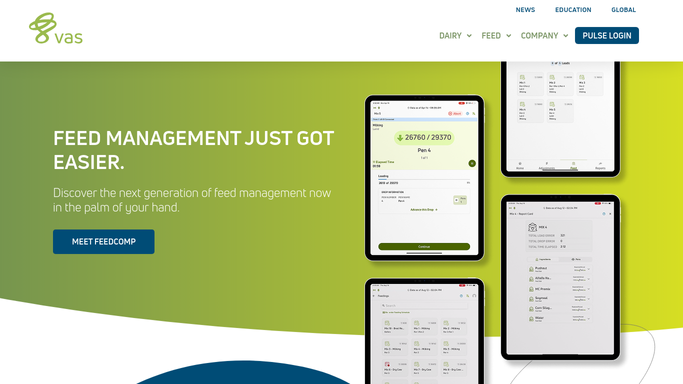
vas.com How to Automate DairyComp 305

WebRun opens DairyComp 305 to confirm the current milking herd count. - Open DairyComp 305 and pull the current count of milking and dry cows
- Note any recent change in headcount from culls, calvings, or sales this week
Done when The current herd count by group is confirmed for this week's consumption estimate.
-
2
Google Sheets - check feed inventory against consumption
google.com How to Automate Google Sheets
WebRun opens Google Sheets to check feed inventory against consumption. - Open the Feed Inventory Log
- Compare each feed's current bin level to typical daily consumption for the confirmed herd count
- Project how many days of supply remain for corn silage, grain mix, and mineral
- Flag anything projected to run out before next week's scheduled delivery
Done when Every feed item is listed with days of supply remaining, and low items are flagged.
-
3
QuickBooks - draft a purchase order for low items
- Open QuickBooks and draft a purchase order for each flagged feed item
- Fill in the quantity needed to cover the herd through the next delivery, and the usual supplier
- Save the purchase order as a draft. Do not send it to the supplier
Done when A draft QuickBooks purchase order covers every low feed item, unsent.
-
4
Slack - alert a manager to approve
slack.com How to Automate Slack
WebRun opens Slack to alert a manager to approve. - Post a Slack alert to the operations channel with the drafted purchase order and days of supply remaining
- Flag any feed projected to run out in under 3 days at the top
- Leave the order for a manager to review and approve before it goes to the supplier
Done when A manager has the drafted purchase order and supply projection in Slack.


How do I keep feed inventory from running low without warning?
WebRun confirms your current milking herd count in DairyComp 305 every Monday, checks feed inventory levels against typical consumption for that headcount, and drafts a QuickBooks purchase order for anything projected to run out before next week's delivery. It posts the draft to Slack for a manager to approve, so no order reaches a supplier unapproved.
- Feed reorders are drafted before a bin runs out, not after
- The order quantity adjusts automatically when herd size changes
- No purchase order reaches a supplier without a manager's approval
Built for dairy farm owners · farm managers · feed and nutrition managers · farm bookkeepers
How is each run configured?
Secure by default
Connect once, stays signed in
WebRun signs in once and keeps each session in a persistent environment, so every run picks up right where it left off.
Every action is checked against this policy before it runs.
Questions, answered
Will WebRun place the feed order with the supplier on its own?
No. WebRun drafts the purchase order in QuickBooks and posts it to Slack for a manager to approve. No order reaches your supplier until a person reviews and approves it.
How does it estimate how much feed we'll use?
It multiplies typical daily consumption per cow by the current milking and dry cow count confirmed in DairyComp 305, so the projection adjusts automatically when your herd size changes.
What if a feed delivery is delayed?
Update the expected delivery date in the inventory log and WebRun's projection adjusts on the next run, flagging the shortfall earlier if the gap has grown.
Related templates
Put this on autopilot.
Turn it on in minutes - or have our team set it up for you.